
Internal communication displays that drive employee engagement
TL;DR:
- Effective internal displays rely on strategy, governance, segmentation, and relevant content, not just hardware.
- Regular measurement and content updates are essential for maintaining employee engagement and information relevance.
- Cultivating authentic, human-centered content that reflects employees’ daily realities builds long-term connection and trust.
Unlocking internal communication displays for employee engagement
Many organizations install screens throughout their offices, then wonder why employees still miss key updates. The screens are on, the content is playing, but the engagement simply isn’t there. This is one of the most common frustrations for communication managers today, and the root cause is almost never the hardware. Understanding how internal communication displays actually work, what makes them effective, and how to govern them strategically is the difference between digital wallpaper and a genuinely powerful communication channel. This guide covers all of it, from definitions to real measurement.
Table of Contents
- Defining internal communication displays
- Core benefits for employee engagement and information flow
- Strategic best practices: From hardware to content governance
- Measuring success and adapting for continuous improvement
- Beyond the tech: What most organizations overlook
- Unlock more with expert display solutions
- Frequently asked questions
Key Takeaways
| Point | Details |
|---|---|
| Strategy trumps hardware | Putting relevance and governance first yields better engagement than advanced tech alone. |
| Content must stay fresh | Displays quickly lose impact if content is outdated or irrelevant. |
| Measure and adapt | Track engagement and feedback regularly to refine your communication strategy. |
| Benefits are broad | Internal displays boost awareness, morale, and inclusivity across the organization. |
Defining internal communication displays
An internal communication display is any screen or digital device deployed within an organization to share information with employees, visitors, or stakeholders. That definition sounds simple, but the variety of formats available today makes it easy to lose focus. Let’s be precise about what falls under this umbrella and what each type does best.
Common display types include:
- LCD wall screens: Standard flat panel displays mounted in hallways, lobbies, break rooms, and meeting spaces. These are the most widely used format for announcements, performance dashboards, and company news.
- Interactive kiosks: Touchscreen units that allow employees to search for information, complete surveys, access directories, or check schedules. Similar to self-service kiosks used in hospitality, they put control in the user’s hands.
- Video walls: Large multi-panel displays ideal for high-traffic areas like reception halls or large open-plan offices. They command attention and work well for executive messaging or brand storytelling.
- Mobile and tablet screens: Portable displays used in warehouses, healthcare settings, or field operations where wall-mounted screens are impractical.
- Meeting room displays: Screens outside or inside conference rooms showing schedules, booking status, and team updates.
Each format serves a different function, and matching the display type to the communication goal is foundational to success.
| Display type | Best use scenario | Key feature |
|---|---|---|
| LCD wall screen | Announcements, news, dashboards | Wide visibility, passive consumption |
| Interactive kiosk | Employee self-service, surveys | Two-way engagement |
| Video wall | High-traffic lobbies, executive messaging | Visual impact, brand presence |
| Mobile/tablet display | Field teams, healthcare floors | Portability, accessibility |
| Meeting room screen | Room booking, team schedules | Contextual, location-specific |
Beyond hardware selection, digital display templates play a critical role in ensuring content looks professional and is easy to update without design skills. Templates standardize the visual language across all your screens, which builds trust and recognition among employees.
One of the most persistent misconceptions is that buying better screens automatically leads to better communication. It does not. As strategy drives signage success confirms, success hinges on prioritizing relevance, governance, and measurement. Even premium hardware becomes ineffective when content grows stale or irrelevant. A screen showing last month’s safety update is not communicating. It is just burning electricity.
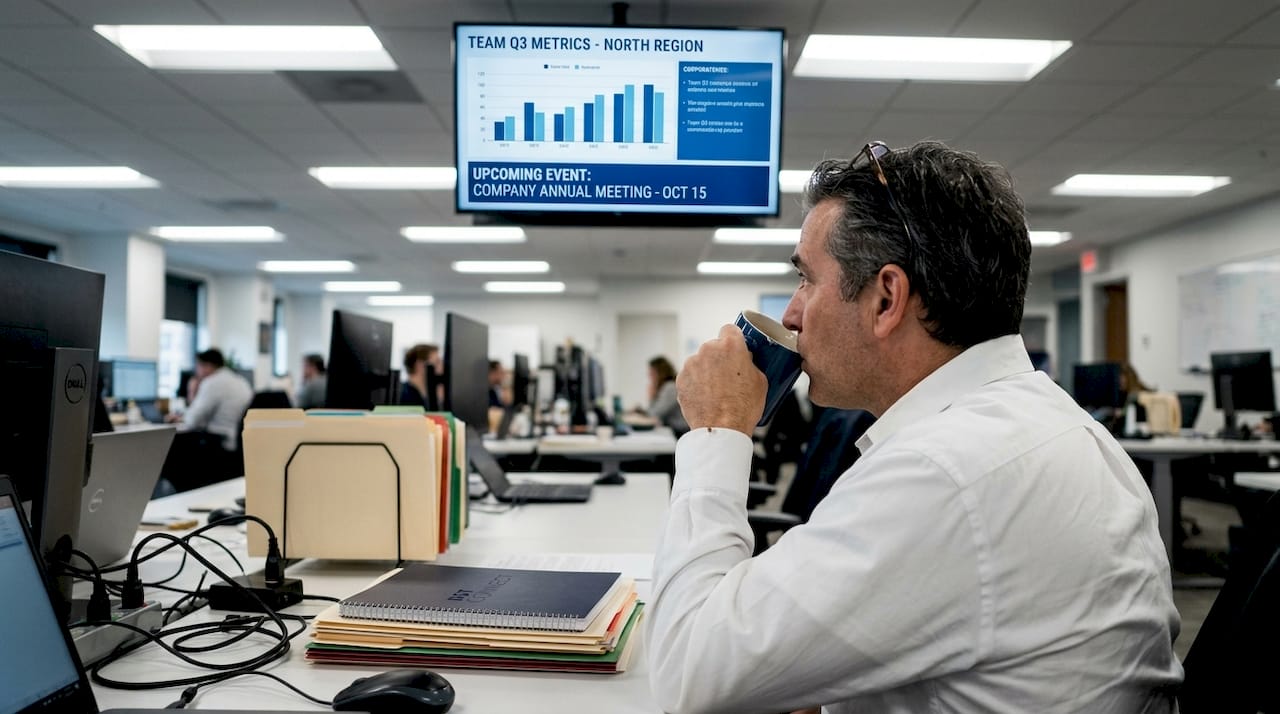
Another common pitfall is treating all employees as identical audiences. A one-size-fits-all display strategy ignores the fact that a warehouse worker and a finance analyst have entirely different information needs. Smart organizations segment their display networks by location and audience, ensuring each screen delivers content that matters to the people who see it. Explore interactive display examples to see how audience-specific content dramatically changes engagement outcomes.
Core benefits for employee engagement and information flow
With a clear understanding of what internal communication displays are, let’s examine their real-world advantages for employee engagement.
The visibility advantage of digital displays is significant. Humans process visual information far faster than text on a page, and a well-designed screen in a high-traffic area captures attention naturally. Unlike emails that get buried or intranet posts that require active browsing, displays push information directly into employees’ physical environment. This is passive reach at scale, and it works around the clock without any extra effort from the communication team.
Primary benefits of internal communication displays:
- Improved awareness: Real-time updates about company news, safety alerts, and operational changes reach employees immediately, without relying on them to check a specific platform.
- Faster information uptake: Time-sensitive information, such as a shift change or a system outage, can be communicated across an entire building within minutes.
- Inclusivity: Employees who do not regularly use computers or email, such as production floor workers or cleaners, gain equal access to important information.
- Morale and recognition: Displaying employee achievements, birthdays, and team wins builds a positive culture that email simply cannot replicate at the same emotional level.
- Reduced communication overload: By consolidating updates onto screens, organizations reduce the volume of emails, texts, and verbal announcements that fragment the workday.
- Brand consistency: A unified visual language across all displays reinforces company identity and professional standards.
“Success in digital signage for corporate communications hinges on strategy over technology. Relevance, governance, and consistent measurement are what separate displays that inform from those that are simply ignored.”
This point about relevance cannot be overstated. Content creation is where most communication managers either win or lose the engagement battle. Screens that show outdated promotions or generic motivational quotes quickly become background noise. Review signage content creation tips to build a content calendar that keeps every screen purposeful and timely.
Dynamic content rotation is one of the most practical tools available. By scheduling different content blocks throughout the day, you can target morning shift workers with safety briefings, midday audiences with recognition posts, and afternoon teams with productivity metrics. This kind of segmentation dramatically increases how often employees actually absorb the content shown.
Pro Tip: Pair your display strategy with a simple feedback mechanism, such as a QR code linking to a short weekly poll. This gives employees a voice and gives you data on what content is actually resonating versus what is being ignored.
Explore engagement strategies for signage for tested frameworks that go well beyond content scheduling, including gamification, social media feeds, and peer recognition integrations.
Strategic best practices: From hardware to content governance
You’ve seen the benefits. Now let’s explore practical strategies to get the most from your internal displays.
The most common reason display programs underperform is not the quality of the screens. It is the absence of a governance structure. Governance means defining who owns each screen’s content, how often it gets reviewed, and what standards content must meet before it goes live. Without this, screens drift into irrelevance within weeks of launch.
Steps to implement a successful display strategy:
- Define your communication goals first. What do you want employees to know, feel, or do as a result of seeing your displays? Goals might include reducing safety incidents, improving awareness of HR programs, or celebrating team performance.
- Segment your screen network by audience. Group screens by location and department so content is always relevant to the specific employees viewing it.
- Assign content owners for each zone. Department managers or team leads should be responsible for their area’s content, with a central communication manager holding final approval.
- Build a content calendar. Plan content at least four weeks in advance, with flexibility for urgent updates. This prevents last-minute scrambles and content gaps.
- Establish a review cycle. Every content item should have an expiration date. Automate removal of outdated content using your content management system (CMS).
- Measure and report monthly. Set metrics before launch and review them regularly. Data drives improvement.
| Practice | Strong governance | Poor governance |
|---|---|---|
| Content ownership | Named owner per screen zone | Everyone or no one owns content |
| Update frequency | Scheduled weekly with urgent overrides | Updated only when someone remembers |
| Review process | Expiration dates on all content items | Content runs indefinitely |
| Metrics tracking | Monthly reports against defined KPIs | No measurement in place |
| Approval workflow | Central manager approves all content | Any employee can push content live |
As confirmed by corporate signage strategy research, success depends on strategy, governance, and measurement, not just hardware. Organizations that treat their display network like a managed communication channel see measurably higher engagement than those that treat it like a bulletin board anyone can add to.
For technical optimization of your physical setup, AV signage optimization tips walks through display placement, brightness settings, and resolution choices that maximize visibility in different environments. Even excellent content underperforms on a screen that is poorly positioned or too dim to read comfortably.
Pro Tip: Establish a quarterly content governance review where all stakeholders assess what content is performing, what should be retired, and what new communication needs have emerged. Treat it like a team meeting with a real agenda, not an informal check-in.
If your organization operates hospitality or service spaces alongside corporate offices, guest experience with signage offers parallel lessons about audience-appropriate content and layout that apply equally well to internal employee-facing displays.
Measuring success and adapting for continuous improvement
Strong strategy needs regular review. Let’s look at measurement and adaptation for ongoing success.
Measurement is the part of internal display strategy that most organizations skip entirely or approach vaguely. Saying “the screens seem to be working” is not measurement. Real measurement connects display activity to communication outcomes, and it gives you the data needed to justify investment, improve content, and demonstrate ROI to leadership.
Key metrics to track for internal displays:
- Awareness rates: Survey employees periodically to gauge how many saw and understood specific communications displayed on screens.
- Feedback frequency: Track how often employees respond to calls to action on screens, whether that is scanning a QR code, submitting a form, or attending an event promoted via displays.
- Speed of information uptake: After publishing a critical update, measure how quickly employees can demonstrate awareness of it through brief pulse surveys.
- Content freshness index: Track the average age of content on each screen. Displays where average content age exceeds two weeks are likely losing audience attention.
- Employee sentiment scores: Regular engagement surveys should include questions specifically about whether employees feel informed and connected, allowing you to correlate display strategy changes with sentiment shifts.
As data on signage effectiveness consistently shows, common pitfalls like irrelevant or stale content undermine even premium hardware. This is not a hardware problem you can solve by upgrading screens. It is a content and governance problem that measurement helps you identify early.
For inspiration on how measurement works in specialized environments, healthcare signage optimization demonstrates how high-stakes organizations track communication impact with precision, an approach that translates directly to corporate settings. Similarly, digital signage for announcements outlines which announcement types generate the strongest employee response, giving you a benchmark for your own content planning.
Practical ways to gather feedback and data from your display network include:
- Anonymous QR code polls displayed on screens weekly
- Integration of real-time analytics from your CMS platform showing how often specific content runs and during what periods
- Manager check-ins with their teams about which display content is prompting questions or conversations
- Comparison of internal communication metrics before and after display campaigns
- Annual communication audits that include display strategy as a formal component
For organizations running kitchen or production environments, kitchen screen efficiency data offers a compelling parallel showing how measured display strategies improve operational outcomes, a useful reference point when presenting the case for measurement investment to your leadership team.
Pro Tip: Run a quarterly audit where you compare your original communication goals against actual display content delivered. You will almost always find gaps, screens running content that serves no current goal, and opportunities to realign quickly.
Beyond the tech: What most organizations overlook
Measurement drives improvement. But let’s step back and ask a harder question: what truly sets world-class internal communication apart?
The organizations with the highest employee engagement do not simply have better screens or more sophisticated CMS platforms. They have cultures where leadership visibly champions communication, and where display content reflects real, human context rather than corporate boilerplate. Screens that celebrate an individual employee’s work anniversary feel very different from screens that cycle through generic company values. Both are technically “communication,” but only one builds genuine connection.
“Screens become invisible when they stop reflecting the reality employees experience every day.”
This is the overlooked truth. Technology is only the delivery mechanism. When displays create content for employees that feels authentic and timely, employees notice. When displays run content that feels disconnected from their actual workday, employees stop seeing the screens entirely, even while standing in front of them.
As research reinforces, the organizations that win at internal communication prioritize relevance and human context above all else. Governance and measurement matter deeply. But the spirit behind them, a genuine commitment to keeping employees informed and valued, is what makes any display strategy sustainable long-term.
Unlock more with expert display solutions
If you’re ready to move beyond the basics, DST Connect offers practical resources designed specifically for communication managers looking to elevate their display strategy. From step-by-step display setup instructions that help you configure and launch screens quickly, to the DST Academy for signage strategy where you can build expertise in content governance, audience segmentation, and measurement, the tools are ready when you are. DST Connect’s platform supports over 700 professional templates, real-time data feeds, and multi-user management across unlimited screens, so scaling your internal communication has never been more straightforward. Take the next step today.
Frequently asked questions
How do internal communication displays differ from traditional bulletin boards?
Digital displays deliver real-time updates, dynamic content, and broader reach compared to static bulletin boards, which require manual updates and offer no measurement capability.
What types of content are most effective on internal communication screens?
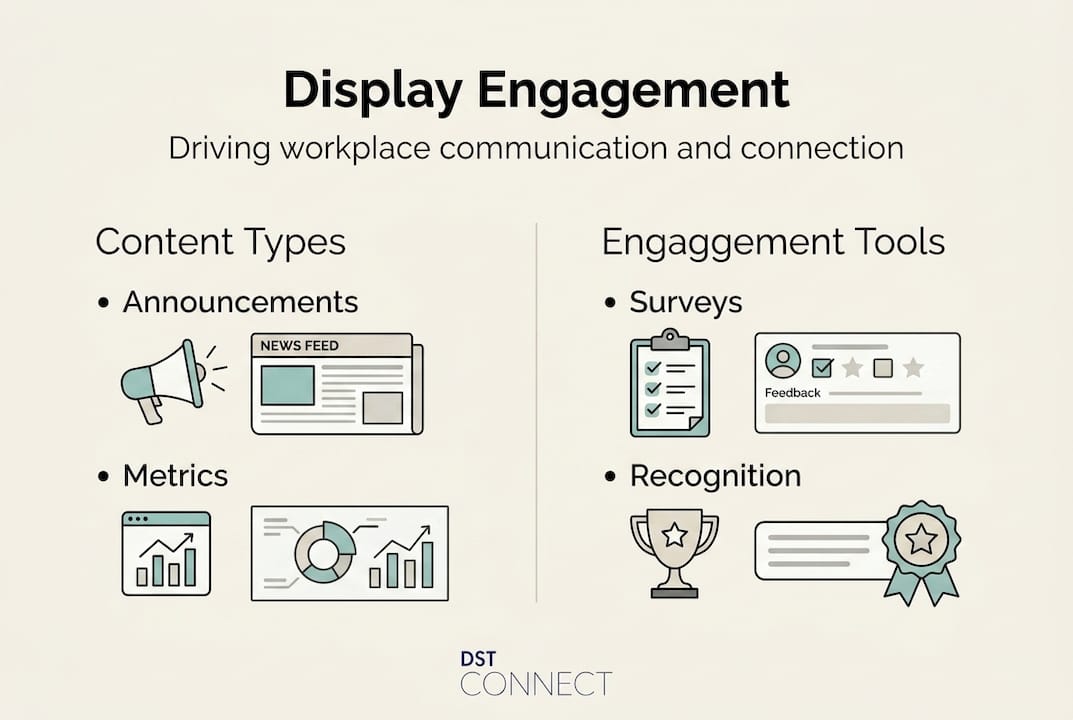
Timely announcements, live performance metrics, employee recognition, and interactive surveys drive the strongest engagement, because they feel relevant and current to employees’ daily reality.
How often should display content be updated?
Content should be refreshed at least weekly, or immediately when urgent updates arise. Stale content is one of the primary reasons employees disengage from display networks over time.
What metrics should organizations track to measure display effectiveness?
Track awareness rates, feedback frequency, speed of information uptake, and content freshness index. These metrics connect display activity to outcomes that leadership can evaluate and act on.
Can digital signage displays be used for interactive employee training?
Yes, interactive kiosks and touchscreen displays support onboarding sessions, knowledge quizzes, and training modules that deliver better learning outcomes than passive formats alone.
Recommended
Enjoyed this blog?
Continue with the previous or next article and discover more ideas, insights and inspiration from DST Connect.