
How to engage audiences with signage: proven strategies for 2026
Digital signage is everywhere, yet most screens fail to move people to act. Organizations invest in hardware, install displays in high-traffic areas, and then wonder why engagement stays flat. The problem is rarely the screen itself. It is the absence of a deliberate strategy connecting content, placement, and measurable goals. This guide walks you through evidence-based methods to capture attention, encourage interaction, and track real results. Whether you manage a single office display or a network of screens across multiple locations, these steps will help you turn passive viewers into active participants.
Table of Contents
- Clarifying your goals and knowing your audience
- Essential tools and setup checklist
- Crafting content that captivates and interacts
- Strategic placement: maximizing exposure and relevance
- Measuring, optimizing, and integrating for ongoing success
- Unlock the power of smart digital signage with DST Connect
- Frequently asked questions
Key Takeaways
| Point | Details |
|---|---|
| Strategy comes first | Audience engagement starts by defining clear goals and understanding who you want to reach. |
| Optimize placement and content | Location, timing, and tailored visuals are critical for signage to capture attention and drive interaction. |
| Use analytics to improve | Track and analyze signage performance to iterate and ensure ongoing engagement. |
| Balance innovation with relevance | Integrate new tech like AI carefully, focusing on value over novelty. |
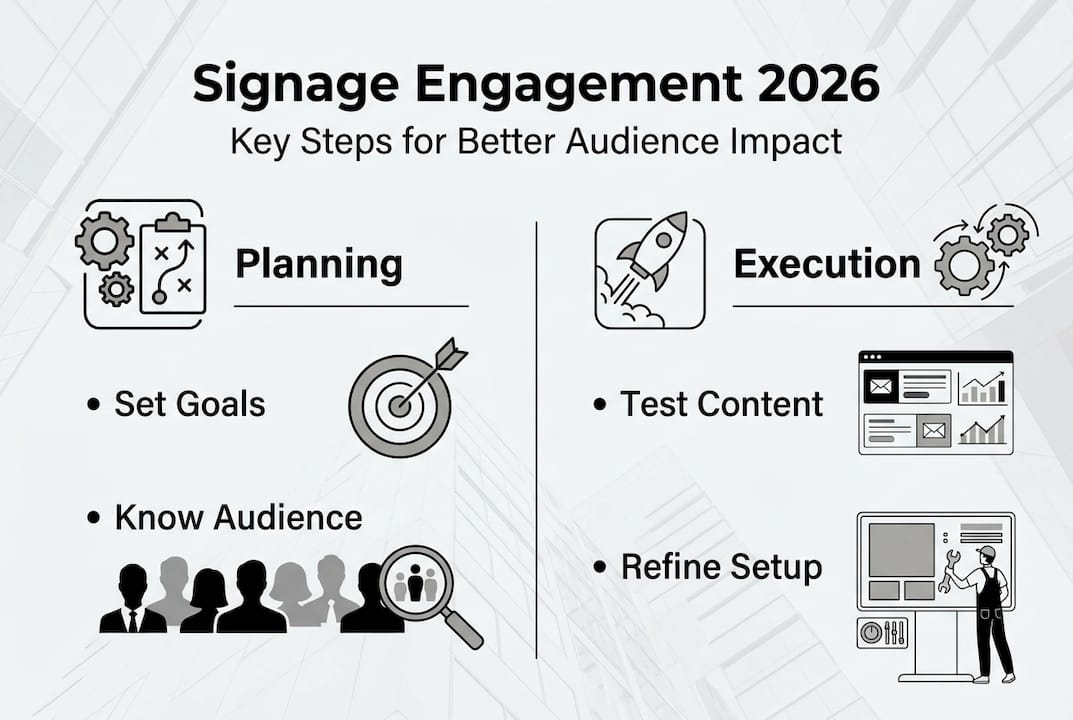
Clarifying your goals and knowing your audience
With the challenge defined, the first step is understanding both your goals and who you are hoping to reach. Without clarity here, even the most visually stunning signage will miss the mark.
Start by identifying what you want your signage to accomplish. Common engagement goals include:
- Inform: Share news, updates, schedules, or safety information with staff or visitors.
- Motivate: Inspire action through recognition programs, performance dashboards, or promotional offers.
- Convert: Drive purchases, sign-ups, or specific behaviors at the point of decision.
Once your goals are clear, profile your audience. Who are they? Where do they spend the most time in your space? How long do they typically dwell near a screen? A hospital waiting room audience behaves very differently from a retail checkout line. Matching content to context is what separates effective signage from digital wallpaper.
From there, set measurable KPIs. Audience-centric, measurable strategies that define goals and KPIs first, then test iteratively, consistently outperform campaigns built around technology alone. Think about metrics like dwell time, interaction rates, or conversion lift before you design a single slide.
Explore display template strategies and content creation tips to align your creative choices with your objectives from day one.
Pro Tip: Get stakeholder alignment early. Bring in department heads or location managers before finalizing your content plan. Their input on audience behavior and local priorities will save you significant rework later.
Essential tools and setup checklist
Once audience and goals are set, the next step is having the right setup for engagement success. Even great content underperforms when the technical foundation is shaky.
Here is a quick overview of what you need:
| Category | Must-have tools | Why it matters |
|---|---|---|
| Hardware | Commercial-grade displays, media players (Android/Windows) | Reliability and brightness for varied environments |
| Software | Cloud-based CMS with scheduling and multi-user access | Centralized control and content flexibility |
| Analytics | Built-in impression tracking, interaction logs | Measures what is working and what is not |
| Network | Stable Wi-Fi or LAN connection | Ensures real-time content updates |
Beyond the tools, your physical setup matters just as much. Strategic screen placement at eye level in high-traffic paths, with attention to lighting and glare, and content loops matched to dwell time, is one of the most impactful decisions you will make.
Key setup factors to check before launch:
- Mount screens at eye level along natural traffic flow paths.
- Avoid direct light sources behind or above screens that cause glare.
- Keep content loops short for quick-pass zones (8 to 15 seconds per slide).
- Test visibility from multiple distances and angles before going live.
Common technical oversights include using consumer-grade TVs that dim or shut off automatically, neglecting network redundancy, and skipping content loop testing in real lighting conditions. Review display optimization best practices to avoid these pitfalls before installation day.
Crafting content that captivates and interacts
With the right setup, the focus shifts to the content, which is the heartbeat of engagement. Good signage content is not just attractive. It is purposeful, timely, and built for the specific audience in front of it.
Follow this step-by-step process for creating content that works:
- Define the message first. One screen, one message. Avoid cramming multiple calls-to-action into a single slide.
- Design for distance. Use large fonts (minimum 30pt for most environments), high contrast colors, and minimal text.
- Add motion intentionally. Subtle animations draw the eye without distracting from the core message.
- Incorporate interactive elements. QR codes, touchscreen prompts, or social media feeds invite audiences to engage beyond the screen.
- Refresh content on a schedule. Stale content trains audiences to ignore your screens.
Interactive and adaptive content consistently outperforms static displays. AI-driven personalization using anonymized audience data is effective, but experts caution against overhyping it. A strategy-first approach, where content decisions are grounded in audience insight rather than technology novelty, delivers more reliable results.

Hybrid approaches also work well. Pairing digital displays with physical elements like printed menus or static wayfinding signs creates a layered experience that feels complete rather than fragmented. Explore signage content creation tips and interactive display examples for inspiration.
Pro Tip: Rotate between high-energy promotional content and calmer informational slides. This rhythm prevents visual fatigue and keeps audiences receptive throughout longer dwell periods.
Strategic placement: maximizing exposure and relevance
Compelling content shines when placed for maximum visibility and impact, which brings us to screen placement. Where you put your screens is just as important as what you put on them.
Different environments call for different placement strategies:
| Environment | Optimal placement | Content loop length |
|---|---|---|
| Retail store | Near checkout, entrance, and product displays | 10 to 20 seconds per slide |
| Corporate office | Reception, break rooms, elevator lobbies | 15 to 30 seconds per slide |
| Healthcare facility | Waiting rooms, reception desks | 20 to 45 seconds per slide |
| Hospitality venue | Lobby, bar area, dining entrance | 8 to 15 seconds per slide |
| Education campus | Hallways, cafeteria, student lounges | 10 to 20 seconds per slide |
Before finalizing placement, run through these must-check factors:
- Eye level: Screens should sit at or just above average eye level for your audience.
- Dwell zones: Prioritize areas where people naturally pause, like waiting areas or checkout lines.
- Ambient light: Measure brightness at different times of day to ensure screen visibility.
- Traffic flow: Position screens so they face the direction people are walking toward, not away from.
Strategic placement at eye level in high-traffic paths, with loops matched to dwell time, consistently drives higher engagement than screens placed for convenience alone.
After installation, test and refine. Walk the space as a visitor would. Ask colleagues to give honest feedback on visibility and readability. Small adjustments to angle or height can produce significant engagement gains. Visit signage placement optimization for a deeper look at environment-specific recommendations.
Measuring, optimizing, and integrating for ongoing success
After launch, ongoing measurement and adjustment are what turn initial success into lasting results. Many organizations treat signage as a set-it-and-forget-it tool. The ones that see sustained engagement treat it as a living channel.
Here is a numbered process for tracking and improving performance:
- Establish baseline metrics. Before making changes, record current impressions, dwell time, and any conversion data available.
- Monitor weekly. Review content performance data at least once a week during the first month after launch.
- Run A/B tests. Swap one content variable at a time (headline, image, call-to-action) and compare results over a defined period.
- Refresh underperforming content. If a slide consistently shows low engagement, replace it rather than waiting for a scheduled update cycle.
- Report to stakeholders. Share results in a simple dashboard format to maintain organizational buy-in.
“Define goals and KPIs first, test iteratively, and integrate with omnichannel strategies. Audience-centric thinking is what separates signage that performs from signage that merely exists.” — Digital Signage Strategy Insight
Integration with your broader marketing ecosystem amplifies results. Sync signage content with email campaigns, social media pushes, or in-store promotions so audiences receive a consistent message across every touchpoint. Explore signage automation insights and cross-platform marketing integration to see how leading organizations are connecting their channels for maximum impact.
Unlock the power of smart digital signage with DST Connect
If you are ready to elevate your digital signage with proven tools and expert support, DST Connect is here to help. DST Connect offers a user-friendly platform built for marketing managers and communications teams who want results without the technical complexity. With over 700 professionally designed templates, a drag-and-drop editor, real-time data feeds, and a cloud-based dashboard for managing screens worldwide, it gives you everything you need to execute the strategies covered in this guide. The digital signage software supports Android, Windows, and URL-based media players, making it flexible for any environment. Pair it with purpose-built signage hardware solutions for a complete, scalable setup. Try DST Connect today and see what intentional signage can do for your audience engagement.
Frequently asked questions
What type of content works best for digital signage engagement?
Interactive, visually engaging, and contextually relevant content captures the most attention and drives audience action. Strategy-first content grounded in audience insight consistently outperforms content built around technology novelty alone.
How do you measure the impact of signage on audience engagement?
Track metrics like impressions, dwell time, and conversions using analytic tools built into modern signage platforms. Defining KPIs first and testing iteratively gives you a reliable framework for ongoing improvement.
What is the biggest mistake to avoid with digital signage?
Focusing on technology over strategy and audience needs often leads to poor engagement results. Strategy-first thinking ensures your screens serve a clear purpose rather than simply filling space.
How often should signage content be updated for best engagement?
Update content regularly, weekly or biweekly for fast-paced environments, to keep audiences interested and prevent screen fatigue. Matching loop length to dwell time also plays a key role in keeping content feeling fresh and relevant.
Recommended
Enjoyed this blog?
Continue with the previous or next article and discover more ideas, insights and inspiration from DST Connect.