
How digital signage enhances guest experience: 2026
Guests increasingly expect hotels and restaurants to deliver seamless, personalized experiences through technology. Digital signage has evolved from flashy displays into a strategic tool that directly impacts guest satisfaction and revenue. Many hospitality teams still underestimate how centralized content management systems and interactive displays transform every touchpoint of the guest journey. This guide reveals how digital signage enhances experience through real-time information, personalized messaging, and intuitive wayfinding while delivering measurable business outcomes for your property.
Table of Contents
- Key takeaways
- Understanding how digital signage works in hospitality environments
- Key benefits of digital signage for guest experience and business outcomes
- Practical strategies for maximizing digital signage impact in hospitality
- Comparing digital signage options and choosing the right hardware and software
- Discover DST Connect digital signage solutions
- FAQ
Key Takeaways
| Point | Details |
|---|---|
| Centralized CMS | A cloud based CMS lets you update content across all displays in real time and tailor messages to guests. |
| Interactive self service | Interactive touchscreens power self check in kiosks and intuitive directory systems to streamline service. |
| Real time data | Integrations with PMS, weather APIs, and event systems enable content that responds to current conditions and schedules. |
| Location based content | Content strategy targets lobby, dining, elevators, and guest rooms to maximize relevance during dwell times. |
| Start with high traffic areas | Begin in lobby and main dining spaces to demonstrate ROI quickly before expanding to other touchpoints. |
Understanding how digital signage works in hospitality environments
Digital signage in hotels and restaurants operates through centralized content management systems that enable dynamic updates, interactive touchscreens for self-service kiosks, digital menus with visuals, and integration with hotel systems for real-time data. This technology foundation transforms static communication into responsive, intelligent guest engagement.
The core components work together seamlessly. A cloud-based CMS allows your team to update content across all displays from any location, whether you manage one property or a portfolio. Interactive touchscreens power self-check-in kiosks, concierge information stations, and directory systems that guests can navigate intuitively. Digital menu boards in restaurants and bars showcase high-resolution food photography and dynamic pricing that adjusts based on inventory or time of day.
Integration capabilities separate basic digital displays from true interactive signage solutions. When connected to your property management system, displays can show personalized welcome messages for arriving guests. Weather APIs feed current conditions and forecasts to lobby screens. Event management systems push conference schedules and directional signage automatically. This contextual awareness makes content genuinely useful rather than merely decorative.
Location-specific content strategy maximizes impact. Lobby displays focus on wayfinding, amenity information, and property highlights during the brief moments guests pass through. Restaurant areas feature appetizing menu visuals and promotional offers during longer dwell times. Elevator banks showcase local attractions and hotel services while guests wait. Guest room corridors might highlight spa packages or dining reservations.
The technology adapts to your existing infrastructure. Most modern digital signage systems support multiple hardware platforms including Android media players, Windows PCs, and URL-based displays. This flexibility means you can deploy solutions that match your budget and technical requirements without being locked into proprietary hardware.
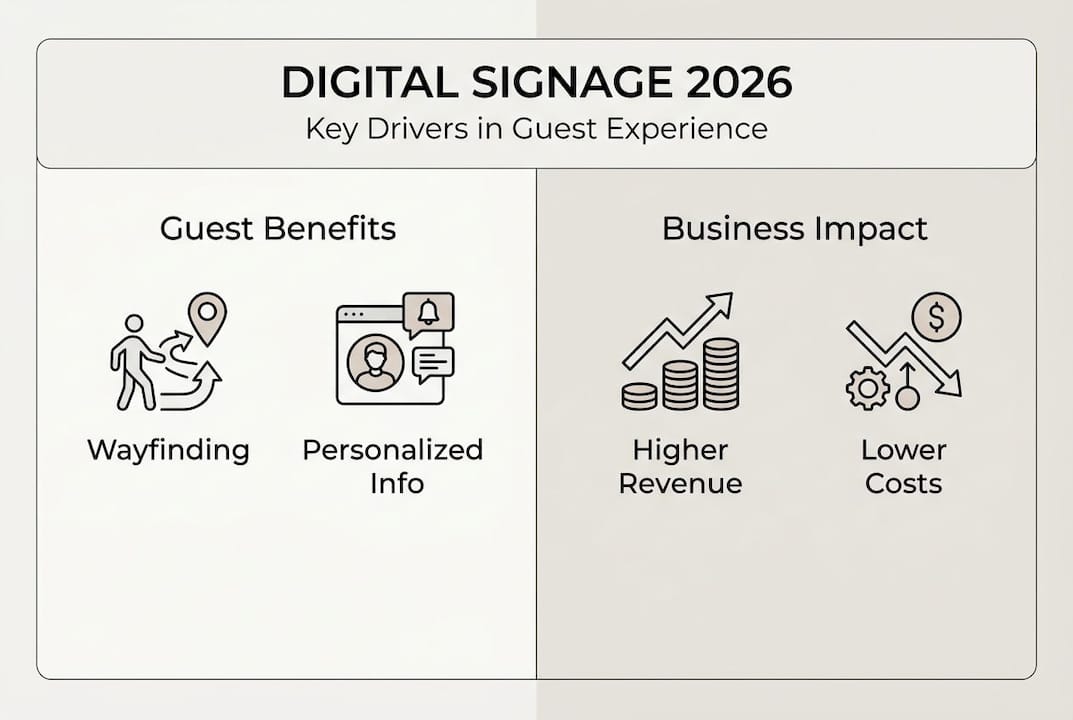
Pro Tip: Start with high-traffic areas like lobbies and main dining spaces to demonstrate ROI quickly, then expand to additional touchpoints as you refine your content strategy and measure guest response.
The growing demand for digital signage reflects guest expectations for modern, tech-enabled hospitality experiences. Properties that implement these systems strategically gain competitive advantages in guest satisfaction and operational efficiency.
Key benefits of digital signage for guest experience and business outcomes
Empirical data from hospitality properties demonstrates substantial impact. The Alfond Inn achieved a 19% increase in guest satisfaction and 14% boost in restaurant upsell revenue after implementing digital signage throughout their property. Marriott Marquis saw 25% better wayfinding efficiency and 15% fewer guest inquiries to staff. These aren’t marginal improvements but transformative results that affect your bottom line.
Guest preferences drive adoption urgency. Industry research shows 55% of travelers prefer hotels with digital kiosks, signaling that self-service technology has shifted from novelty to expectation. Properties without these capabilities risk appearing outdated to tech-savvy guests who value convenience and control over their experience.
Revenue impact extends beyond direct upsells. Digital menu boards with compelling visuals increase average check sizes by encouraging guests to explore premium options and add-ons they might otherwise overlook. Dynamic pricing displays can promote happy hour specials or highlight high-margin items during peak periods. Integration with loyalty programs enables personalized offers that drive repeat visits and increase lifetime guest value.
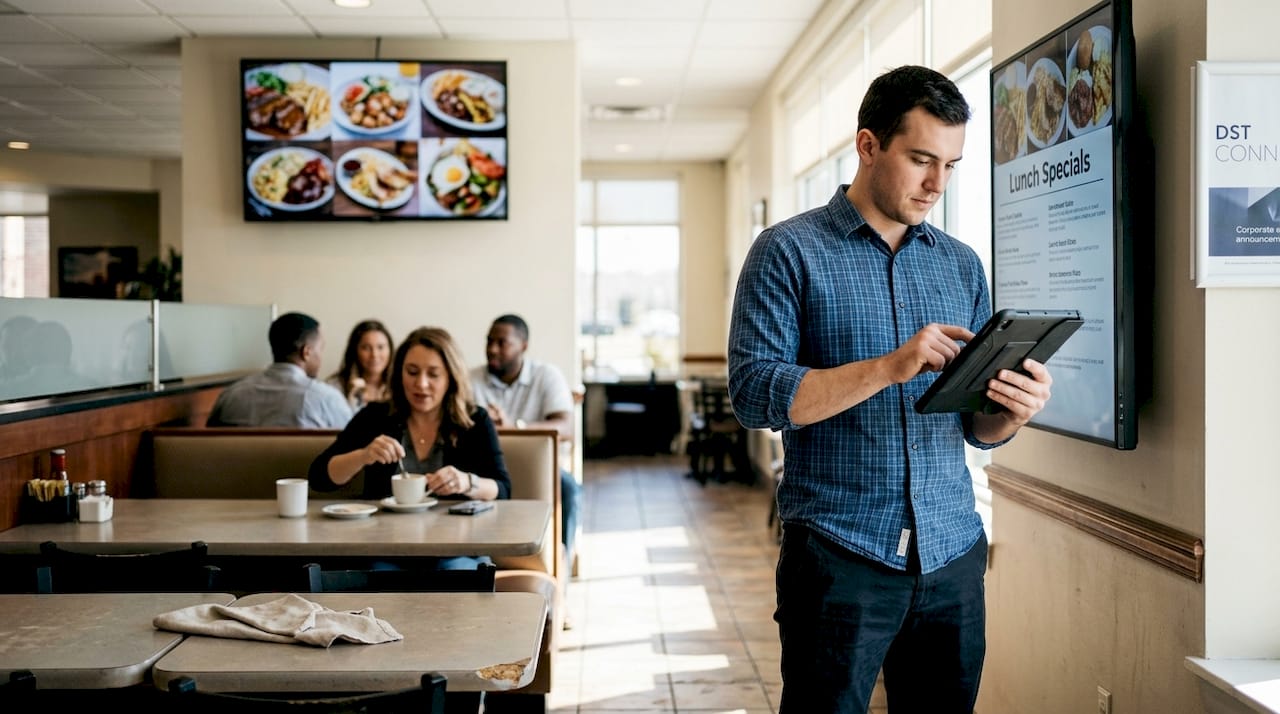
Operational benefits compound over time. Eliminating printed signage, menus, and directional materials reduces costs while enabling instant updates when information changes. Staff spend less time answering routine questions about amenities, hours, and directions, freeing them to deliver higher-value personal service. Content scheduling automates display changes for different dayparts, seasons, or events without manual intervention.
| Metric | Improvement | Property Example |
|---|---|---|
| Guest satisfaction | +19% | Alfond Inn |
| Restaurant upsell revenue | +14% | Alfond Inn |
| Wayfinding efficiency | +25% | Marriott Marquis |
| Staff inquiries | -15% | Marriott Marquis |
| Guest preference for digital kiosks | 55% | Industry benchmark |
Wayfinding solutions deliver immediate guest value. Large properties with multiple buildings, conference spaces, and amenities can overwhelm first-time visitors. Interactive maps and directional signage reduce confusion and anxiety, creating positive first impressions that influence overall satisfaction scores.
Visual content quality matters significantly. High-resolution food photography, professional design templates, and dynamic animations capture attention far more effectively than static text. Digital display templates designed for hospitality contexts ensure your content looks polished without requiring in-house design expertise.
Pro Tip: Track specific KPIs like average transaction value, guest satisfaction scores, and staff inquiry volume before and after implementation to quantify ROI and justify expansion to additional areas.
The business case extends beyond guest-facing benefits. Marketing teams gain agility to test messaging, promote seasonal offerings, and respond to real-time opportunities. Professional AV signage optimization ensures technical quality matches content quality for maximum impact.
Practical strategies for maximizing digital signage impact in hospitality
Effective implementation starts with system selection. Prioritize CMS platforms with remote management capabilities and analytics that track content performance and viewer engagement. These insights reveal which messages resonate with guests and inform continuous optimization. Look for solutions that support multi-user access with role-based permissions so your marketing, operations, and F&B teams can manage relevant content independently.
Zone-based content strategy maximizes relevance. Lobby displays should focus on wayfinding and quick-reference information since guest dwell time averages under two minutes. Restaurant and bar areas allow longer-form content like chef profiles, ingredient sourcing stories, and detailed menu descriptions. Elevator banks and corridors suit promotional content for spa services, dining reservations, and local attractions since guests have 30-60 seconds of viewing time.
- Audit your guest journey touchpoints to identify high-value display locations where content can solve problems or influence decisions
- Map content types to dwell times at each location, matching message complexity to available attention
- Establish content refresh schedules that keep displays current without overwhelming your team with constant updates
- Integrate with existing systems like POS, CRM, and property management to enable dynamic, personalized content
- Train staff on both technical and creative aspects of content management to maintain quality and relevance
- Implement A/B testing protocols to compare message variations and optimize performance systematically
Personalization drives engagement and conversion. When your digital signage system connects to guest data, you can display targeted promotions based on loyalty tier, past preferences, or booking details. A returning guest might see a welcome-back message with their name and a discount on their favorite restaurant. A guest celebrating an anniversary could receive spa package offers automatically.
Visuals and personalization techniques boost upsells by making offers feel relevant rather than generic. High-quality food photography increases menu item appeal by 30-40% compared to text-only descriptions. Dynamic pricing displays can highlight time-sensitive promotions that create urgency.
POS and CRM integration unlocks sophisticated capabilities. Your digital menu boards can automatically feature items with high inventory levels or promote dishes with the best profit margins. Loyalty program data enables targeted messaging to specific guest segments. Real-time occupancy data from your property management system can trigger relevant content like spa availability or restaurant wait times.
Staff training determines long-term success. Creative content development skills matter as much as technical CMS proficiency. Encourage your team to experiment with different message formats, visual styles, and calls to action. Create simple approval workflows that maintain brand standards while empowering front-line staff to respond quickly to opportunities.
Pro Tip: Designate content champions in each department who take ownership of their area’s displays and share best practices across your property or portfolio.
Testing and optimization should be systematic, not random. Compare two menu board layouts to see which drives higher average checks. Test different promotional messages for your spa to identify which value propositions resonate most. Track engagement metrics on interactive kiosks to understand which features guests use most frequently. Cross-platform signage capabilities let you deploy consistent testing methodologies across different hardware and locations.
Start small and scale strategically. A digital signage software trial in one high-impact area lets you prove value before full deployment. Document lessons learned and refine your approach before expanding to additional touchpoints. This measured approach reduces risk and builds organizational confidence in the technology.
Comparing digital signage options and choosing the right hardware and software
Digital signage solutions vary significantly in capabilities and ideal use cases. Static digital displays show scheduled content without user interaction, suitable for menu boards and promotional messaging. Interactive kiosks with touchscreens enable guest self-service for check-in, information lookup, and wayfinding. Integrated menu boards connect to POS systems for real-time pricing and availability updates.
Centralized CMS platforms enable instant updates across all displays without printing costs or distribution delays. When you need to change restaurant hours, update event schedules, or promote a last-minute special, changes go live immediately across your entire property. This agility proves invaluable during unexpected situations like weather events or facility changes.
Interactive kiosks transform guest services. Self-check-in and check-out capabilities reduce front desk wait times during peak periods while giving guests control over their experience. Information kiosks answer common questions about amenities, hours, and local attractions without requiring staff intervention. Wayfinding kiosks with interactive maps help guests navigate large properties confidently.
| Solution Type | Best Use Cases | Key Features | |
|---|---|---|---|
| Static displays | Menu boards, promotional signage, directional signs | Scheduled content, remote updates, multi-display sync | |
| Interactive kiosks | Self-check-in, wayfinding, concierge information | Touchscreen interface, guest input, data collection | |
| Integrated menu boards | Restaurant and bar menus with dynamic pricing | POS integration, real-time updates, inventory sync | |
| Video walls | Lobby features, event spaces, high-impact branding | Multi-screen coordination, high resolution, scalability |
Hardware selection depends on your specific requirements. Screen size should match viewing distance and content complexity. A 43-inch display works well for menu boards viewed from 6-10 feet, while lobby displays might need 55-75 inches for visibility across larger spaces. Touchscreen capability adds cost but enables interactive features that static displays cannot provide.
Durability matters in hospitality environments. Commercial-grade displays designed for 16-24 hour daily operation outlast consumer TVs significantly. Look for screens rated for continuous use with robust mounting options and protection against bumps and spills in high-traffic areas. Outdoor displays require weatherproofing and higher brightness levels to remain visible in sunlight.
Integration capabilities determine long-term value. Your digital signage system should connect easily to existing hotel technologies like property management systems, POS platforms, CRM databases, and content feeds. API support and pre-built connectors reduce implementation complexity and ongoing maintenance.
Software licensing models vary. Cloud-based subscriptions typically charge per display per month with all updates and support included. On-premise solutions require upfront licensing fees but may have lower ongoing costs for large deployments. Consider your technical resources and preference for capital versus operating expenses when comparing options.
DST Connect hardware supports multiple platforms including Android, Windows, and URL-based players, giving you flexibility to match technology choices to specific use cases and budgets. This compatibility prevents vendor lock-in and allows you to upgrade or expand without replacing entire systems.
Pro Tip: Request trial periods or pilot programs from vendors to test systems in your actual environment before committing to full deployment across your property.
Content management capabilities separate basic and advanced solutions. Look for intuitive drag-and-drop editors, template libraries designed for hospitality, scheduling tools, and multi-user access with permissions. Digital signage software should simplify rather than complicate content creation and management for your team.
Discover DST Connect digital signage solutions
After exploring how digital signage enhances guest experience and drives hospitality business results, you need a platform that delivers these capabilities without complexity. DST Connect offers user-friendly digital signage software with a free trial so you can experience the system firsthand before committing. The platform includes over 700 professionally designed templates optimized for hospitality contexts, eliminating the need for design expertise while maintaining visual quality.
Our hardware solutions support diverse hospitality environments from boutique properties to large resorts. Whether you need interactive kiosks for self-service, menu boards for restaurants, or wayfinding displays for complex facilities, the system adapts to your specific requirements. Cloud-based management lets you update content across all locations instantly from any device.
Comprehensive implementation guidance ensures your team can deploy and manage the system confidently. From initial setup through ongoing optimization, you’ll have the resources needed to maximize your digital signage investment and deliver exceptional guest experiences.
FAQ
How does digital signage improve wayfinding in hotels?
Digital signage provides interactive maps and real-time directional information that helps guests navigate properties confidently without staff assistance. Marriott Marquis achieved 25% better wayfinding efficiency and reduced guest inquiries by 15% through strategically placed digital directories. These systems can highlight the fastest routes to amenities, show current wait times, and even provide turn-by-turn directions for complex facilities.
What types of content should hotels prioritize on digital displays?
Hotels should focus on wayfinding information in lobbies, dynamic menus with appealing visuals in dining areas, personalized promotions based on guest data, and timely updates like weather forecasts and event schedules. Content should match the location and typical guest dwell time at each display. Lobby screens suit quick-reference information while restaurant displays can feature longer-form content about menu items and chef specialties.
How can digital signage increase restaurant revenue in hospitality settings?
Digital menu boards with high-quality food photography and strategic item placement encourage guests to explore premium options and add-ons, boosting upsell revenue by 14% in documented hospitality implementations. Integration with POS systems enables dynamic promotions tailored to inventory levels, time of day, and individual guest preferences. Highlighting high-margin items and limited-time offers creates urgency that drives purchasing decisions.
What are best practices for training staff to manage digital signage effectively?
Train your team on both technical CMS operations and creative content development so displays remain fresh and relevant to guest needs. Staff creativity and responsiveness to guest feedback drive long-term success more than technical skills alone. Establish simple approval workflows that maintain brand standards while empowering department staff to update their area’s content quickly. Encourage experimentation with different message formats and share successful approaches across your property or portfolio.
Recommended
Enjoyed this blog?
Continue with the previous or next article and discover more ideas, insights and inspiration from DST Connect.