
Optimize healthcare signage for better patient communication
Signage in healthcare facilities does far more than point patients toward the elevator. It directly shapes how safe, informed, and calm people feel the moment they walk through your doors. Wayfinding, patient communication, branding, safety, and operational efficiency are all functions that well-designed signage handles simultaneously. Many administrators treat signage as a one-time installation task, but the facilities that get it right treat it as a living communication system. This article breaks down the types, design requirements, and digital strategies that make signage a genuine operational asset.
Table of Contents
- Why signage matters in healthcare environments
- Types of signage and their strategic roles
- Design principles: Accessibility, compliance, and user-centricity
- Digital signage: Efficiency and dynamic communication
- Explore digital signage solutions for healthcare
- Frequently asked questions
Key Takeaways
| Point | Details |
|---|---|
| Signage reduces confusion | Strategically placed signage helps patients and visitors navigate healthcare facilities quickly and confidently. |
| ADA compliance is essential | Hospitals must use accessible designs to ensure signage is readable and tactile for all users, especially those with disabilities. |
| Digital signage boosts efficiency | Digital solutions streamline communication, minimize staff interruptions, and enable real-time updates across departments. |
| Symbol design matters for elderly | Familiar and concrete symbols dramatically improve understanding among elderly and cognitively impaired patients. |
| Integrated systems improve safety | Hierarchical signage and integrated digital platforms enhance emergency response and infection control processes. |
Why signage matters in healthcare environments
A hospital is one of the most stressful environments a person can navigate. Patients are often anxious, in pain, or unfamiliar with the layout. Staff are busy. Every unnecessary interruption for directions or information costs time that could be spent on care.
Signage solves this at scale. Effective signage reduces patient stress, boosts brand recall, and enhances operational efficiency across the entire facility. When patients can find their way without asking for help, staff spend less time giving directions and more time doing their jobs. That is a measurable workflow improvement, not just a design preference.
The growing demand for digital signage in healthcare reflects a broader recognition that communication infrastructure matters as much as clinical infrastructure. Facilities that invest in signage see fewer complaints, faster patient flow, and stronger brand perception.
Here is a quick overview of the core functions signage serves:
- Wayfinding: Guides patients and visitors from entry to destination without staff assistance
- Patient communication: Delivers real-time updates, wait times, and health information
- Branding: Reinforces trust and professionalism through consistent visual identity
- Safety: Communicates emergency procedures, infection control protocols, and restricted areas
- Operational efficiency: Reduces staff interruptions and supports workflow management
| Signage function | Primary benefit | Impact area |
|---|---|---|
| Wayfinding | Reduces confusion and delays | Patient experience |
| Communication | Delivers timely, accurate information | Patient and staff |
| Branding | Builds trust and recognition | Institutional reputation |
| Safety | Prevents incidents and supports compliance | Risk management |
| Operational | Frees staff from repetitive guidance tasks | Workflow efficiency |
“Signage is not decoration. In a healthcare setting, it is infrastructure. The difference between clear and unclear signage can be measured in patient outcomes, staff productivity, and liability exposure.”
For practical guidance on making your content work harder, content creation tips for signage offer a useful starting point for any facility review.
Types of signage and their strategic roles
Not all signage serves the same purpose, and treating it as a single category is where many facilities go wrong. A well-designed system uses a hierarchy of sign types, each placed at the right decision point in a patient’s journey.
Patient room signage improves safety by displaying real-time status, reducing communication errors, and enhancing infection control and efficiency. This includes isolation indicators, fall risk alerts, dietary restrictions, and care team assignments. Standardizing these indicators across your facility eliminates the guesswork that leads to errors.
Here are the main categories and what they do:
- Identification signage names rooms, departments, and key personnel. It anchors the patient’s mental map of the facility.
- Directional signage guides movement through corridors, intersections, and multi-floor layouts. It must be placed at every decision point.
- Informational signage communicates policies, wait times, visiting hours, and health tips. It reduces the volume of questions staff receive.
- Safety and compliance signage covers emergency exits, infection control zones, restricted areas, and hazard warnings.
- Branding signage reinforces your facility’s identity and values, building patient confidence from the first impression.
The choice between static and digital signage is strategic, not just technical. Static signs are durable, low-maintenance, and ideal for permanent locations like room numbers and exit routes. Digital signs offer flexibility for content that changes regularly, such as wait times, staff schedules, or health alerts.
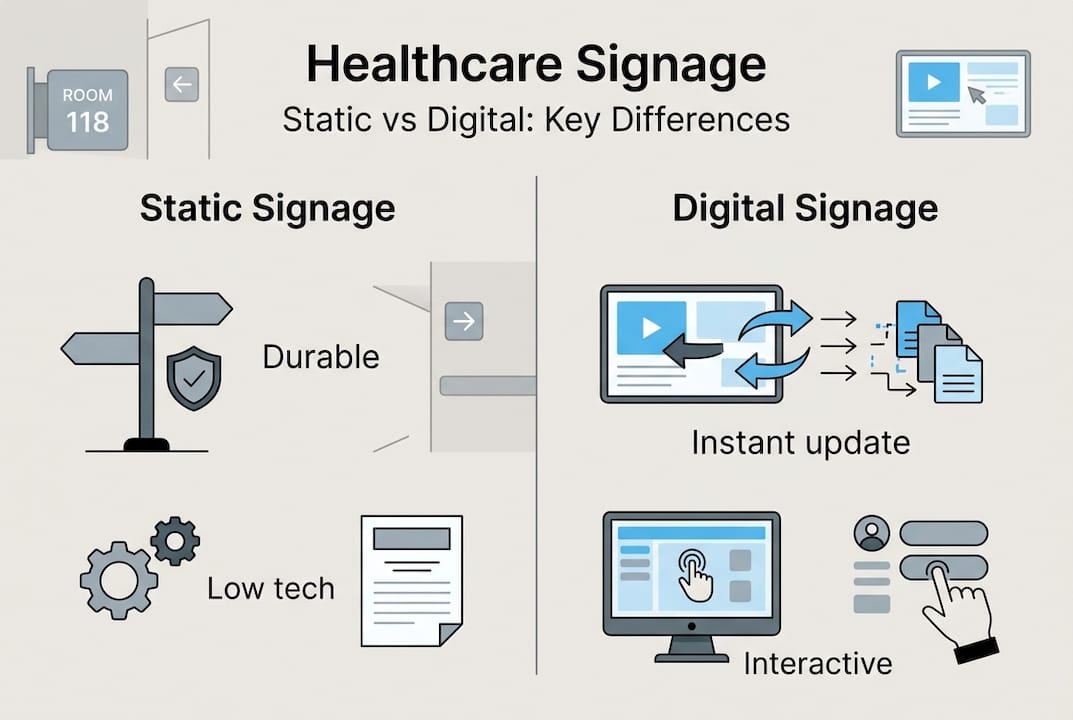
| Feature | Static signage | Digital signage |
|---|---|---|
| Update speed | Requires physical replacement | Instant remote updates |
| Cost over time | Low maintenance, higher reprint costs | Higher upfront, lower ongoing |
| Compliance | Easier to standardize permanently | Requires HIPAA/ADA configuration |
| Engagement | Passive | Interactive and dynamic |
| Infection control | Fixed materials, easy to clean | Touchless options available |
For facilities exploring interactive options, interactive displays examples show how engagement can be built directly into the signage experience. You can also review AV tips for healthcare signage for technical guidance on display placement and performance.
For a practical implementation framework, implementing digital signage in healthcare covers the full process from planning to deployment.
Pro Tip: Standardize your emergency signage across every floor and building before rolling out any digital updates. Consistency in crisis communication is non-negotiable, and it must be in place before you optimize for engagement.
Design principles: Accessibility, compliance, and user-centricity
Design is where signage either works or fails for your most vulnerable patients. Elderly patients, those with cognitive impairments, and non-English speakers all interact with signage differently. A sign that works for a healthy 35-year-old may be completely useless for an 80-year-old with low vision.

ADA compliance is mandatory for hospital signage: tactile Grade 2 Braille, high contrast of at least 70%, non-glare surfaces, and specific mounting heights on the latch side of doors. These are not suggestions. Facilities that fail ADA requirements face legal exposure and, more importantly, leave patients without the access they need.
Here are the core design principles every facility should apply:
- High contrast: Use dark text on light backgrounds or vice versa. Avoid color combinations that are difficult for color-blind users.
- Non-glare surfaces: Glossy signs in bright corridors become unreadable. Matte finishes are the standard for compliance and usability.
- Tactile elements: Raised characters and Braille are required for permanent room and space identification signs.
- Mounting height: Signs must be mounted between 48 and 60 inches above the floor, measured from the baseline of the lowest tactile character.
- Universal symbols: Pictograms reduce language barriers and speed up comprehension for all users.
- Multilingual text: In facilities serving diverse populations, key information should appear in the primary languages of your patient community.
Elderly users show lower symbol comprehension compared to younger adults, with familiarity and concreteness being the strongest predictors of whether a symbol is understood. Abstract or stylized icons that look modern may actually reduce comprehension for older patients.
“The most accessible sign is the one that communicates instantly, without requiring the reader to interpret, translate, or guess. Clarity is not a design luxury. It is a safety requirement.”
For facilities looking to go beyond static compliance, the interactive signage guide covers how interactive elements can be designed accessibly. You can also reference mandated hospital signage requirements for a full regulatory checklist.
Pro Tip: Always test new signage with actual users before full deployment. A brief pilot with elderly patients or non-English speakers will surface comprehension gaps that no internal review will catch.
User journey mapping is a practical method here. Walk the facility as a first-time patient would, from the parking lot to the check-in desk to the exam room. Every point where you feel uncertain is a gap in your signage system.
Digital signage: Efficiency and dynamic communication
Digital signage changes the operational equation for healthcare facilities. The ability to update content instantly, from a central dashboard, without printing or physically replacing signs, removes one of the biggest friction points in facility communication.
Digital signage allows dynamic content updates, immediate visibility in emergencies, and reduces handwritten notes that create inconsistency and compliance risk. When a patient’s isolation status changes, a digital sign outside the room updates in seconds. When a department closes early, every relevant display reflects that immediately.
The operational benefits are concrete:
- Fewer staff interruptions: Patients and visitors find answers on screens rather than asking staff
- Faster emergency response: Critical alerts can be pushed to every display in the facility simultaneously
- Reduced printing costs: Content changes that previously required new physical signs are handled digitally
- Infection control support: Touchless and motion-activated displays reduce surface contact in high-risk areas
- Personalized messaging: Waiting areas can display content relevant to the specific department, reducing perceived wait times
Implementing hierarchical systems and integrating digital for dynamic content while ensuring HIPAA and ADA compliance is the standard framework for healthcare digital signage. HIPAA compliance means patient-specific information must never appear on public-facing displays. ADA compliance applies to digital signs just as it does to static ones, including contrast ratios and screen placement.
For broader context on how digital signage transforms patient-facing environments, digital signage in healthcare offers relevant parallels from hospitality settings that translate directly to patient experience. And if you want to reduce the manual work of managing content across multiple screens, signage automation tips cover scheduling, triggers, and real-time data feeds.
The future direction is clear: automation, personalized messaging, and integration with electronic health record systems will make digital signage a core part of clinical communication. Facilities that build the infrastructure now will be positioned to adopt those capabilities as they become standard.
Explore digital signage solutions for healthcare
If you are ready to move from static signs to a fully managed digital communication system, DST Connect’s digital signage software gives healthcare administrators a cloud-based platform to manage every screen in the facility from one dashboard. With over 700 professionally designed templates, a drag-and-drop editor, and real-time scheduling, you can update patient communication, wayfinding, and safety messaging without any technical expertise. For facilities that need flexible deployment across multiple buildings or campuses, digital signage hardware options support Android, Windows, and URL-based media players, making integration straightforward regardless of your existing infrastructure. Start with a single department and scale across the facility as your team builds confidence with the platform.
Frequently asked questions
How does signage reduce patient stress in hospitals?
Clear wayfinding and communication reduce confusion and minimize the need for patients to interrupt staff, which directly lowers anxiety levels throughout the visit.
What are the key ADA requirements for hospital signage?
ADA-compliant hospital signs must include tactile Grade 2 Braille, a minimum 70% contrast ratio, non-glare surfaces, and mounting heights between 48 and 60 inches on the latch side of doors.
How does digital signage improve operational efficiency?
Real-time digital updates standardize communication across departments, reduce handwritten notes, and allow immediate visibility of status changes, cutting communication errors and staff interruptions significantly.
How should signage be designed for elderly patients?
Elderly users comprehend symbols more reliably when they are familiar and concrete, so prioritize universally recognized icons, large text, and high contrast over stylized or abstract design choices.
Can digital signage comply with HIPAA and ADA regulations?
Digital signage can be fully compliant when configured with privacy screens for patient-specific content, proper contrast settings, accessible mounting heights, and role-based content controls that prevent protected health information from appearing on public displays.
Recommended
Enjoyed this blog?
Continue with the previous or next article and discover more ideas, insights and inspiration from DST Connect.