
Why integrate digital signage in schools for better engagement
TL;DR:
- Digital signage improves communication speed, engagement, and safety awareness in schools.
- It offers real-time updates, interactive features, and cost savings over traditional methods.
- Success depends on strategic planning, staff/student involvement, and ongoing content management.
School hallways are lined with paper notices that nobody reads, and PA announcements that students tune out within seconds. Traditional communication tools are falling short, and the gap between what schools need to convey and what actually reaches students is growing. Digital signage is changing that equation. This article breaks down why schools should integrate digital signage, what real benefits it delivers, how to implement it step by step, and what common mistakes to avoid. Whether you manage one campus or several, this guide gives you a practical framework for making smarter communication decisions.
Table of Contents
- Understanding the need for modern communication in schools
- 6 key benefits of integrating digital signage in schools
- Steps to successfully integrate signage in your school
- Real-world examples and creative use cases
- A smarter approach to school signage: lessons learned
- Get started with integrated digital signage
- Frequently asked questions
Key Takeaways
| Point | Details |
|---|---|
| Boosted communication | Digital signage bridges communication gaps for students, staff, and visitors with real-time updates. |
| Higher student engagement | Interactive and dynamic displays capture attention and foster participation. |
| Proven ROI | Reduced costs, increased safety, and streamlined administration make digital signage a smart investment. |
| Step-by-step adoption | Schools succeed when rollout is incremental and staff are trained with clear goals in mind. |
Understanding the need for modern communication in schools
School administrators face a daily challenge: keeping hundreds or thousands of people informed at the same time. Paper flyers get thrown away. Bulletin boards go unread. Overhead announcements are often muffled, poorly timed, or simply ignored. These are not small inconveniences. They create real gaps in safety awareness, event participation, and day-to-day operations.
Today’s students have grown up with smartphones and digital screens. They process visual information quickly and expect updates in real time. Static communication simply does not match their expectations. Parents, too, increasingly look for schools that use modern tools to keep families informed.
Here are some of the most common communication challenges schools face today:
- Delayed information delivery: Paper notices can take days to reach parents, especially when students forget to hand them over.
- Low message retention: Staff-read announcements are easily forgotten within minutes.
- High printing costs: Flyers, newsletters, and notices represent a recurring budget drain.
- Limited reach during emergencies: There is no reliable way to push urgent messages to all areas of a building simultaneously using traditional tools.
- No feedback loop: Traditional methods offer no way to measure whether messages were seen or understood.
Research confirms what administrators already suspect. Digital signage can significantly increase message retention compared to static displays, with some studies showing retention rates up to 83% higher for digital versus static signs. That is not a marginal improvement. It is a fundamental shift in how information lands.
This is exactly why more schools are turning to digital signage for announcements and broader campus communication. The technology is more accessible, more affordable, and more effective than it has ever been. The question is no longer whether schools should adopt it, but how to do it well.
6 key benefits of integrating digital signage in schools
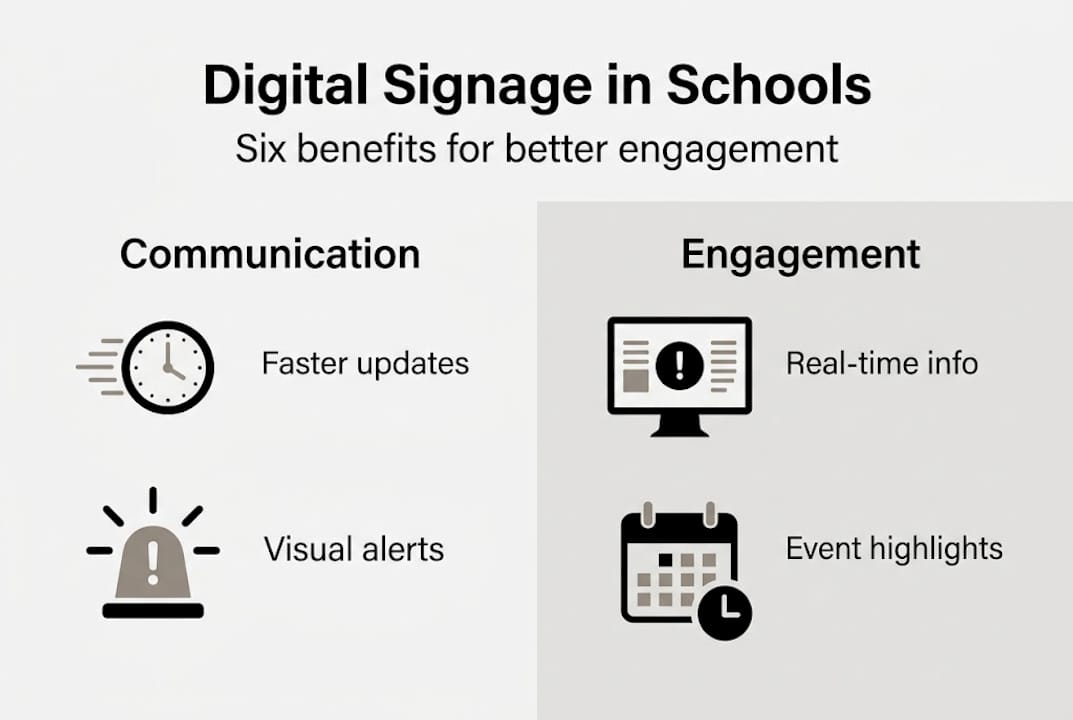
Digital signage delivers value across several areas of school life. Here are the six most impactful benefits your school can expect:
- Real-time information updates. Schedule changes, emergency alerts, and event reminders can be pushed to every screen in seconds. No reprinting. No delays.
- Dynamic content for events and achievements. Recognize student accomplishments, promote upcoming performances, and display daily news in a format that actually captures attention.
- Enhanced student engagement. Interactive displays for engagement invite students to interact with content rather than passively walk past it. Touchscreen kiosks, polls, and live feeds make learning environments more stimulating.
- Streamlined staff communication. Teachers and staff receive consistent updates without relying on email chains or printed memos. Shared dashboards keep everyone aligned.
- Cost and time savings. While there is an upfront investment, schools consistently reduce spending on printing and administrative labor over time. The importance of varied signage formats plays a key role in maximizing those savings.
- Improved safety and emergency communication. Digital screens can display evacuation routes, lockdown instructions, and weather alerts instantly across every display in the building.
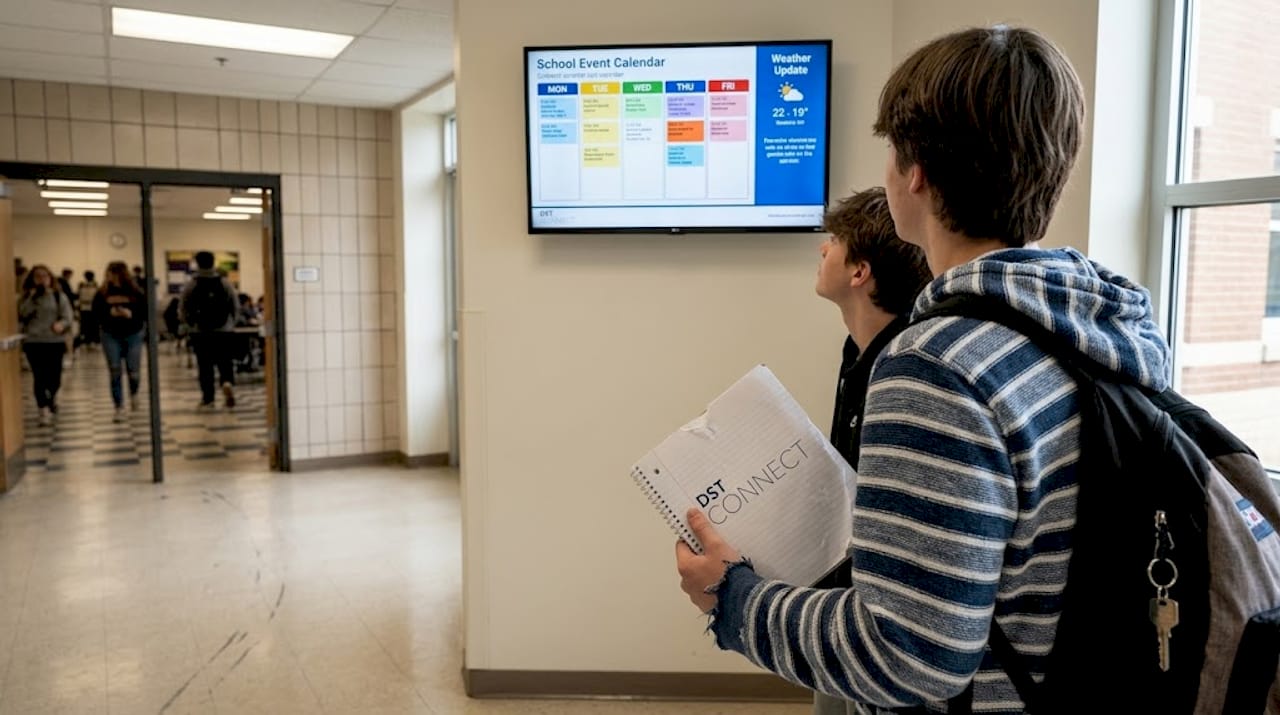
Digital signage improves student and staff engagement by delivering relevant information in real time, reducing the communication noise that buries critical updates.
| Feature | Traditional methods | Digital signage |
|---|---|---|
| Update speed | Hours to days | Seconds |
| Message retention | Low | Up to 83% higher |
| Emergency alerts | Limited | Instant, school-wide |
| Printing cost | Ongoing | Eliminated over time |
| Student engagement | Low | Significantly higher |
Pro Tip: Use digital signage analytics to refine your message timing and content. Most platforms track which content gets the most attention, so you can optimize what you display and when.
Steps to successfully integrate signage in your school
A well-planned rollout makes all the difference. Jumping straight to purchasing hardware without a strategy often leads to underused screens and wasted budget. Follow these steps to build a system that sticks.
- Form a planning committee. Include administrators, teachers, IT staff, and ideally one or two students. Diverse input leads to content that actually serves everyone.
- Audit your current communication tools. Identify what is working, what is failing, and where the biggest gaps in information flow exist.
- Define clear goals. Are you prioritizing emergency communication? Student recognition? Event promotion? Your goals will shape your content strategy and screen placement.
- Select your technology and vendor. Consider factors like ease of use, cloud management capability, template availability, hardware compatibility, and scalability. Choosing the right type of signage is crucial for maximizing engagement and ROI.
- Run a pilot program. Deploy signage in one high-traffic area first, such as the main entrance or cafeteria. Collect feedback before expanding.
- Measure and refine. Track engagement metrics, survey staff and students, and adjust content schedules based on what you learn.
| Platform feature | Why it matters for schools |
|---|---|
| Cloud-based management | Update all screens remotely from one dashboard |
| Template library | Save time with ready-made designs |
| Multi-user access | Let teachers and admins contribute content |
| Scheduling tools | Automate content for different times of day |
| Hardware compatibility | Works with existing screens and media players |
The signage return on investment compounds over time. Schools that start small and scale gradually tend to see stronger adoption and fewer technical headaches than those that attempt a full-campus rollout at once.
Pro Tip: Start with one building or high-traffic hallway to measure early impact. Real data from a controlled pilot gives you the justification you need to expand the budget and the system.
For schools new to the process, reviewing how to optimize signage displays before finalizing your hardware setup can save significant time and cost down the road. Understanding signage display options also helps ensure you choose the right screen types for each environment.
Real-world examples and creative use cases
Digital signage becomes most valuable when schools move beyond basic announcements. Here are some practical and inspiring ways educators are using it:
- Daily announcements: Replace or supplement PA systems with scrolling text and visual schedules that students can check between classes.
- Emergency alerts: Display evacuation maps, shelter-in-place instructions, or weather warnings instantly across all screens in the building.
- Student recognition walls: Highlight academic achievements, sports wins, art projects, and community contributions in rotating visual displays.
- Event schedules and countdowns: Keep students and families aware of upcoming games, performances, and academic deadlines with visually engaging countdowns.
- Wayfinding assistance: Help new students, parents, and visitors navigate campuses with interactive maps and directional displays.
Interactive displays can provide engaging directions, sign-in solutions, or even highlight daily achievements in ways that feel relevant and current to students.
Consider a mid-sized high school that replaced its outdated PA system with a campus-wide digital signage network. During a safety drill, every screen in the building displayed real-time instructions within three seconds of the alert being triggered. Staff reported that students responded faster and with less confusion than during any previous drill. The school also launched a student recognition wall that rotated every 30 seconds, leading to measurable increases in hallway traffic near the displays and a 40% uptick in students self-reporting awareness of peer achievements.
“Schools that use digital signage to recognize students and share real-time updates see significantly higher levels of student participation and campus awareness.” Survey results from schools adopting digital communication tools consistently show this pattern.
For more ideas on keeping content fresh and relevant, explore engaging digital content formats that work across different school environments. You can also see how interactive signage for schools is evolving to support both learning and community building. Schools looking to future-proof their investment should also consider how to futureproof signage for long-term impact.
A smarter approach to school signage: lessons learned
Here is something that most digital signage guides skip over: technology alone does not drive results. The schools that see the strongest communication outcomes are the ones that treat signage as a collaborative tool, not an IT project.
Teachers who feel ownership over what appears on hallway screens are more likely to update content regularly. Students who can submit suggestions or vote on display themes are more likely to pay attention to what those screens show. Most schools, however, install the hardware, assign one administrator to manage it, and then wonder why engagement fades after a few weeks.
The real pitfall is treating digital signage as a static message board with a power cord. The technology supports real-time updates, student input, and content scheduling, but those features only work if people actually use them. Encouraging staff and students to contribute content turns a broadcast system into a living communication platform.
Understanding what makes signage interactive helps schools move from passive displays to genuine two-way communication tools. That shift is where the real engagement gains happen.
Get started with integrated digital signage
If you are ready to move beyond paper notices and forgotten announcements, DST Connect offers a purpose-built digital signage software solution that works for schools of any size. With more than 700 professionally designed templates, a drag-and-drop editor, and a cloud-based dashboard for managing multiple screens from one place, getting started is straightforward. No design experience required. No complex IT setup needed. DST Connect is compatible with Android, Windows, and URL-based media players, so you can work with hardware you may already have. Explore the platform with a 14-day free trial, and follow the step-by-step setup instructions to get your first screen live quickly. Our support team is ready to help you every step of the way.
Frequently asked questions
What are the main types of digital signage used in schools?
Schools typically use information displays, interactive kiosks, schedule boards, emergency alert systems, and student recognition screens. Different signage types address varied communication needs in educational settings, so most schools benefit from using a combination.
How does digital signage improve student engagement?
Digital signage boosts attention and participation by displaying dynamic content tailored to student interests in real time. Real-time digital updates encourage higher engagement because students respond more actively to visual and personalized content than to static announcements.
What is the return on investment for digital signage in schools?
Schools see savings on printing, improved communication efficiency, and increased event participation, making ROI strong over several years. ROI is maximized when signage is strategically placed and content is updated regularly rather than left static.
How can schools keep digital signage content relevant?
Assign staff to update content weekly and encourage student input to ensure messages stay timely and engaging. Collaborative and regularly updated signage boosts effectiveness by keeping the content ecosystem active and reflective of real school life.
Recommended
Enjoyed this blog?
Continue with the previous or next article and discover more ideas, insights and inspiration from DST Connect.