
Why integrate signage with healthcare workflows: Better outcomes
- Connected digital signage offers real-time, accurate communication linked to healthcare systems.
- Successful integration depends on a clear strategy, stakeholder buy-in, and measurable goals.
- Proper planning and standards like HL7 and FHIR ensure efficient, compliant implementation.
Digital signage in hospitals and clinics is often reduced to a screen showing wait times or a looping health tip. That assumption undersells its real potential. When signage connects directly to your Health Information System (HIS) or Electronic Health Record (EHR) platform, it becomes a live communication layer that streamlines operations and reduces admin workload. This article walks healthcare administrators and decision-makers through the operational, technical, and practical value of true workflow integration, so you can make informed decisions about your facility’s digital communication strategy.
Table of Contents
- The traditional role of signage versus integrated systems
- How digital signage integrates with healthcare workflows
- Operational wins: Efficiency, communication, and patient experience
- Challenges and best practices for successful integration
- A unique perspective: What most healthcare leaders overlook about signage integration
- Implementing integrated signage in your healthcare facility
- Frequently asked questions
Key Takeaways
| Point | Details |
|---|---|
| Beyond basic signage | True integration with healthcare workflows delivers actionable, real-time information for better efficiency. |
| Proven results | Integrated signage can boost patient satisfaction and yield a fast return on investment. |
| Success hinges on planning | Strategic rollout, compliance, and staff buy-in are vital for lasting impact. |
| Technical best practices | Use standardized APIs, cloud management, and focus on security and accessibility from day one. |
The traditional role of signage versus integrated systems
For decades, hospitals relied on printed directories, static wall signs, and manually updated whiteboards. These tools worked, but they came with real costs. A staff member had to update the whiteboard. The printed directory became outdated the moment a department moved. Patients got confused, and front desk staff absorbed the overflow of questions.
Static signage is not just inconvenient. It is error-prone and outdated by design. It cannot respond to a sudden change in a physician’s schedule or a spike in emergency department volume. That gap is exactly where integrated digital signage steps in.
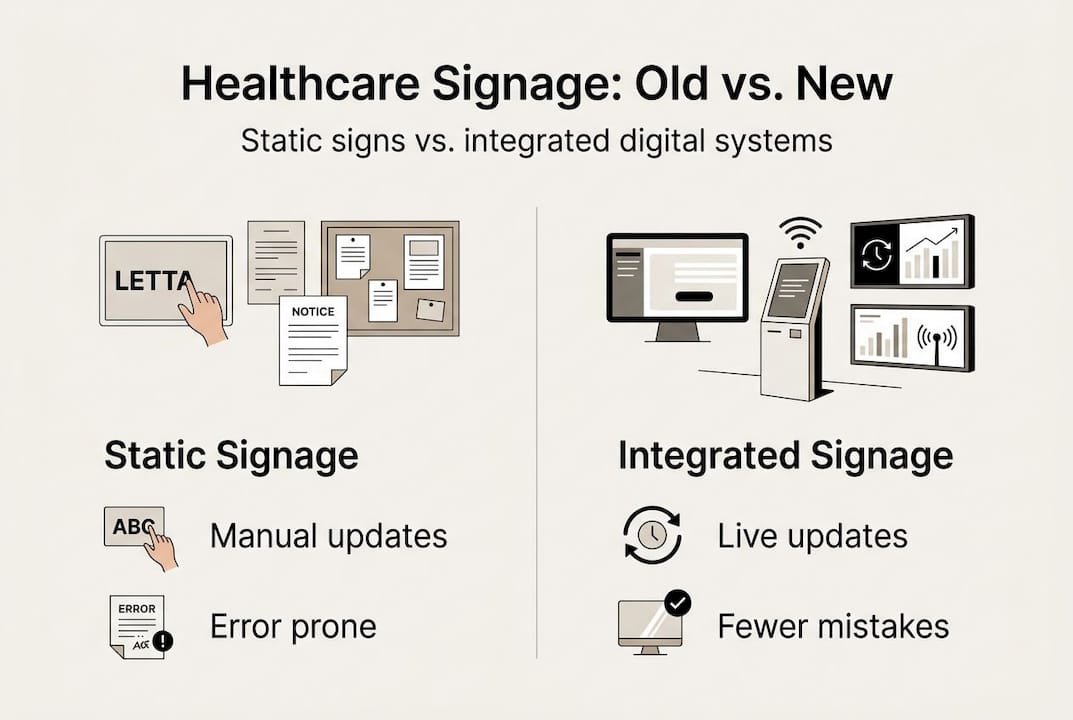
Integrated signage pulls live data from your existing systems and displays it automatically. No manual updates. No lag. The screen outside a consultation room reflects the actual appointment status. The lobby display shows real wait times. The wayfinding kiosk guides patients to the right wing without requiring a volunteer escort.
Here is a quick comparison of what changes when you move from static to integrated:
| Feature | Static signage | Integrated digital signage |
|---|---|---|
| Content updates | Manual, delayed | Automatic, real-time |
| Scheduling accuracy | Low | High, synced with EHR |
| Staff workload impact | Increases front desk load | Reduces admin burden |
| Patient communication | One-size-fits-all | Contextual and dynamic |
| Emergency alerts | Slow, inconsistent | Instant, facility-wide |
To optimize healthcare signage effectively, integration is not optional. It is the foundation.
Self-service kiosks connected to EHR systems are already reducing front desk workload significantly at facilities that have adopted them. The benefits extend beyond convenience:
- Real-time appointment and wait time visibility for patients
- Fewer misdirected patient inquiries to staff
- Faster check-in and reduced bottlenecks at reception
- Consistent messaging across all departments and floors
- Automated emergency alerts pushed to all screens simultaneously
This is the operational shift that integrated signage makes possible.
How digital signage integrates with healthcare workflows
Understanding the mechanics behind integration helps you plan a smarter rollout. The process is more straightforward than most administrators expect, especially with a cloud-based content management system (CMS) at the center.
Here is how the integration chain typically works:
- Connect your data sources. Your EHR, scheduling software, and room management system each hold live data. APIs (Application Programming Interfaces) create a bridge between these systems and your signage CMS.
- Set up your cloud CMS. The CMS acts as the control hub. It receives data feeds, applies your display rules, and pushes content to the right screens at the right time.
- Map content to locations. You define which data appears where. Wait times go to lobby screens. Room status goes to corridor displays. Staff schedules go to internal dashboards.
- Configure role-based access. Different team members get different permissions. A department coordinator can update their floor’s content without touching another department’s displays.
- Test and monitor. Before going live, run integration tests across all data points. Set up monitoring alerts so you catch any sync failures quickly.
Integration typically uses HL7 and FHIR as the communication standards for EHR connections. HL7 (Health Level Seven) and FHIR (Fast Healthcare Interoperability Resources) are the industry’s agreed-upon languages for exchanging health data securely. Most modern EHR platforms support both.
Here is how integration points map to signage features:
| Data source | Integration standard | Signage feature enabled |
|---|---|---|
| EHR system | HL7 / FHIR | Patient status, appointment updates |
| Scheduling software | API / REST | Room availability, provider schedules |
| Room management | API | Occupancy indicators, wayfinding |
| Emergency systems | Webhook / API | Facility-wide alert broadcasts |
Role-based access is critical for HIPAA compliance. Not every staff member should see every data point. A well-configured CMS lets you control exactly who can view, edit, or publish content, protecting patient privacy while keeping workflows efficient. Understanding cloud signage concepts and exploring interactive displays for engagement can help your team visualize the full potential before committing to a setup.
Pro Tip: Before selecting a signage platform, map out every integration point your facility needs. Include IT, compliance, and department heads in that conversation. Addressing security and multi-site consistency at the planning stage saves significant rework later.
Operational wins: Efficiency, communication, and patient experience
Now that the infrastructure is clear, what practical benefits and results can administrators expect? The data is encouraging.
“Piedmont Healthcare reported a 22% boost in patient satisfaction and achieved ROI in just 11 months after deploying integrated digital signage. North Memorial Health enabled real-time wait time displays that directly reduced patient anxiety and front desk call volume.”
Those are not outlier results. They reflect what happens when signage is treated as a workflow tool rather than a decoration.
The main operational wins administrators consistently report include:
- Reduced check-in bottlenecks through self-service and automated queue displays
- More accurate patient information at every touchpoint
- Improved staff coordination through internal dashboards and room status screens
- Faster emergency communication across entire facilities
- Higher patient satisfaction scores tied to clearer, more timely communication
Here are the steps hospitals typically follow to implement and monitor integrated signage:
- Audit current communication gaps. Identify where patients and staff most often experience confusion or delays.
- Define measurable goals. Set specific targets: reduce check-in time by X minutes, improve satisfaction scores by Y percent.
- Select compatible hardware and software. Ensure your signage platform integrates with your existing EHR and scheduling tools.
- Pilot in one high-traffic area. Gather feedback before scaling facility-wide.
- Track metrics continuously. Use your CMS analytics and patient satisfaction surveys to measure progress and adjust.
Improving patient communication with signage and drawing lessons from enhancing guest and patient experience in other service sectors can sharpen your approach.
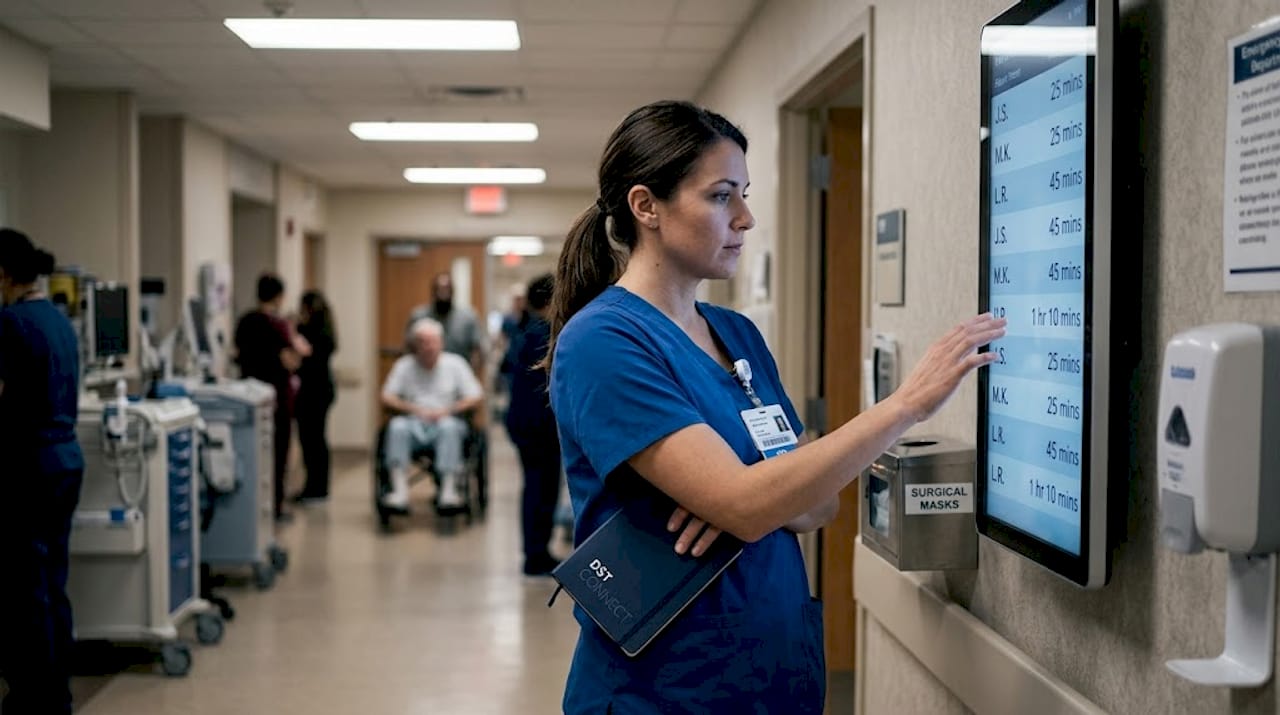
Pro Tip: Launch your integrated signage rollout in the areas with the highest patient traffic first. Emergency waiting rooms, main lobbies, and check-in desks deliver the fastest visible impact and build internal support for broader adoption.
Challenges and best practices for successful integration
Having covered the benefits, it is vital to understand the practical hurdles and ways to steer clear of common mistakes. Integration is not plug-and-play, and going in with clear eyes makes the difference between a smooth rollout and a costly stall.
The top challenges in healthcare signage integration include:
- Data quality issues. Inaccurate or incomplete data in your EHR will surface immediately on your displays. Garbage in, garbage out.
- Integration complexity. Legacy systems often lack modern API support, requiring middleware or custom connectors.
- Real-time update reliability. Network interruptions can cause displays to show stale information if failover protocols are not in place.
- HIPAA compliance. Every data feed and display must be audited for patient privacy risks before going live.
- Accessibility requirements. ADA compliance, multilingual support, and screen readability for visually impaired patients are non-negotiable.
- Upfront costs. Hardware, software licensing, and integration development represent significant initial investment.
Best practices that consistently lead to successful deployments:
- Adopt incrementally. Start with one integration point and expand. Do not try to connect every system on day one.
- Build a cross-functional team. Include IT, clinical staff, compliance officers, and facilities managers from the start.
- Invest in user training. The best platform fails if staff do not know how to use it or trust it.
- Monitor continuously. Set up automated alerts for data sync failures and content errors. Review performance data monthly.
For technical guidance, reviewing pro AV tips for signage and understanding what interactive signage offers will help your team make better hardware and software decisions.
Pro Tip: Address accessibility and language needs at the design stage, not as an afterthought. ADA-compliant layouts and multilingual content templates should be part of your initial CMS configuration, not a patch added after complaints arise.
A unique perspective: What most healthcare leaders overlook about signage integration
Most conversations about healthcare signage integration focus on technology: which standards to use, which hardware to buy, which CMS to deploy. That is necessary, but it is not sufficient.
The facilities that see the best outcomes are not the ones with the most sophisticated tech stack. They are the ones where leadership defined a clear communication strategy before a single screen was installed. They asked: what do we want patients to feel when they walk in? What do staff need to see to do their jobs better? What does success look like in 90 days?
Without those answers, integration becomes technology for technology’s sake. Screens get installed, data feeds get connected, and then nobody measures whether any of it is actually helping. The growing demand for digital signage is real, but demand alone does not guarantee results.
Buy-in from all stakeholders, a defined communication strategy, and measurable goals are what separate a successful rollout from an expensive experiment. The technology just executes the strategy. Make sure you have one.
Implementing integrated signage in your healthcare facility
If you are ready to move from static displays to a fully integrated signage system, DST Connect is built to support that journey. The platform connects with your existing healthcare data sources through flexible API integrations, giving you real-time, accurate content across every screen in your facility. With over 700 professionally designed templates, a drag-and-drop editor, and a cloud-based dashboard for managing multiple locations, you can get up and running without needing a dedicated IT team for every update. Explore compatible digital signage hardware, follow the step-by-step signage setup guide, and access signage setup tutorials to move forward with confidence.
Frequently asked questions
What are the key benefits of integrating signage with healthcare workflows?
EHR-integrated signage reduces admin burdens, speeds up check-in, improves communication accuracy, and directly boosts patient satisfaction scores. Facilities that integrate see measurable gains within the first months of deployment.
What integration standards are commonly used?
HL7 and FHIR are the most widely used standards for connecting digital signage platforms with EHR systems in healthcare environments. Most modern EHR vendors support both.
How fast can an integrated signage system deliver ROI?
Well-planned projects can show results quickly. Piedmont’s 22% satisfaction boost and 11-month ROI is a strong benchmark for facilities that set clear goals and measure consistently.
What are the common challenges when integrating signage in healthcare settings?
Integration complexity, real-time updates, HIPAA compliance, accessibility requirements, and high upfront costs are the most persistent obstacles. Incremental adoption and cross-functional planning reduce most of these risks significantly.
Recommended
Enjoyed this blog?
Continue with the previous or next article and discover more ideas, insights and inspiration from DST Connect.