
Streamline your restaurant signage workflow for engagement
TL;DR:
- A structured signage workflow reduces errors, delays, and outdated content in restaurant settings.
- Using a cloud CMS with role-based access streamlines content management across multiple locations.
- Pilot rollouts and regular monitoring improve automation, consistency, and scalability of digital signage.
Running a restaurant means managing dozens of moving parts at once, and your digital signage content is no exception. When screens show outdated promotions, wrong prices, or off-brand visuals, it costs you more than just credibility. It costs you sales. A disorganized signage content workflow creates delays, errors, and missed opportunities to connect with customers at exactly the right moment. This guide walks you through a practical, step-by-step framework to audit, build, and scale a signage workflow that keeps your content fresh, consistent, and working hard for your business.
Table of Contents
- Assessing your current signage content process
- Preparing your tools and content for deployment
- Rolling out and managing your signage content workflow
- Monitoring, adjusting, and scaling your workflow
- Beyond best practices: What most guides miss about signage workflow
- Supercharge your signage workflow with DST Connect
- Frequently asked questions
Key Takeaways
| Point | Details |
|---|---|
| Audit first | Identify current workflow gaps before investing in new signage tools or processes. |
| Use phased rollouts | Pilot new workflows in select locations to minimize risk and adapt quickly. |
| Centralize with cloud CMS | A cloud-based CMS simplifies scaling, content consistency, and real-time updates across sites. |
| Monitor and improve | Track key performance indicators and refine your workflow as your business grows. |
Assessing your current signage content process
Before you change anything, you need to understand what you’re working with. Most restaurants fall into common traps: one person managing all screen updates manually, no clear approval process, and content that goes stale because no one owns the update schedule. These bottlenecks are easy to overlook until they cause a real problem, like a screen still advertising a seasonal item that sold out weeks ago.
A structured audit is the best place to start. Walk through your current process and ask honest questions about every step, from who creates content to how updates get pushed to screens. This kind of review often reveals surprising gaps, especially in multi-location operations where signage enhances guest experience only when content is timely and accurate.
Here’s a quick audit checklist to guide your review:
- Roles and ownership: Who is responsible for creating, approving, and publishing signage content?
- Access controls: Does every team member have the right level of system access, no more, no less?
- Revision process: Is there a defined approval path before content goes live?
- Update frequency: How often is content reviewed and refreshed across all screens?
- Feedback collection: Is there a process to track errors, outdated content, or customer-facing issues?
Once you’ve answered these questions, you’ll have a clearer picture of where your workflow breaks down. Common findings include unclear role assignments, no scheduled review cycles, and a lack of version control when multiple people edit the same content.
| Workflow area | Common gap | Impact |
|---|---|---|
| Content creation | No brand templates | Inconsistent visuals |
| Approval process | No defined steps | Errors go live |
| Update scheduling | Manual, ad hoc | Outdated content |
| Access management | Too broad or too narrow | Security or delays |
| Performance review | No feedback loop | No improvement |
A phased rollout is the safest way to test and fix your workflow before scaling. Start with one or two locations, run your new process there for a few weeks, and document every friction point your team encounters.
Pro Tip: Treat your pilot location like a live experiment. Assign someone to log every issue, delay, or workaround during the first two weeks. That log becomes your improvement roadmap before you expand.
Preparing your tools and content for deployment
Once you’ve mapped your workflow gaps, the next step is making sure your tools and content are ready to support a smooth deployment. The right technology stack makes a significant difference, especially when you’re managing signage across more than one location.
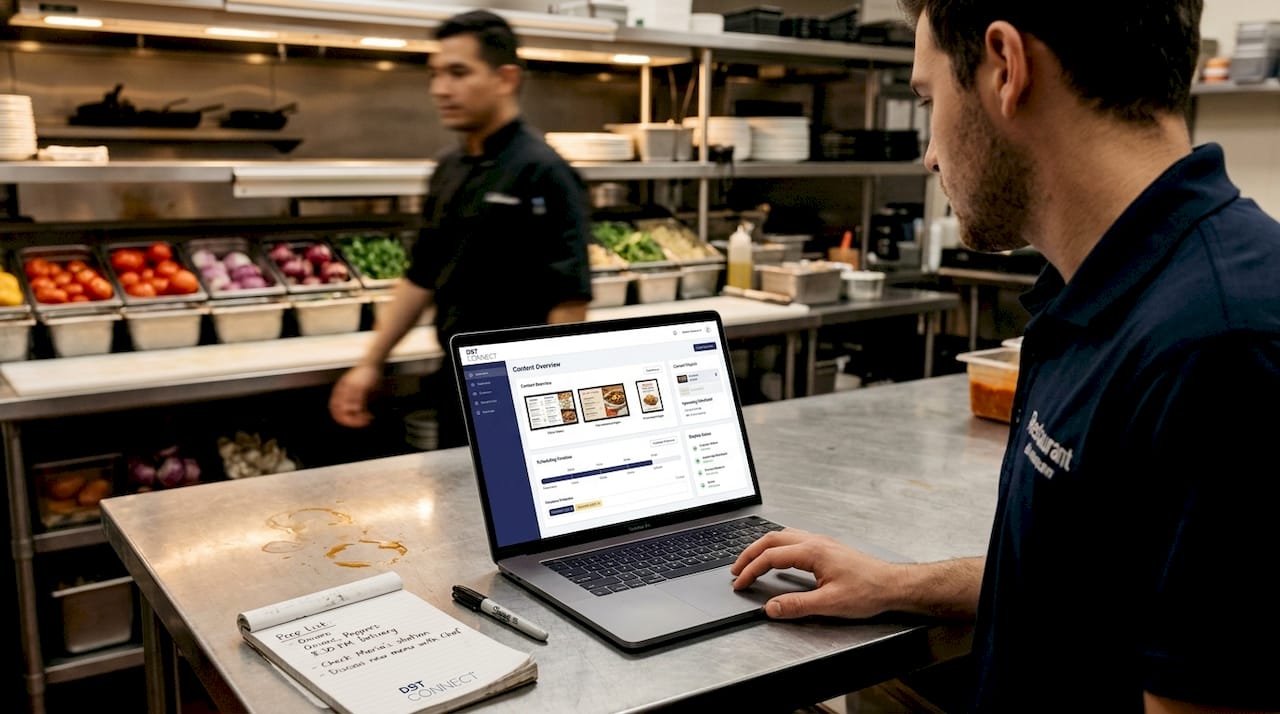
A cloud CMS for signage gives your team the ability to update content remotely, assign role-based access, and monitor screen status without being physically on-site. For multi-site operations, cloud CMS with role-based access ensures scalability and efficiency, while phased pilots reveal workflow gaps early. That combination of remote control and structured access is what separates a scalable operation from a chaotic one.
Here’s how manual and automated workflows compare:
| Feature | Manual workflow | Automated CMS workflow |
|---|---|---|
| Content updates | Done individually per screen | Pushed centrally to all screens |
| Brand consistency | Varies by location | Enforced through shared templates |
| Error detection | Reactive, after the fact | Proactive monitoring and alerts |
| Scheduling | Manual, prone to gaps | Automated, time-based triggers |
| Scalability | Limited | Easily scales to new locations |
With the right CMS in place, your next priority is content standardization. Using digital display templates ensures that every screen, regardless of location, reflects your brand correctly. Templates reduce design time, minimize errors, and make it easier to train new staff.
Follow these steps to prepare your assets before deployment:
- Define your screen specs: Confirm resolution, aspect ratio, and file format requirements for each display type.
- Build or import brand templates: Create a library of approved layouts for menus, promotions, and announcements.
- Set up folder organization: Structure your content library by location, content type, and campaign.
- Establish an approval path: Define who reviews and signs off on content before it goes live.
- Document your process: Write down every step so new team members can follow it without guesswork.
Pro Tip: Before full deployment, test at least two or three template variants in your pilot location. You’ll quickly learn which layouts drive attention and which ones get ignored, saving you time and budget later.
Rolling out and managing your signage content workflow
With your tools set up and content ready, it’s time to deploy. A methodical, low-risk rollout protects your operation from widespread errors and gives your team time to build confidence with the new process.
Follow this phased deployment approach:
- Launch the pilot: Activate your new workflow at one or two locations. Brief all relevant staff on their roles.
- Gather team feedback: After two weeks, collect input from everyone involved, from the person uploading content to the manager approving it.
- Identify friction points: Look for steps that caused delays, confusion, or workarounds.
- Refine the process: Update your documentation and templates based on what you learned.
- Scale regionally: Roll out to the next group of locations, applying everything you refined in the pilot.
As Amped Digital notes, a phased rollout that pilots in a few locations first, tests workflows and training, and then scales regionally is the most effective way to minimize risk. Skipping this step is one of the most common mistakes restaurant groups make when modernizing their signage operations.
Automation plays a big role in keeping your workflow efficient once it’s running. Scheduling tools let you set content to go live at specific times, so your breakfast menu appears in the morning and your dinner specials take over in the evening without anyone manually switching files. Explore signage automation tips to see how automation reduces both errors and the time your team spends on routine updates.
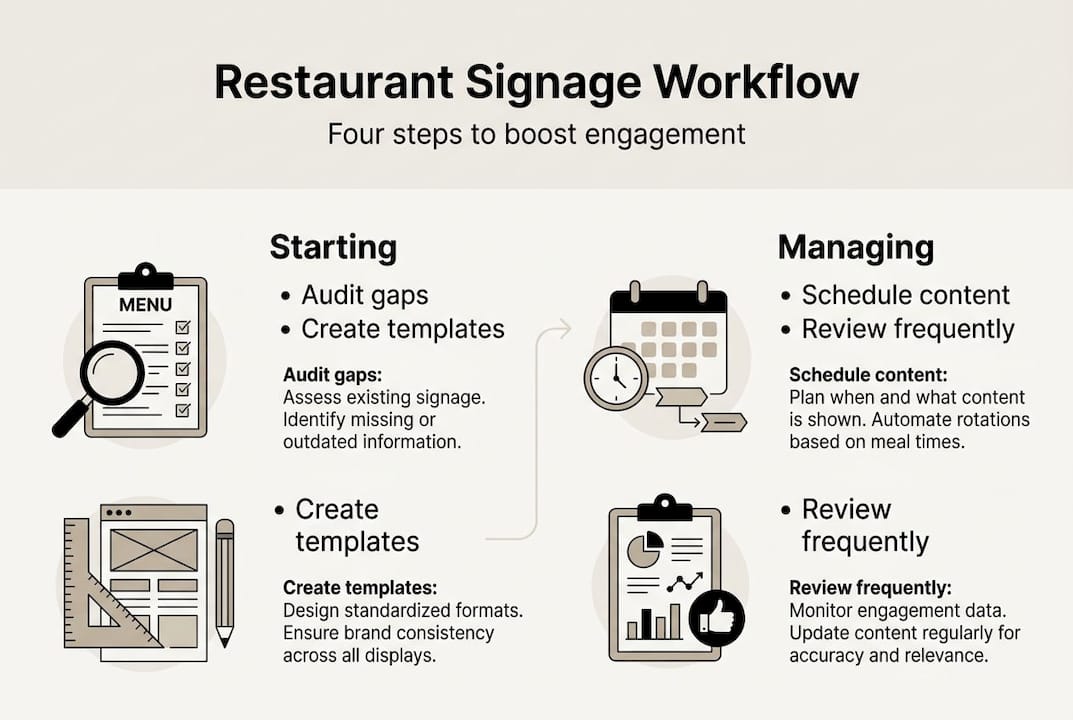
Role assignments are equally important. Not everyone on your team should have the same level of access. A content creator needs editing rights. A location manager might need approval authority. A regional director may need read-only visibility across all screens. Clear signage content creation tips and role structures keep your workflow moving without creating security risks.
Pro Tip: Set a recurring calendar reminder every two to four weeks for a content review cycle. Scheduled reviews prevent content from going stale and keep your screens relevant without requiring constant manual oversight.
Monitoring, adjusting, and scaling your workflow
Deployment is not the finish line. To get lasting value from your signage workflow, you need to measure how it’s performing and adjust regularly. Without monitoring, small problems compound into larger ones, especially as you add more locations.
Start by tracking these key metrics:
- Content update completion time: How long does it take from content approval to live display?
- Error frequency: How often does incorrect or outdated content appear on screens?
- Engagement indicators: Are customers responding to promotions shown on screens?
- Update compliance rate: Are all locations following the scheduled content calendar?
- System uptime: Are screens displaying content reliably, or are there recurring outages?
Here’s an example of performance indicators with realistic targets:
| Metric | Target value | Review frequency |
|---|---|---|
| Update completion time | Under 2 hours | Weekly |
| Error rate | Less than 2% of updates | Monthly |
| Screen uptime | 99% or higher | Ongoing |
| Content calendar compliance | 95% or higher | Monthly |
| Promotion response rate | Tracked per campaign | Per campaign |
Feedback loops are what turn monitoring into improvement. After each campaign or content cycle, ask your team what worked and what didn’t. Use that input to refine templates, adjust approval steps, or redistribute responsibilities. The AV tips for signage optimization available from display and hardware experts can also help you identify whether technical factors are limiting your content’s impact.
As you scale, centralized management becomes non-negotiable. The growing demand for digital signage across the restaurant industry reflects how operators are recognizing that inconsistent content across locations is a brand risk, not just an operational inconvenience.
“For multi-site operations, a cloud CMS with role-based access and monitoring ensures scalability and efficiency. Phased pilots reveal workflow gaps early and reduce the risk of widespread errors during full deployment.” — Amped Digital via Digital Signage Today
Beyond best practices: What most guides miss about signage workflow
Most articles on signage workflow focus on technology. Choose the right CMS, use templates, automate scheduling. That advice is solid, but it misses the real reason most workflows fail: people.
In our experience, the restaurants that struggle most with signage consistency aren’t using the wrong software. They’re dealing with unclear ownership, undertrained staff, and a lack of cross-department buy-in. When marketing, operations, and IT aren’t aligned on who does what, even the best platform becomes a bottleneck.
Documentation is underrated. A written workflow that everyone can reference reduces the reliance on institutional knowledge held by one or two people. When that person leaves or is unavailable, the process shouldn’t fall apart.
The ROI of a well-run signage workflow rarely shows up in a single metric. It shows up in fewer errors, faster promotion launches, and a customer experience that feels consistent whether someone visits your flagship location or a suburban outpost. Interactive signage benefits are amplified when the operational foundation is solid. The technology only works as well as the people and processes behind it.
Supercharge your signage workflow with DST Connect
If you’re ready to move from a reactive, manual process to a structured and scalable signage operation, DST Connect is built for exactly that. The platform supports phased rollouts, cloud-based content management, role-based access, and real-time content control across all your screens. With over 700 professionally designed templates and an intuitive drag-and-drop editor, your team can create, approve, and publish content without needing design or technical expertise.
Explore the full digital signage software to see how DST Connect fits your operation, and check out the setup instructions to get started quickly. A 14-day free trial is available so you can test the platform with your own content before committing.
Frequently asked questions
What is a restaurant signage content workflow?
It’s the process restaurants use to create, approve, schedule, and update content shown on digital signage screens. A well-defined workflow ensures content is accurate, on-brand, and delivered to the right screens at the right time.
Why start a signage workflow with a pilot rollout?
A pilot lets you test workflows and training on a small scale so you can find and fix issues before expanding. As industry experts recommend, piloting in a few locations first minimizes the risk of widespread errors during full deployment.
How does cloud CMS improve signage management for multi-location restaurants?
Cloud CMS lets you control, update, and monitor signage content across all locations from a single dashboard, efficiently and securely. Role-based access and monitoring ensure that the right people have the right permissions at every level of your organization.
What signs indicate it’s time to update your digital signage content workflow?
Frequent errors, delays in updating screens, or inconsistent branding across locations are clear signals that your workflow needs improvement. If your team is relying on workarounds or manual fixes regularly, it’s time to rebuild the process from the ground up.
Recommended
Enjoyed this blog?
Continue with the previous or next article and discover more ideas, insights and inspiration from DST Connect.