
How digital displays enhance safety alerts in any organization
TL;DR:
- Digital displays enable rapid, high-visibility safety alerts that static signs cannot match.
- Effective alerts use high-contrast colors, standardized icons, and clear, concise messaging.
- Regular testing, staff training, and proper integration are essential for digital signage success.
Static signs on a wall might feel like a reliable safety net, but in a real emergency, they often fall short. Safety and facilities managers across retail, healthcare, and education are discovering that digital displays offer something paper and plastic simply cannot: immediate, updatable, high-visibility communication when every second counts. Research backs this up. Studies show that warning design features improve risk perception including icons, high-contrast colors, and standardized formats, producing measurably better responses. This guide explains why digital signage is now a frontline tool for safety alerting, how to design alerts that actually work, and what managers need to do to implement them effectively.
Table of Contents
- Why timely safety alerts matter
- How digital displays improve safety alert effectiveness
- Designing digital safety alerts that get noticed
- Implementing digital displays for safety: What managers need to know
- What most organizations overlook about safety displays
- Find the best digital signage solution for your safety needs
- Frequently asked questions
Key Takeaways
| Point | Details |
|---|---|
| Speed saves lives | Digital displays make it possible to communicate safety alerts instantly, reducing reaction time in emergencies. |
| Design drives response | Effective alerts use high-contrast visuals, icons, and standards to ensure people notice and act quickly. |
| Ongoing management is key | Successful safety signage requires regular updates, integration, and staff training, not just installation. |
| Signage supplements safety | Digital displays are important administrative tools but should support, not replace, engineering controls. |
Why timely safety alerts matter
To set the stage, let’s first understand why speed and clarity in safety alerts are non-negotiable.
In an emergency, time is the variable you control least. A fire, a lockdown, or a severe weather event does not wait for staff to update a printed notice or for someone to make an announcement over a faulty PA system. The gap between when an incident begins and when people receive clear direction can determine whether the situation is contained or escalates quickly.
Digital displays change that equation. With the right platform, a safety manager can push an alert to every screen in a building within seconds. That alert can include evacuation routes, lockdown instructions, shelter-in-place guidance, or weather warnings, all formatted consistently for fast comprehension. Using digital signage announcements as part of a broader communication strategy means staff and visitors always have a reliable visual channel when they need it most.
Beyond emergencies, everyday safety communication also benefits. Reminder messages about PPE, wet floor warnings, and procedural updates can be scheduled and rotated without printing or manual posting.
Here is what effective digital safety alerting typically covers:
- Evacuation notices with floor-specific routing
- Lockdown alerts with clear action instructions
- Severe weather warnings updated in real time
- Hazard notifications like chemical spills or power outages
- Routine safety reminders to reinforce compliance culture
The design of those alerts matters as much as the speed of delivery. Research confirms that warning design features improve risk perception, with icons, risk-explicit messaging, ANSI Z535 standardized formats, and high-contrast colors all contributing to faster and more reliable responses from people in monitored environments.
Key insight: In safety communication, clarity is not a design preference. It is a performance requirement. How quickly someone processes a visual alert directly affects how quickly they act.
For retail environments with heavy foot traffic, healthcare facilities managing vulnerable populations, and schools balancing student safety with operational continuity, this level of responsive, standardized communication is not optional. It is foundational.
How digital displays improve safety alert effectiveness
Building on the need for fast alerts, here is how digital display technology steps up compared to static signs.
Static signage communicates one message, in one place, until someone physically changes it. That model works fine for wayfinding or branding. For safety alerts, it fails at the most critical moment. Digital displays solve this with a core set of capabilities that traditional signage cannot match.

Here is a comparison of key features:
| Feature | Static signage | Digital displays |
|---|---|---|
| Update speed | Manual, hours or days | Seconds via CMS |
| Alert animation | None | Flashing borders, motion |
| Area-specific targeting | Impossible | Configurable by zone |
| Standards compliance | Fixed at printing | Dynamic, updatable |
| Audio integration | None | Supported on many platforms |
Steps to improve alert effectiveness with digital displays:
- Enable automatic triggers. Connect your display system to fire alarms, weather APIs, or access control systems so alerts broadcast without manual input.
- Customize by location. A basement evacuation route is irrelevant to staff on the third floor. Zone-based targeting ensures relevance.
- Use animation purposefully. Flashing borders and color shifts catch peripheral vision faster than static text. Apply them only to urgent alerts to avoid desensitization.
- Follow ANSI Z535 standards. Consistent color coding (red for danger, orange for warning) builds familiarity over time, which speeds up recognition during real events.
- Test alerts regularly. Scheduled drills that include your digital display system verify that all screens function and that staff respond as expected.
References to healthcare signage best practices confirm that patient-facing environments benefit especially from consistent visual language, because unfamiliar visitors need to understand alerts quickly without prior orientation. For retail and education, the same principle applies to customers and students who may not know facility layouts.
For managers looking to go further, signage optimization tips can help you fine-tune display placement, brightness settings, and content scheduling to maximize alert visibility across diverse facility conditions.
Pro Tip: Use a content management system (CMS) that supports pre-built emergency templates. When an incident occurs, you want one click to activate a tested, standards-compliant alert, not a rush to design something from scratch under pressure.
Designing digital safety alerts that get noticed
Having covered why digital displays excel, let’s focus on what makes an on-screen safety alert truly stand out.
Even the best display hardware is only as effective as the content running on it. Poor alert design, too much text, low contrast, inconsistent icons, can slow comprehension at the worst possible moment.
Research consistently shows that warning design features improve risk perception, with standards-compliant elements outperforming informal designs in both speed of recognition and accuracy of response.
Here is how effective and ineffective safety alerts compare:
| Design element | Effective alert | Ineffective alert |
|---|---|---|
| Color scheme | High-contrast (red/white, black/yellow) | Low-contrast (gray on white) |
| Icons | ANSI Z535-compliant symbols | Decorative or absent |
| Message length | Under 10 words per instruction | Full paragraphs |
| Font size | Legible from 10+ feet | Small body text |
| Action instruction | Single, clear directive | Multiple options listed |
Key design principles to follow:
- Lead with the action. “EVACUATE NOW via stairwell A” is more effective than “Due to a fire alarm activation, staff should…”
- Use recognized safety colors. Red signals danger, orange signals warning, yellow signals caution. Viewers learn these patterns over time.
- Keep icons consistent. Use the same icon set across all your safety content so staff build visual familiarity.
- Add an audio layer where possible. Many display systems support audio output, which helps alert people not directly facing a screen.
CAP compliance for safety alerts, a protocol used to standardize emergency alerting across systems, also informs how digital signage content should be structured for maximum interoperability and comprehension.
For deeper guidance on visual content structure, the content creation tips available through DST Connect cover layout principles that apply directly to safety alert design.
Pro Tip: Design your safety alert templates before you need them. Pre-approved layouts reviewed by safety officers save critical time and ensure compliance when an actual event occurs.
Implementing digital displays for safety: What managers need to know
With alert design principles in mind, here is how managers can practically roll out and optimize digital safety displays.
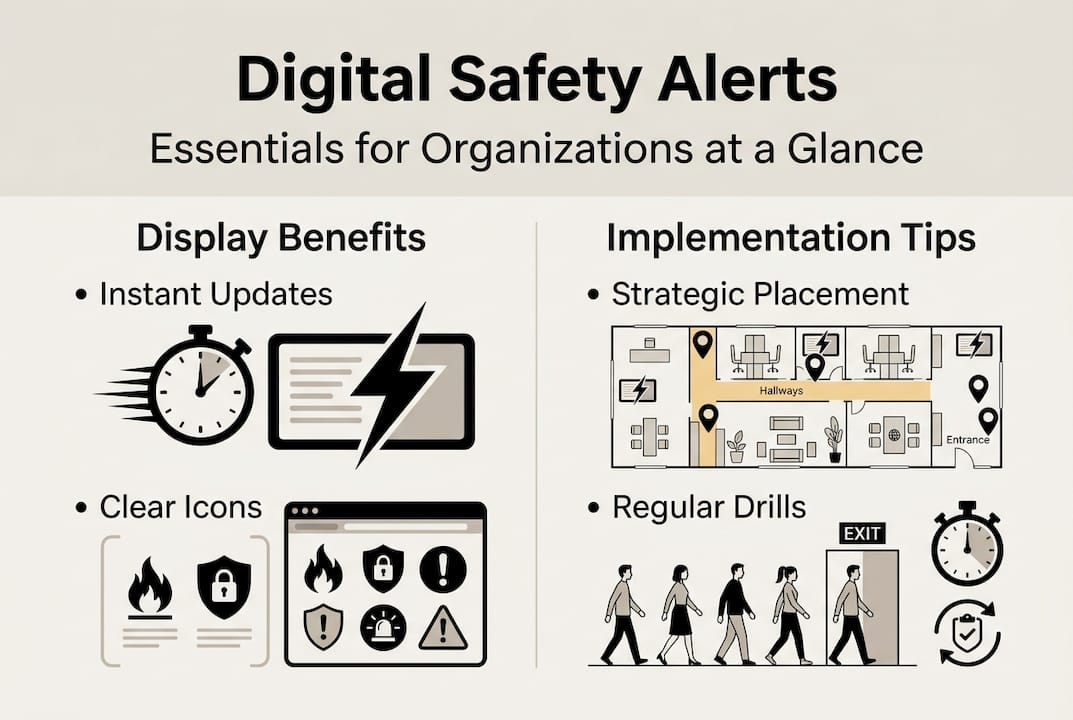
Deployment is where most organizations either succeed or stall. The technology is available and proven. The challenge is integration, planning, and organizational readiness.
Steps for a successful rollout:
- Audit your current communication infrastructure. Identify existing alarm systems, PA systems, and manual alert processes that digital displays will complement or replace.
- Map display locations to traffic flow. High-visibility placements at entrances, corridors, and gathering points ensure maximum reach during an alert.
- Plan for power redundancy. Displays that go dark during an emergency are useless. Uninterruptible power supplies (UPS) or battery backup systems are worth the investment.
- Integrate with existing alert systems. Many platforms, including those supporting digital signage in hospitality and other sectors, now support API integrations with fire panels, mass notification systems, and weather services.
- Train your team. Staff must know how to trigger, update, and cancel alerts manually if automated systems fail.
Key compliance considerations:
- Review ANSI Z535 requirements for visual safety communication in your sector
- Confirm CAP (Common Alerting Protocol) compatibility if connecting to municipal or government alert networks
- Document your digital signage as part of your organization’s administrative controls in safety audits
Important: As CAP compliance and school safety signage research makes clear, digital signage is an administrative control. It improves communication and awareness but does not replace engineering solutions like sprinkler systems, fireproof barriers, or physical lockdown hardware. Treat it as a critical layer, not a complete solution.
Organizations that plan carefully, integrate properly, and train consistently see the strongest outcomes from digital safety display programs.
What most organizations overlook about safety displays
Here is an uncomfortable truth: many organizations purchase digital signage for safety, set it up, and then assume the job is done. It is not.
A display system without regular testing, staff training, and process integration is essentially an expensive static sign. The technology does not run itself. Someone needs to update templates, verify that triggers fire correctly, and ensure that new staff understand the system. Without that ongoing commitment, the value of digital signage erodes quickly.
We have seen organizations invest in quality hardware and a solid CMS, then skip the training phase entirely. Six months later, when an actual incident occurs, staff either ignore the displays or do not know how to update them. Reading the guide to digital notice boards can help frame the broader organizational habits needed to keep displays relevant and trusted.
The most effective safety display programs treat digital signage as a living system. Quarterly drills that test the full alert chain, regular content reviews, and clear ownership of the system within the facilities team are what separate truly functional safety communication from a checked box on a compliance list.
Find the best digital signage solution for your safety needs
Ready to implement or improve your organization’s digital safety displays? DST Connect offers a professional, user-friendly digital signage software platform designed for organizations of all sizes. With over 700 templates, a drag-and-drop editor, and cloud-based management across multiple screens, DST Connect makes it straightforward to build standards-compliant safety alerts without needing design or technical expertise. You can start with a free trial to pilot your safety alert setup before full deployment. Multilingual instructions for setup are also available, so your team can get displays running quickly and confidently. Explore DST Connect today and take the next step toward a more responsive, reliable safety communication system.
Frequently asked questions
What are the key visual features for effective digital safety alerts?
High-contrast colors, clear icons, and compliance with standards like ANSI Z535 make digital safety alerts more noticeable and improve response. Warning design features improve risk perception across a range of monitored environments.
Does digital signage fully replace other safety measures?
No, digital signage is an administrative control and should always supplement, not replace, engineering safety solutions. As CAP compliance and school safety signage research confirms, it is one critical layer within a broader safety strategy.
How can organizations ensure their digital safety alerts reach everyone?
Standardizing design, following CAP protocols, and regular testing increase the chances your alerts are seen and understood throughout the facility. CAP compliance and school safety signage research notes that seamless integration requires careful system categorization and consistent testing.
Recommended
Enjoyed this blog?
Continue with the previous or next article and discover more ideas, insights and inspiration from DST Connect.