
How integrated signage improves retail performance and efficiency
TL;DR:
- Integrating digital signage with POS systems enables real-time updates of prices, promotions, and stock levels.
- Connected signage drives higher sales, targeted upselling, and improved customer engagement through relevant content.
- Proper planning, content strategy, and standardized hardware are essential to maximize operational benefits and ROI.
Digital signage works harder when it’s connected. Standalone screens display static content that quickly becomes outdated, forcing staff to manually update pricing, promotions, and inventory details. That creates errors, wasted time, and missed opportunities. When signage is integrated with your point-of-sale (POS) or inventory system, real-time updates flow automatically to every screen, displaying dynamic pricing, promotions, and stock levels without a single manual touch. The result is a retail environment that responds to your business in real time, keeps customers informed, and frees your team to focus on service rather than screen management.
Table of Contents
- What signage integration actually means
- How integration boosts customer engagement and sales
- Operational efficiency gains: Automation, cost savings, and inventory wins
- ROI benchmarks and integration methodologies
- Edge cases, challenges, and solutions
- A smarter approach: Content strategy first, technology second
- Ready to streamline your signage integration?
- Frequently asked questions
Key Takeaways
| Point | Details |
|---|---|
| Real-time updates | Integrated signage syncs with retail systems for instant content changes and accurate inventory display. |
| Increased engagement | Personalized offers and dynamic messaging significantly boost customer interest and purchase likelihood. |
| Operational efficiency | Automation reduces manual tasks, print costs, and allows staff to focus on high-value activities. |
| Measurable ROI | Retailers report sales gains reported in the 25–34% range in well-executed implementations. |
| Avoid common pitfalls | Success depends on content strategy, workflow planning, and standardization more than technology alone. |
What signage integration actually means
Integration means connecting your digital signage platform to the retail systems you already use, primarily your POS and inventory management tools. Instead of uploading content manually, your signage pulls live data from those systems and displays it automatically. Price changes, sold-out items, and flash promotions appear on screen the moment they happen in your backend.
The technical connection happens in a few common ways:
- API integration: Your signage CMS communicates directly with your POS via an application programming interface (API), enabling real-time two-way data exchange.
- Middleware or iPaaS: A connector layer (like Zapier or a custom integration platform) bridges two systems that don’t natively communicate.
- Database sync: Your signage platform reads directly from a shared database, pulling product, pricing, or inventory records on a set schedule.
- File export/import: A more basic method where your POS exports a data file (CSV, XML) that the signage system reads and displays.
Popular POS platforms that support these methods include Square, Clover, and Toast. A good POS integration overview shows how each connection type works in practice and which suits different retail setups.
Here’s a quick comparison of integration methods:
| Method | Speed | Complexity | Best for |
|---|---|---|---|
| API integration | Real-time | Medium | Dynamic pricing, live stock |
| Middleware/iPaaS | Near real-time | Low to medium | Multi-system retailers |
| Database sync | Scheduled | Medium to high | Large inventory catalogs |
| File export/import | Delayed | Low | Small retailers, basic needs |
The practical results are significant. Managing retail screens becomes far less labor-intensive when your CMS handles updates automatically. Pricing accuracy improves, promotional timing becomes precise, and your screens stay relevant throughout the day without staff intervention. That’s the core value of integration: your signage becomes a live extension of your retail operations, not a separate communication channel you have to maintain manually.
How integration boosts customer engagement and sales
Connected signage doesn’t just display information faster. It displays the right information at the right moment, and that distinction drives measurable sales results.
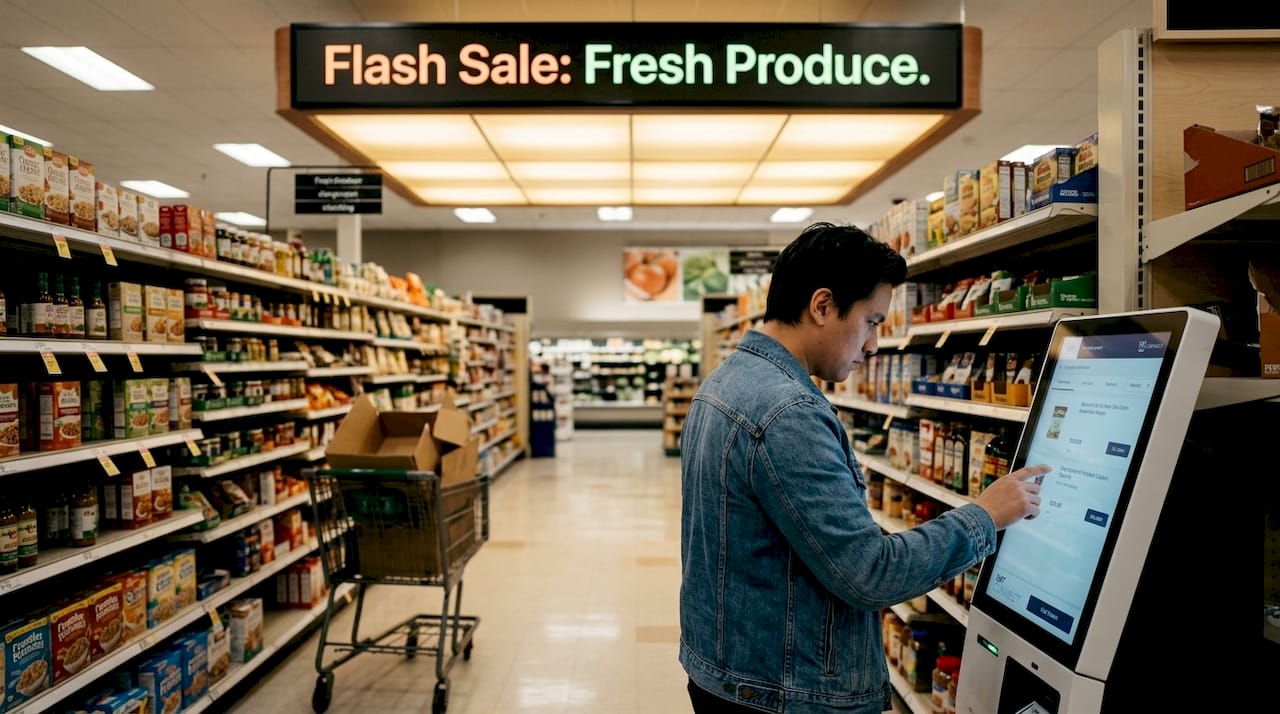
When your signage knows what’s in stock, what’s on promotion, and what customers are buying, it can surface relevant upsell offers automatically. A customer buying coffee gets a prompt about a discounted pastry. A shopper near the electronics section sees a bundle deal tied to a product they just picked up. These aren’t random messages. They’re targeted, data-driven prompts that enhance customer engagement and sales through personalized content and interactive features.
Here’s how integration produces measurable engagement gains:
- Targeted upselling: Signage tied to POS data surfaces complementary products based on current purchase behavior, increasing average basket size.
- Dynamic promotions: Time-sensitive offers update automatically, creating urgency without manual effort.
- Interactive displays: Touchscreen integration with inventory data lets customers check availability, compare options, and locate items independently.
- Personalized content zones: High-traffic areas receive content tailored to the demographic or purchase patterns typical of that zone.
- Reduced queue frustration: Screens near checkout areas displaying relevant content lower perceived wait times and increase impulse purchases.
The numbers back this up. Retailers using measured signage ROI frameworks consistently report strong performance gains from integrated deployments. Sales lifts reach up to 33% in well-executed cases, and dwell time near displays increases when content is relevant and dynamic.
| Signage type | Avg. sales lift | Dwell time impact | Update method |
|---|---|---|---|
| Static printed signage | Baseline | Minimal | Manual replacement |
| Standalone digital signage | 5 to 10% | Moderate | Manual CMS upload |
| Integrated digital signage | Up to 33% | High | Automated via POS/inventory |
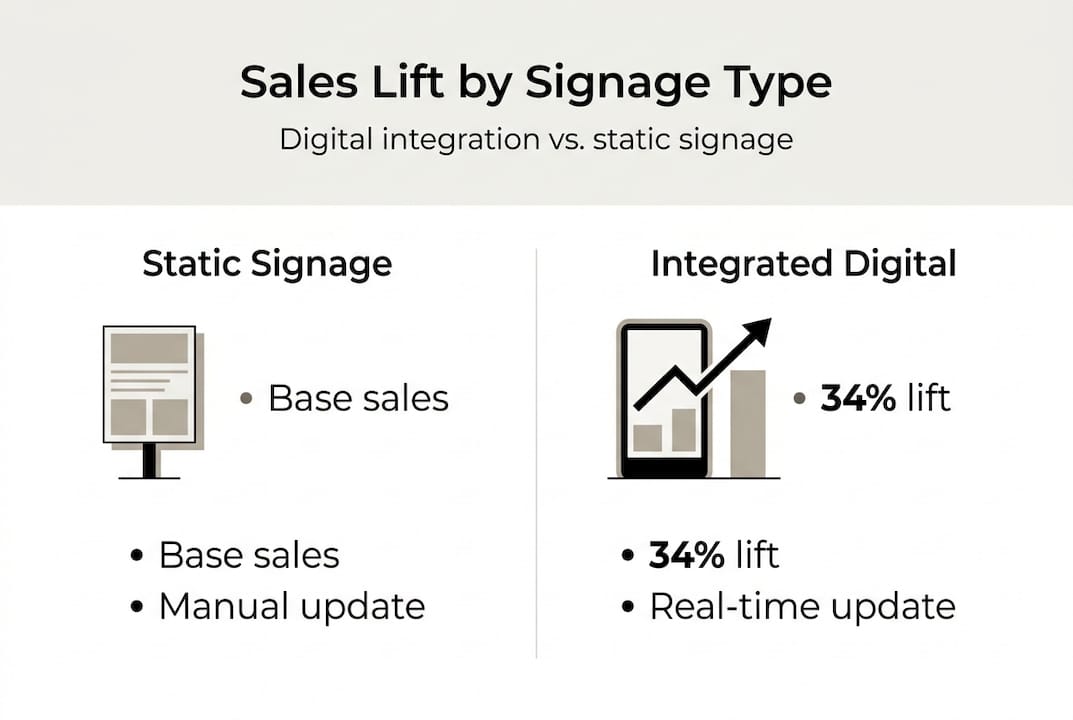
Static signage simply cannot compete. A printed promotion that’s been on the wall for three weeks generates no urgency and no relevance. Integrated signage, by contrast, reflects your store’s current reality. That relevance is what drives customer action. Pairing this with signage automation tips helps you build workflows that keep content fresh without adding to your team’s workload.
Operational efficiency gains: Automation, cost savings, and inventory wins
Beyond sales, integration delivers real operational advantages that matter to retail managers running lean teams and tight budgets.
The most immediate gain is reduced manual workload. When your signage updates automatically from your POS or inventory system, staff no longer need to log into a CMS, find the right screen, and manually change pricing or promotions. That time adds up. For a retailer managing 10 or more screens across multiple zones, automating content management reduces print costs and optimizes inventory display without adding headcount.
Key operational benefits include:
- Eliminated print costs: Digital signage replaces printed promotional materials, removing recurring design, print, and distribution expenses.
- Fewer pricing errors: Automated updates mean the price on screen matches the price at checkout, reducing disputes and customer frustration.
- Faster promotional cycles: Campaigns launch and end on schedule without requiring physical sign swaps.
- Inventory-aware displays: Screens stop promoting sold-out items automatically, preventing customer disappointment at the shelf.
- Staff reallocation: Hours previously spent on manual updates redirect to customer service and floor operations.
“Retailers that switch from print-heavy signage to integrated digital displays consistently report operational cost reductions within the first year, with the largest savings coming from eliminated print production and faster promotional execution.”
Large retailers have validated this at scale. Walmart’s use of digital inventory displays improved product location efficiency and reduced out-of-stock customer complaints significantly. For smaller retailers, the gains are proportionally just as strong. Reviewing deploying signage in retail guidance helps you plan infrastructure that supports these efficiencies from day one.
Pro Tip: Set up a content calendar inside your CMS and assign role-based access so department managers can update their own zone content without touching other screens. This distributes workload without sacrificing control, and it’s one of the most practical ways to scale signage operations without adding IT overhead. Combining this with AV optimization tips ensures your displays perform reliably over time.
Here’s a step-by-step methodology for a successful integration:
- Map your data flows: Identify which systems hold the data you need (POS, inventory, CRM) and document how that data moves.
- Choose your integration method: Select API, middleware, database sync, or file export based on your tech stack and update frequency needs.
- Set up your CMS rules: Define which data triggers which content, on which screens, and at what times.
- Test thoroughly before going live: Run full QA across all integration points to verify data accuracy, update speed, and display behavior under real conditions.
- Train your team: Ensure staff understand how to manage exceptions, override automated content, and escalate issues.
- Monitor KPIs consistently: Track sales lift, dwell time, basket size, and promotional conversion rates from day one.
Pro Tip: Always test your data flows with live POS transactions before full deployment. A price discrepancy between your POS and your screen on opening day damages customer trust immediately. Reviewing signage ROI tips and data-driven signage strategies helps you build a measurement framework before you go live, not after.
Common mistakes to avoid: launching without a content strategy, failing to define who owns screen content, and skipping KPI tracking entirely. Integration without measurement is just expensive infrastructure.
Edge cases, challenges, and solutions
Even well-planned integrations run into real-world friction. Knowing what to expect helps you prepare rather than react.
The most common challenge is hardware fragmentation. When retailers use a mix of screen brands, media players, and operating systems, support complexity multiplies fast. Hardware fragmentation increases support costs by up to 4x compared to standardized deployments. A screen running an older Android version may not support the same CMS features as a newer Windows-based player, creating inconsistent experiences across locations.
Other challenges include:
- Content fatigue: Screens that cycle the same content for weeks lose audience attention. Customers stop registering the message entirely, turning your investment into what industry insiders call “expensive wallpaper.”
- Integration latency: Depending on your sync method, there can be a delay between a POS event and the screen update. For time-sensitive promotions, even a 10-minute lag matters.
- Scaling across multiple locations: What works at one store often breaks at 20. Without standardized tech stacks and centralized CMS management, multi-location scaling creates inconsistency and management overhead.
- Access control gaps: Without role-based permissions, the wrong team member can accidentally overwrite a scheduled campaign or push incorrect content to the wrong screen.
Solutions that work:
- Standardize your hardware stack across all locations from the start. Review signage compatibility challenges before purchasing.
- Build content rotation schedules with a minimum of 8 to 12 content variations per zone to prevent fatigue.
- Use a CMS with built-in scheduling, role-based access, and real-time monitoring dashboards.
- Test latency thresholds during QA and choose an integration method that meets your update frequency requirements.
Pro Tip: Monitor your growing demand for digital signage data alongside your screen engagement metrics. If engagement drops despite fresh content, the issue is often placement or screen brightness, not the content itself.
A smarter approach: Content strategy first, technology second
Here’s a perspective that most integration guides skip: the majority of retail signage failures have nothing to do with technology. They come from deploying screens without a content strategy, without defined ownership, and without any plan to measure results.
The technology is ready. APIs work. CMS platforms are mature. The gap is almost always on the strategy side. Retailers invest in hardware and integration, then populate screens with the same static promotional graphics they used in print. The medium changes but the thinking doesn’t. That’s how you end up with expensive wallpaper that nobody looks at.
The fix is straightforward but requires discipline. Define your content goals before you choose your tech stack. Decide which KPIs you’ll track before you go live. Assign clear ownership for each screen zone. Build a restaurant signage workflow style content calendar that forces regular updates. Then choose the integration method that serves those goals.
Retailers who follow this sequence consistently outperform those who lead with hardware. Scaling digital signage successfully means building content discipline into your process from day one, not retrofitting it after deployment.
Ready to streamline your signage integration?
If this article has made one thing clear, it’s that integration works best when you have the right platform behind it. DST Connect is built for exactly this: connecting your retail systems to dynamic, automated signage without requiring technical expertise. With over 700 templates, a drag-and-drop editor, real-time data feed support, and a cloud-based dashboard for managing screens across multiple locations, it gives you everything you need to run integrated signage at scale. Explore digital signage hardware options, try the signage software trial, or review the digital signage instructions to get started with a setup that fits your retail environment.
Frequently asked questions
What is the difference between standalone and integrated digital signage?
Integrated signage connects to POS or inventory systems for automatic real-time updates, while standalone signage requires manual content uploads and cannot reflect live store data.
How does signage integration improve sales?
Integrated signage enables targeted upselling and dynamic promotional content, with sales boosts up to 33% documented in retail case studies using data-driven content strategies.
What challenges should retailers watch for when integrating signage?
Hardware fragmentation raises support costs by up to 4x, while content fatigue and integration latency further reduce effectiveness; standardizing your tech stack and content workflows addresses all three.
What types of retail systems can be integrated with digital signage?
Most major POS platforms including Square, Clover, and Toast support integration via API or middleware, along with inventory management and customer data platforms.
What performance gains can integration deliver?
Retailers consistently report sales lifts of 25 to 34%, increased basket sizes, and payback periods under 30 days when integration is paired with a strong content and measurement strategy.
Recommended
Enjoyed this blog?
Continue with the previous or next article and discover more ideas, insights and inspiration from DST Connect.