
How data feeds drive effective digital signage solutions
Many organizations spend significant budgets on high-resolution displays, sleek enclosures, and premium media players, then wonder why their digital signage fails to engage audiences. The answer is almost always the same: the content is static. Data feeds are the engine behind signage that actually works, pulling real-time information from live sources and delivering relevant, dynamic content automatically. Yet most marketing and IT managers treat them as an afterthought. This article breaks down what data feeds are, compares the most practical methods, and shows you how to deploy them effectively across your organization’s signage network.
Table of Contents
- Understanding data feeds in digital signage
- Comparing methods: RSS widgets vs custom APIs
- Integrating data feeds: From setup to execution
- Real-world impacts: Enhancing communication and engagement
- Why most organizations misjudge data feeds
- Explore solutions with DST Connect
- Frequently asked questions
Key Takeaways
| Point | Details |
|---|---|
| Choose the right feed type | Understanding your organization’s needs is the key to picking between RSS widgets and custom APIs. |
| Plan for scalability | Start simple but integrate flexibility for future growth and changing requirements. |
| Measure engagement impact | Dynamic data feeds significantly improve both internal and external communication outcomes. |
| Avoid common filtering pitfalls | Ensure your feeds can handle content filtering and updates by choosing scalable solutions. |
Understanding data feeds in digital signage
Now that you’ve seen why data feeds deserve attention, let’s clarify what they actually are and how they work.
A data feed is a mechanism that pulls content from an external source and delivers it to your digital signage system automatically. Instead of manually uploading new slides or images every day, your screens update themselves based on live information. This is the foundation of modern, effective signage.
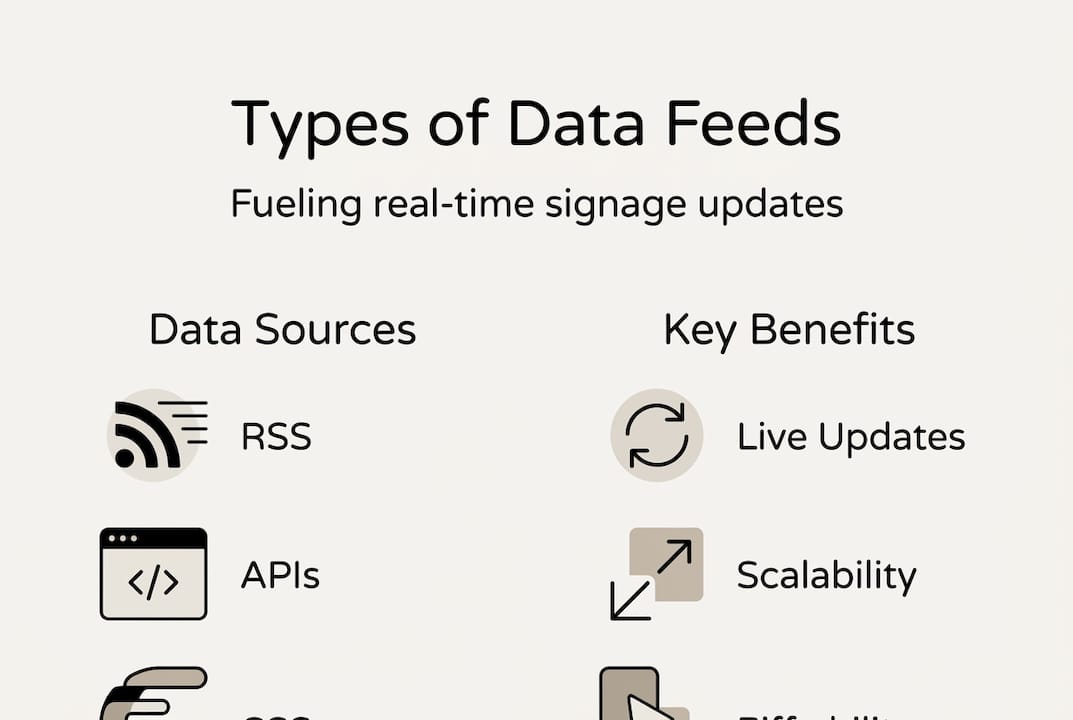
There are four primary types of data feeds used in digital signage:
- RSS feeds: Structured content streams from websites, blogs, or news sources that push updates in a standardized format.
- Widgets: Pre-built visual components that display weather, social media, clocks, or stock tickers without requiring coding.
- APIs (Application Programming Interfaces): Direct connections to software systems, databases, or services that allow fully customized data exchange.
- Custom parsers: Tailored scripts that extract and format data from sources that don’t offer a native feed or API.
Data feeds allow signage to update content in real-time using sources like RSS, APIs, or custom parsers, which means your screens stay relevant without constant manual intervention.
The rising demand for signage across industries is directly tied to this capability. Organizations that connect their screens to live data sources see stronger audience attention and better communication outcomes.
For marketing managers, data feeds mean promotional content, pricing, and campaigns update instantly across all locations. For IT managers, they mean less manual maintenance and fewer human errors. Both teams benefit from a system that runs reliably in the background.
Key features to look for in any data feed capable signage platform include:
- Real-time refresh intervals (ideally under 60 seconds)
- Support for multiple feed types simultaneously
- Error handling when a source goes offline
- Role-based access so teams can manage their own content streams
When you know how to boost signage engagement through well-structured content, pairing that knowledge with live data feeds creates a genuinely powerful communication tool.
Comparing methods: RSS widgets vs custom APIs
With a clear understanding of data feeds, it’s critical to compare the main methods and how they impact your signage strategy.
RSS/widgets are easy but limited in filtering and scalability, while APIs offer full control but require more resources. Here’s how they compare directly:
| Feature | RSS widgets | Custom APIs |
|---|---|---|
| Setup complexity | Low | High |
| Cost | Low to free | Medium to high |
| Content control | Limited | Full |
| Scalability | Moderate | High |
| Maintenance | Minimal | Requires IT support |
| Customization | Pre-defined | Fully flexible |
Choosing the right method depends on your organization’s size, technical capacity, and content goals. Here’s a practical breakdown:
- Small organizations: RSS widgets and pre-built integrations are usually sufficient. They’re fast to deploy, require no developer resources, and handle common use cases like news tickers, weather, and social feeds.
- Mid-size organizations: A hybrid approach works well. Use widgets for standard content while connecting APIs for internal systems like inventory, HR dashboards, or event schedules.
- Large organizations: Custom APIs become essential. When you’re managing dozens or hundreds of screens across multiple locations, you need granular control over what data appears, where, and when. Optimizing display integration at scale requires this level of flexibility.
- Regulated industries: Healthcare and finance often require data to come from verified internal systems, making custom APIs the only viable option for compliance.
Pro Tip: Start with widgets to prove the concept internally and build stakeholder buy-in. Once your team sees the value of live data on screens, the business case for investing in API integrations becomes much easier to make.
For teams evaluating layout and structure, reviewing solid display template guidance helps ensure your feed data appears in a visually effective format, not just technically functional.
Integrating data feeds: From setup to execution
After comparing methods, the next step is understanding how to effectively integrate data feeds into modern signage networks.
Integration doesn’t have to be overwhelming. A structured approach reduces errors and speeds up deployment significantly. Follow these core steps:
- Define your content sources first. Know exactly which systems, websites, or databases will supply your feed data before touching any software settings.
- Choose compatible signage software. Your CMS (Content Management System) must natively support the feed types you plan to use. Confirm this before committing.
- Map content to screen zones. Most signage layouts divide screens into zones. Assign specific feeds to specific zones so data appears logically and clearly.
- Set refresh intervals. Decide how frequently each feed should update. News tickers may refresh every 30 seconds; internal KPI dashboards might update every 5 minutes.
- Test on a single screen first. Before pushing feeds across your entire network, validate everything on one display. Check formatting, data accuracy, and fallback behavior.
- Monitor and maintain. Set up alerts for feed failures. A broken feed that displays blank content or an error message damages credibility fast.
Pre-built solutions are less flexible than open-source options, but they require less technical maintenance, which matters for teams without dedicated developer support.
Pro Tip: Choose signage software that supports both widget-based and API-based feeds from the start. Even if you only use widgets today, having API capability built in means you won’t need to switch platforms when your needs grow.
Looking at interactive displays examples shows how organizations combine live data with interactive elements to create genuinely engaging experiences. For a broader view of where the industry is heading, interactive signage strategies offer useful context for planning your integration roadmap.

Real-world impacts: Enhancing communication and engagement
Once your feeds are integrated, it’s time to focus on the impact they create, both internally and externally.
Dynamic feeds drive better communication and personalization, translating directly into measurable outcomes across industries.
“Organizations that switch from static to dynamic content report stronger audience retention, faster internal communication cycles, and reduced content management overhead. The screens become self-managing communication assets.”
Here’s how different sectors are seeing real results:
- Hospitality: Hotels and restaurants use live feeds to display real-time availability, daily specials, and local event information. This directly improves guest experience signage by making information feel timely and relevant rather than generic.
- Corporate offices: Internal dashboards showing live KPIs, project status, and HR announcements keep employees informed without email overload.
- Retail: Stores connect pricing systems to screens so promotions update automatically. A dynamic menu board in a food service environment, for example, can reflect real-time inventory and pricing without any staff intervention.
| Industry | Feed type used | Key outcome |
|---|---|---|
| Hospitality | Weather, events, availability | Higher guest satisfaction |
| Corporate | KPI dashboards, HR systems | Faster internal communication |
| Retail | Pricing, inventory, promotions | Reduced manual updates |
| Healthcare | Queue systems, alerts | Improved patient flow |
| Education | Schedules, announcements | Better campus communication |
The measurable benefits include reduced content update time, fewer communication gaps, and higher screen engagement rates. Organizations that treat their signage as a live communication channel rather than a digital poster board consistently outperform those that don’t.
Why most organizations misjudge data feeds
Reflecting on the real-world impact, let’s examine why data feeds are often misunderstood and how to realize their true value.
Most organizations approach digital signage as a hardware problem. They invest in better screens, brighter displays, and more locations. But the screens are just the delivery mechanism. The value lives in the content, and the content lives in the data.
The hidden ROI in custom data feeds isn’t obvious at first. It shows up over time as reduced labor costs, fewer content errors, and stronger audience engagement. A team that no longer manually updates 40 screens across three locations frees up significant time for higher-value work.
Conventional wisdom says to start with the best technology you can afford. We’d push back on that. Start simple, with widgets and basic feeds, and prove the value internally. Then scale strategically toward custom APIs and pro AV signage strategies as your organization’s confidence and requirements grow. Overbuilding on day one leads to underused systems and frustrated teams.
The organizations that get the most from their signage networks are the ones that treat data integration as an ongoing practice, not a one-time setup.
Explore solutions with DST Connect
For those ready to transform their signage networks, discovering expert solutions is the logical next step.
DST Connect gives marketing and IT teams a powerful, user-friendly platform to manage dynamic data feeds across any number of screens. With support for RSS, widgets, and API integrations built directly into the CMS, you can start simple and scale without switching platforms. The cloud-based dashboard works across Android, Windows, and URL-based players, so your existing hardware stays useful. Try the digital signage software trial to see how feed management works in practice, or explore compatible signage hardware options to complete your setup. DST Connect is built for organizations that want results, not complexity.
Frequently asked questions
What are the simplest data feed options for digital signage?
RSS widgets are simple to deploy for entry-level signage needs, requiring minimal setup while delivering basic real-time updates like news, weather, and social content.
How can organizations scale data feeds as needs evolve?
Migrating from widgets to custom APIs increases scalability and control, allowing organizations to connect internal systems, apply content filters, and manage complex multi-location networks.
What are common mistakes when deploying feeds for digital signage?
Failing to define content source structure upfront and choosing pre-built but inflexible solutions are the most common errors, leading to content inconsistency and costly platform migrations later.
Do data feeds help increase audience engagement?
Yes. Dynamic feeds drive personalization and real-time relevance, which consistently produces higher engagement rates compared to static content across all industry sectors.
Recommended
Enjoyed this blog?
Continue with the previous or next article and discover more ideas, insights and inspiration from DST Connect.