
Boost student engagement: effective digital screen strategies
TL;DR:
- Active digital engagement involves interaction, creativity, and collaboration, leading to better learning outcomes.
- Proper preparation, tool selection, and ongoing refinement are essential to maximize student participation.
- Genuine engagement relies on giving students ownership and agency, transforming them from consumers to creators.
Most students have sat through a lesson where a screen was on but nothing was really happening. The content played, the slides advanced, and attention drifted. Engaged students are 2.5 times more likely to perform well academically, yet passive screen use remains the default in many classrooms. The difference between a screen that educates and one that numbs comes down to strategy. This guide walks educators through understanding screen impact, preparing the right tools, executing proven engagement methods, and refining their approach over time. If you want students to actually learn from digital screens, this is where to start.
Table of Contents
- Understanding the impact of digital screens on student engagement
- Preparation: Setting up for effective digital engagement
- Execution: Proven methods to drive active participation
- Monitoring, troubleshooting, and refining your approach
- Why engagement with screens is about ownership, not just technology
- Next steps: Streamline digital engagement with DST Connect
- Frequently asked questions
Key Takeaways
| Point | Details |
|---|---|
| Active beats passive | Interactive and creative use of screens dramatically increases student engagement while passive use causes disconnection. |
| Quality over quantity | Short, purposeful sessions with engagement-focused tools yield better results than longer, unfocused screen time. |
| Preparation is key | Choose digital tools intentionally and build digital literacy skills before launching interactive lessons. |
| Student ownership matters most | True engagement comes when students take charge—creating, presenting, and collaborating. |
Understanding the impact of digital screens on student engagement
Not all screen time is created equal. The distinction between active and passive screen use is one of the most important concepts for educators to understand before designing any digital lesson.
Passive screen time means students watch, listen, or scroll without interacting. Think of a video playing while students sit quietly, or a slideshow advancing without any prompts for response. Active screen time builds digital skills while passive use leads to disengagement, reduced attention, and lower retention. The brain simply does not encode information as effectively when it is not required to do anything with it.
The academic consequences are measurable. Excessive screen time negatively correlates with academic performance, particularly when that time is unstructured and non-interactive. Students who spend hours passively consuming content, whether in class or at home, tend to show lower scores, reduced curiosity, and weaker critical thinking over time.
| Screen time type | Academic impact | Social/curiosity impact |
|---|---|---|
| Active (interactive, creative) | Higher test scores, better retention | Increased curiosity, stronger collaboration |
| Passive (watching, scrolling) | Lower scores, reduced focus | Decreased motivation, social withdrawal |
| Balanced (mixed, moderated) | Consistent performance | Healthy digital habits, peer engagement |
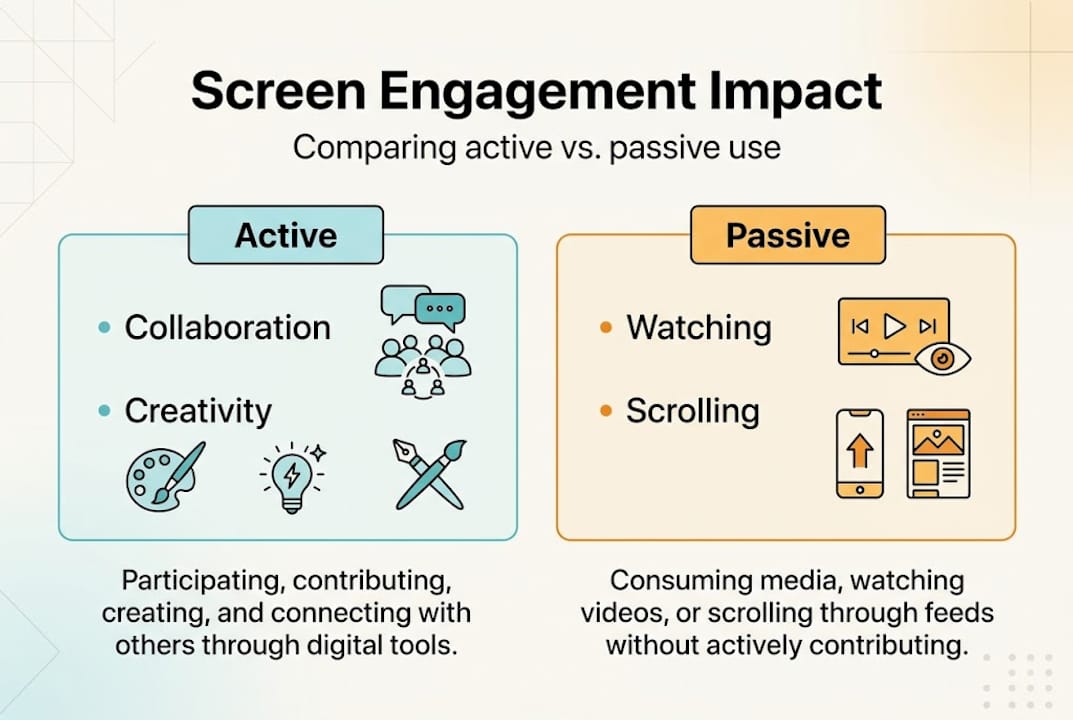
The table above makes the case clearly. The goal is not to eliminate screens but to shift the balance toward active use. Understanding enhancing digital experiences in other sectors can also inspire fresh approaches for education environments.
Several factors determine whether screen-based learning drives engagement or undermines it:
- Purpose clarity: Students engage more when they understand why they are using a tool
- Interactivity level: Activities requiring input, choice, or creation outperform passive viewing
- Feedback speed: Immediate feedback (quiz scores, poll results) sustains attention
- Relevance: Content tied to real-world context holds interest longer
- Pacing: Overly long screen sessions without breaks reduce cognitive performance
Knowing these factors gives educators a practical checklist for evaluating any digital activity before it reaches the classroom.
Preparation: Setting up for effective digital engagement
Recognizing why engagement matters, the next step is planning and preparing to maximize digital involvement before a single lesson begins.
Effective digital engagement does not happen by accident. It starts with matching educational technology tools to desired learning outcomes and building students’ digital literacy first to avoid frustration. Jumping straight into a complex collaborative platform without preparation leads to confusion, off-task behavior, and wasted class time.
Here is a practical setup checklist for educators:
- Confirm device access: Verify that every student has a working device, whether a school-issued tablet, laptop, or personal phone, before the lesson.
- Test your internet connection: Slow or unreliable Wi-Fi kills momentum. Run a speed test and have an offline backup plan ready.
- Select your engagement tool: Choose one primary tool per lesson. Overloading students with multiple platforms in one session creates cognitive overload.
- Model expectations clearly: Show students exactly what participation looks like. Demonstrate how to submit a poll response or add a sticky note to a digital board.
- Set community norms: Establish clear guidelines for respectful digital interaction, especially in collaborative spaces.
Choosing the right tool for the right outcome matters enormously. The comparison below helps educators match platforms to goals:
| Tool type | Best for | Example platforms |
|---|---|---|
| Live polls and quizzes | Checking comprehension quickly | Kahoot, Mentimeter, Poll Everywhere |
| Digital whiteboards | Brainstorming, visual mapping | FigJam, Miro, Jamboard |
| Breakout rooms | Small group discussion, peer teaching | Zoom, Google Meet, Microsoft Teams |
| Gamified activities | Review sessions, motivation boosts | Blooket, Quizlet Live, Gimkit |
| Collaborative documents | Research, group writing | Google Docs, Notion, Padlet |
Pro Tip: Quiet students and neurodivergent learners often thrive with low-stakes digital tools. Anonymous polls and visual drag-and-drop boards remove the social pressure of speaking aloud, giving every student a genuine voice. Explore interactive signage basics to see how visual interaction principles apply across learning contexts.
Taking 20 minutes to prepare these elements before class dramatically reduces friction and keeps the focus where it belongs: on learning.
Execution: Proven methods to drive active participation
With everything prepared, here is how to use specific research-backed strategies to spark engagement during live lessons.
Active learning yields 54% higher test scores and participation rates of 62.7% compared to just 5% in traditional lectures. Those numbers are not marginal. They represent a fundamental shift in what students take away from class.
“Participation in interactive lessons can reach 62.7% versus 5% in lectures, and active learning methods yield test scores 54% higher than passive instruction.”
Here is a step-by-step guide to running high-engagement digital activities:
- Open with a live poll: Start every session with a quick question using Mentimeter or Poll Everywhere. It activates prior knowledge and signals that participation is expected from the first minute.
- Run a digital scavenger hunt: Assign students a list of tasks to complete using online resources, a shared document, or a class website. Teams compete to find answers, building research skills and collaboration.
- Use a collaborative board mid-lesson: Pause instruction and ask students to add ideas, questions, or examples to a shared FigJam or Padlet board. This breaks up passive listening and generates peer learning.
- Close with a gamified quiz: Use Kahoot or Blooket to review key concepts before the lesson ends. The competitive format drives energy and reinforces memory.
- Assign a short creative task: Ask students to create a short video, annotated image, or digital infographic summarizing what they learned. Creation is the highest form of active engagement.
The best tools for each stage of a lesson include:
- Kahoot and Blooket: Ideal for review and formative assessment with immediate feedback
- Padlet: Great for open-ended brainstorming and sharing diverse perspectives
- FigJam: Best for visual mapping, concept connections, and group design tasks
- Google Jamboard (or alternatives): Useful for quick collaborative sticky-note activities
- Flipgrid: Perfect for short video responses that build communication skills
Pro Tip: Rotate the role of “session facilitator” among students. When a student runs the poll or guides the scavenger hunt, they invest more deeply in the outcome. Co-creation builds ownership, and ownership drives real engagement. See interactive display examples for ideas on how display-driven participation translates across settings.
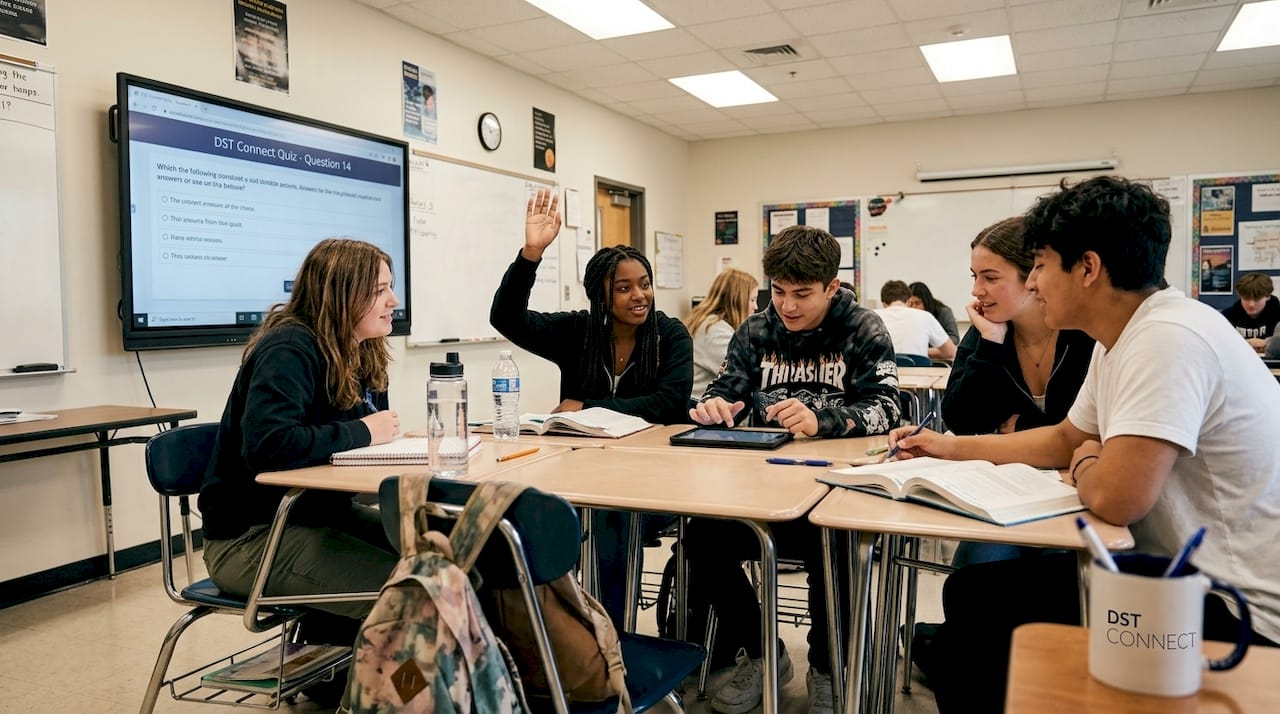
Quizzes, polls, breakout rooms, and digital whiteboards consistently rank as the most effective tools for keeping students active and present during screen-based lessons.
Monitoring, troubleshooting, and refining your approach
Once activities are underway, continual assessment and refinement are crucial for sustained success.
Running a great digital activity once is not enough. The educators who see lasting improvement are those who track what works, fix what does not, and iterate every term. Technology amplifies but does not guarantee engagement. The quality of participation matters far more than the quantity of screens or apps in use.
Watch for these signs to gauge whether students are genuinely engaged or just going through the motions:
Signs of active engagement:
- Students ask follow-up questions or build on each other’s ideas
- Participation rates in polls or quizzes exceed 80% of the class
- Students stay on task without repeated redirection
- Discussion boards or collaborative spaces fill up organically
Signs of disengagement:
- Low response rates in live polls or quizzes
- Students switching to unrelated tabs or apps
- Minimal contributions to shared boards
- Repeated off-task behavior or visible boredom
When problems arise, most have straightforward solutions:
| Problem | Likely cause | Solution |
|---|---|---|
| Low poll participation | Students unsure how to use the tool | Re-demonstrate the platform; use anonymous mode |
| Tech failures mid-lesson | Poor connectivity or device issues | Prepare an offline backup activity in advance |
| Students off-task on devices | Activity too passive or too easy | Increase interactivity; add a time challenge |
| Uneven group contributions | Dominant personalities taking over | Assign specific roles within each group |
| Declining interest over time | Repetitive formats | Rotate tools and activity types each week |
Collecting student feedback is one of the most underused strategies in digital classrooms. A 2-minute exit poll at the end of a lesson, asking what worked and what felt confusing, gives you direct insight that observation alone cannot provide. Short spot surveys during longer units help you catch disengagement early, before it becomes a pattern.
Pro Tip: Track both participation rates and learning outcomes side by side. A high participation rate with low quiz scores signals that the activity is fun but not driving learning. A low participation rate with decent scores might mean the activity is too passive. Use both data points to refine your methods each term. Explore display content examples to see how content design affects audience response across different environments.
Why engagement with screens is about ownership, not just technology
Now that you have seen what works in practice, it is worth stepping back and reconsidering what truly drives engagement in tech-enhanced classrooms.
Here is the uncomfortable truth: most digital engagement problems are not technology problems. They are ownership problems. When students are passive recipients of a digital experience, no amount of gamification or interactive tools will produce lasting results. The real shift happens when students move from consumers to creators.
The biggest mistake educators make is focusing on the features of a tool rather than on the quality of the learning experience it enables. A school with 30 iPads and no clear pedagogy will consistently underperform compared to a classroom with basic devices and a teacher who designs for genuine participation.
What actually moves the needle is giving students meaningful agency. Let them choose how to present their findings. Let them run the quiz. Let them design the collaborative board. When students feel that their input shapes the lesson, screens stop being a distraction and start being a medium for real expression. That shift, from passive viewer to active contributor, is where technology finally earns its place in education.
Next steps: Streamline digital engagement with DST Connect
Equipped with practical strategies and perspective, here is how you can put these ideas into action in your institution.
DST Connect is a user-friendly digital signage platform designed to help education professionals manage and display content across multiple screens with ease. Whether you are setting up engagement displays in hallways, classrooms, or common areas, DST Connect offers over 700 professionally designed templates and a simple drag-and-drop editor that requires no technical background. You can explore IT instructions for digital engagement to get your infrastructure set up quickly, or check out NL digital engagement setup for localized guidance. Start turning your screens into active communication tools today.
Frequently asked questions
What are examples of active screen time in the classroom?
Active screen time occurs when students interact, create, or collaborate, such as contributing to shared digital whiteboards, responding to live polls, or completing group scavenger hunts online.
How does screen time affect student performance?
Excessive screen time lowers academic achievement, particularly when it is passive and unstructured, while active and moderated screen use builds skills, curiosity, and stronger academic outcomes.
Which digital tools boost student engagement?
Polls, quizzes, and collaborative boards consistently outperform passive tools, with gamified apps like Kahoot and Blooket, breakout rooms, and shared platforms like Padlet and FigJam ranking among the most effective options.
How do I support quiet or neurodivergent students with screens?
Low-stakes, collaborative tools such as anonymous polls, visual drag-and-drop boards, and structured group spaces reduce social pressure and help quieter students participate more confidently and consistently.
Recommended
Enjoyed this blog?
Continue with the previous or next article and discover more ideas, insights and inspiration from DST Connect.