
Digital campus communication: The essential guide for 2026
TL;DR:
- Digital campus communication has evolved into a strategic, interactive system using dynamic signage, mobile alerts, and integrated workflows to inform, engage, and protect communities. Effective systems rely on core hardware, software, and integrations, with governance and compliance policies essential for safeguarding student data and ensuring message consistency. Institutions succeed by implementing governed content workflows, enforcing policies like FERPA and TCPA, and adopting engaging, real-time communication strategies to enhance campus experiences.
Campus communication has changed far beyond swapping paper flyers for digital screens. Modern digital campus communication is a strategic, governed, and deeply interactive system that spans dynamic signage, mobile notifications, emergency broadcasting, and compliance-driven content workflows. For education administrators and IT managers, understanding this full scope is not optional. It is what separates campuses that inform their communities from those that truly engage and protect them.
Table of Contents
- Defining digital campus communication
- Key technologies powering digital campus communication
- Governance, compliance, and content management best practices
- Practical use cases: Driving engagement and effectiveness
- Our take: Why smart governance matters more than flashy tech
- Ready to elevate your campus communication?
- Frequently asked questions
Key Takeaways
| Point | Details |
|---|---|
| Beyond digital posters | Digital campus communication involves dynamic, interactive, and governed messaging, not just static screens. |
| Core technologies | Effective systems blend displays, software, and emergency integrations for real-time campus updates. |
| Governance Required | Content templates and compliance protocols like FERPA and TCPA are crucial for secure communication. |
| Interactive engagement | Features like QR codes and polls increase student feedback and action rates. |
| Sustainable strategy | Governance and stakeholder input make campus communication scalable and resilient. |
Defining digital campus communication
With traditional posters off the table, it is important to understand what digital campus communication actually encompasses. At its most basic level, it is the use of networked digital displays, content management systems, and integrated messaging tools to inform students, staff, and visitors across a campus environment. But the scope runs much deeper than that.
Digital campus communication is not simply digital posters. It requires dynamic, interactive content, governance policies, compliance frameworks, and integration with campus-wide systems to function effectively in modern educational settings.
Institutions that treat their digital displays as glorified bulletin boards miss the point entirely. Real digital campus communication involves coordinated systems that respond to live events, push personalized messages to specific audiences, and maintain brand and policy consistency across every screen on campus.
Modern digital campus communication platforms support a wide range of engagement tactics, including:
- QR codes that link students to registration pages, event details, or feedback forms directly from a display
- Live polls embedded into digital signage to capture real-time student opinion and participation
- Real-time updates pulled from campus data systems for class schedules, room bookings, and attendance
- Emergency alert integration that overrides standard content instantly when safety protocols are triggered
- Wayfinding displays that guide visitors and new students through complex campus layouts
These capabilities represent a fundamental shift. Campuses are moving from static, one-way displays toward digitally governed systems that function as active participants in campus life. This shift requires IT and administrative teams to think about messaging strategy, audience segmentation, and content governance in ways that go far beyond choosing a screen size.
Explore interactive display examples to see how campuses around the world are using interactivity to drive measurable engagement outcomes.
Key technologies powering digital campus communication
Now that the concept is clear, let’s break down the technical building blocks that make digital campus communication possible. Every effective campus communication system rests on three core layers: hardware, software, and integrations.
| Technology layer | Components | Campus application |
|---|---|---|
| Hardware | Commercial displays, media players, interactive kiosks | Lobbies, hallways, cafeterias, event spaces |
| Software | CMS platforms, scheduling tools, template libraries | Centralized content creation and distribution |
| Integrations | IP PA systems, emergency alert tools, student info systems | Live updates, safety broadcasts, real-time data |
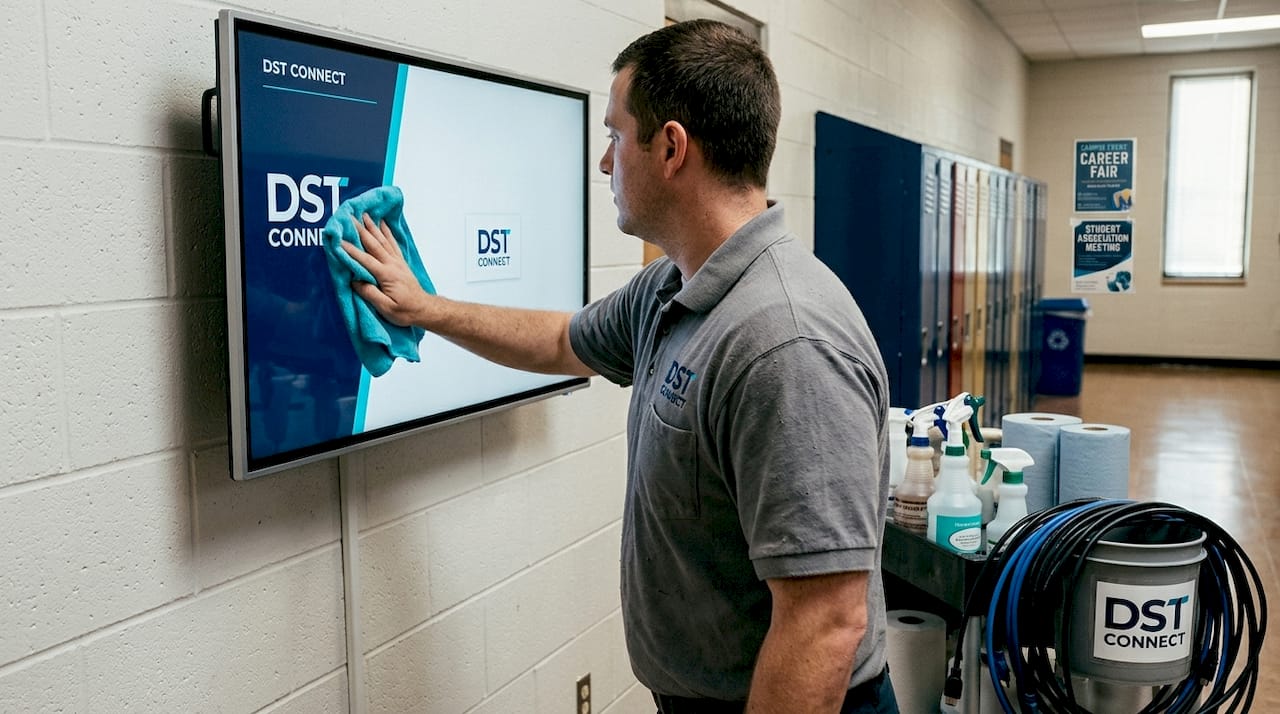
The hardware layer starts with commercial-grade displays. Unlike consumer televisions, commercial displays are designed for extended operation and often come with built-in media players or support for external devices running Android, Windows, or URL-based players. This hardware flexibility matters significantly for IT teams working with mixed infrastructure.
The software layer is where most of the real work happens. A content management system, or CMS, is the brain of the operation. It allows administrators to create, schedule, and distribute content to any screen on the network from a single cloud-based dashboard. The best CMS platforms offer template libraries, role-based access controls, and automated scheduling so that different departments can manage their own content without compromising the campus’s overall communication standards.
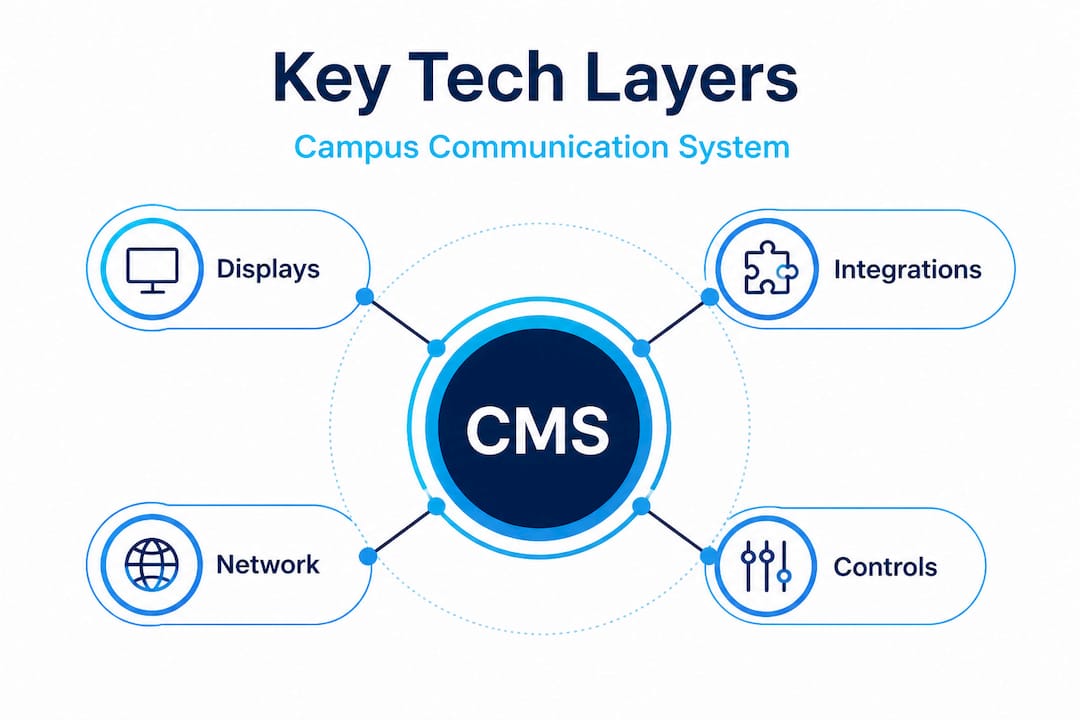
The integration layer is where digital campus communication becomes genuinely powerful. Hybrid IP PA systems allow digital signage networks to function as part of a broader campus communication infrastructure. This means that a single trigger, such as an emergency alert, can simultaneously push audio announcements through PA speakers, override content on every display, and send mobile push notifications to students and staff. That level of integration is not a luxury. It is a safety requirement.
Setting up a campus digital signage network: Core steps for IT teams
- Conduct a display audit to identify all existing screens, their locations, and their technical compatibility with modern media players.
- Choose a CMS platform that supports multi-user management, scheduling, and compliance controls aligned with your institution’s governance policies.
- Deploy media players to each display, ensuring network connectivity and compatibility with your chosen CMS.
- Integrate with existing systems including your student information system, emergency notification tools, and IP PA infrastructure.
- Establish content governance rules including who can publish, what templates must be used, and how compliance requirements like FERPA are enforced at the platform level.
- Test emergency override functionality to confirm that safety broadcasts trigger correctly across all displays and integrations.
- Train department-level content managers on platform tools, content policies, and approval workflows.
Pro Tip: When evaluating CMS platforms, prioritize those that offer role-based access controls at the display group level. This lets individual departments manage their local screens while campus-wide IT retains override capability for emergencies and policy enforcement.
Review display optimization tips and interactive signage guidance to fine-tune your hardware and software choices before deployment.
Governance, compliance, and content management best practices
With technology in place, administrators must navigate regulations and institutional policies for message delivery. This is where many campus communication rollouts encounter their biggest challenges. Technology is relatively straightforward to configure. Governance is much harder to get right.
Template mandates and message consistency
Some institutions have implemented formal content governance models. The University of Kansas, for example, mandates the use of Visix templates across its digital signage network. This approach ensures visual consistency, prevents unauthorized or off-brand messaging, and streamlines content creation for staff who are not professional designers. It also creates an auditable record of what messages have been displayed and when.
| Content workflow type | Key characteristics | Risk level |
|---|---|---|
| Ad-hoc (ungoverned) | Anyone publishes anything, no approval chain | High: privacy risks, brand violations, inconsistent messaging |
| Partially governed | Department-level approval, loose templates | Medium: inconsistencies remain, compliance gaps possible |
| Fully governed | Central policy, approved templates, role-based CMS | Low: consistent, compliant, and traceable |
The comparison above makes the case clearly. Ad-hoc workflows create real liability. A student affairs staffer publishing a message that includes personally identifiable student information, even unintentionally, can trigger a FERPA violation. A promotion sent via SMS or push notification without proper consent documentation can violate TCPA rules.
Understanding FERPA and TCPA in campus messaging
FERPA, the Family Educational Rights and Privacy Act, restricts how student information can be shared or displayed. Any digital communication that references student data, even indirectly, must comply with FERPA guidelines. For digital signage, this means content templates and workflows need built-in guardrails, not just training.
TCPA, the Telephone Consumer Protection Act, governs SMS and automated messaging. Campuses using mobile-integrated notification tools must ensure that students have provided explicit consent before receiving promotional or non-emergency text communications. FERPA and TCPA compliance for linked messaging requires documented governance workflows, not just good intentions.
Statistic callout: Institutions with formal digital communication governance policies report significantly fewer compliance incidents and faster response times to communication crises compared to those operating with ad-hoc content management.
Pro Tip: Build compliance checkpoints directly into your CMS approval workflow. Require content creators to confirm that no student-identifiable data appears in public displays before any message is approved for publishing. This takes less than 30 seconds per post and dramatically reduces FERPA exposure.
Reviewing display template best practices can help your team build a template library that is both visually compelling and governance-ready from day one.
Practical use cases: Driving engagement and effectiveness
To cement these concepts, let’s see how campuses use these tools to advance their communication goals. The range of real-world applications is broader than most administrators initially expect, and the outcomes are measurable.
High-impact campus communication scenarios
- Emergency alerts: When a safety incident occurs, digital signage systems with PA integration immediately push standardized emergency messaging to all screens and speakers campus-wide, ensuring no student or staff member misses critical instructions.
- Class schedule changes: Room reassignments or last-minute cancellations appear on displays near affected classrooms within minutes, reducing student confusion and front-desk inquiries.
- Event promotions: Student union events, guest lectures, and club recruitment drives are promoted via targeted displays in high-traffic areas, with QR codes linking directly to registration.
- Campus polls: Student government teams use interactive displays to run quick polls on campus issues, boosting participation without requiring students to open a separate app.
- Wayfinding and orientation: During orientation week, displays across campus show interactive maps and schedules, reducing the need for printed guides and significantly improving the first-week experience for new students.
- Cafeteria and dining updates: Digital menu boards in dining halls update automatically from the food service management system, including allergen information and daily specials.
The outcomes from these use cases are real and documented. Campuses that move to dynamic, interactive content such as QR codes and live polls consistently report higher student engagement with displayed messages compared to static digital posters. Event attendance improves when promotions are timely and interactive. Student satisfaction with campus communication rises when information is accurate, relevant, and easy to act on.
“When we moved from static slides to dynamic content with QR codes and live scheduling data, we saw students actually stopping to read the displays. That had never happened before.” — Campus Communications Manager, mid-sized U.S. university
Consider the scenario of a student walking past a display on the way to class. A static poster might catch a glance. A dynamic display showing today’s events, tomorrow’s schedule change, and a QR code to register for tonight’s career fair? That earns attention and drives action.
Explore display content that drives engagement for proven content strategies that education teams can apply immediately.
Our take: Why smart governance matters more than flashy tech
Here is the uncomfortable reality that most digital signage vendors would rather not say out loud: the technology is the easy part. Any competent IT team can deploy screens, connect a CMS, and get content running within a few days. What takes real effort, and what delivers lasting value, is the governance layer.
Most IT leaders start their digital campus communication projects by comparing display resolutions, evaluating CMS pricing tiers, and debating Android versus Windows media players. These are valid questions. But institutions that prioritize governance from the start outperform those that treat it as an afterthought. They experience fewer compliance incidents. They respond to crises faster. And critically, they build institutional trust over time.
Think about what happens when governance fails. A department publishes an unauthorized message that conflicts with an active emergency alert. A student’s name appears on a public screen as part of a well-meaning recognition program, violating FERPA. A mobile-integrated notification goes out to students who never consented to promotional texts. These scenarios are not hypothetical. They happen regularly at institutions that focused their planning energy on hardware specs instead of content policies.
The campuses that get this right treat their digital communication system as a governed infrastructure, not just a display network. They establish clear content policies before the first screen goes live. They assign content ownership at the department level with clear escalation paths. They audit their workflows regularly and update governance documents when regulations change.
We have seen growing demand for digital signage across every sector, including education. But the institutions that genuinely get value from that investment are the ones that pair their technology choices with robust governance. Flashy screens without clear policies create beautiful liabilities. Governed systems with purpose-built workflows create communication infrastructure that serves the campus for years.
Our advice: before you finalize your hardware order or CMS contract, draft your content governance policy. Who can publish? What templates are mandatory? How are compliance rules enforced at the platform level? Answering these questions first will save you significant time, cost, and risk.
Ready to elevate your campus communication?
If your campus team is ready to put these insights into action, the next step is seamless implementation. DST Connect provides a user-friendly, cloud-based digital signage platform built for the practical realities of education environments. With over 700 professionally designed templates, role-based multi-user management, and integrations with Android, Windows, and URL-based media players, it is designed to support both small colleges and large university networks. Start with the IT deployment instructions to get your team moving fast, or visit the DST Academy resources for in-depth training, governance frameworks, and implementation guides built specifically for education administrators. Your campus deserves communication infrastructure that is not just functional but strategic, compliant, and engaging.
Frequently asked questions
What are the core components of a digital campus communication system?
A digital campus communication system includes signage displays, a content management platform, and integrations with security, PA, and student information tools. These three layers work together to enable real-time, governed, and interactive campus messaging.
How is compliance with FERPA and TCPA ensured in campus messaging?
FERPA and TCPA compliance is enabled through strict governance policies, approved content templates, and role-based CMS workflows that prevent unauthorized or non-compliant messages from reaching public displays or student devices.
What are typical use cases for digital signage on campus?
Digital signage is used for emergency alerts, event promotions, class schedule changes, cafeteria menus, wayfinding, and interactive student engagement tools like polls and QR code campaigns.
Why can’t schools rely on simple digital posters anymore?
Simple digital posters lack dynamic governed content controls, interactivity, compliance safeguards, and integration capabilities that modern campus environments require to keep students informed, safe, and engaged.
Recommended
Enjoyed this blog?
Continue with the previous or next article and discover more ideas, insights and inspiration from DST Connect.