
Multi-screen management: a complete guide for digital signage
TL;DR:
- Managing large digital signage networks requires centralized control, synchronization, and remote monitoring systems.
- Cloud-based CMS and CDN infrastructure are essential for scalable, secure, and efficient multi-screen management.
- Effective strategies include governance, automation, content zoning, and proactive device health monitoring.
Managing digital signage across dozens or hundreds of screens sounds straightforward until it isn’t. Content fails to sync. Screens go dark. Someone has to manually push updates across locations while the rest of the team waits. For marketing and IT managers at growing organizations, these aren’t hypothetical problems. 78% of digital signage networks with more than 20 screens face quarterly synchronization issues without a proper content management system in place. This guide walks you through what multi-screen management actually means, how the right systems work, and what it takes to build a network that scales without constant firefighting.
Table of Contents
- Defining multi-screen management for digital signage
- Core components and workflows of effective multi-screen management
- Common challenges in multi-screen management (and how to solve them)
- Best practices and expert tips for scalable, reliable screen networks
- Our take: Why most multi-screen solutions fall short (and what actually works)
- Take your digital signage network further with DST Connect
- Frequently asked questions
Key Takeaways
| Point | Details |
|---|---|
| Centralized control is vital | Managing multiple digital signage screens requires a unified CMS for effective oversight and security. |
| Cloud solutions boost reliability | Adopting cloud-based management reduces sync issues and supports remote troubleshooting at scale. |
| Security and permissions matter | Implementing strong security measures, like kiosk mode and permissions, minimizes tampering risks. |
| Scalable workflows prevent headaches | Structured content delivery and monitoring strategies are essential for growing networks. |
Defining multi-screen management for digital signage
To understand the challenge, let’s clarify what multi-screen management actually involves and why it’s different from managing screens one at a time.
Multi-screen management is the coordinated control of digital content across large numbers of screens from a single, centralized interface. It’s not just about pushing a file to a display. It involves scheduling, synchronization, remote monitoring, and security across every device in your network, whether that’s 10 screens in one building or 500 screens spread across multiple countries.
Single-screen or ad-hoc setups work fine at small scale. You upload content, it plays, done. But the moment your network grows, that approach breaks down fast. Manual updates become time-consuming. Inconsistent content appears across locations. Security gaps open up. You lose visibility into what’s actually playing where.
Here are the core concepts you need to know:
- Content Management System (CMS): The software platform used to create, schedule, and deploy content to screens remotely.
- Synchronization: The process of ensuring all screens display the correct, up-to-date content at the right time.
- Zones: Defined areas within a screen layout that can display different content simultaneously, such as a news ticker alongside a promotional video.
- Playlists: Ordered sequences of content that play on a loop or schedule, often customized per location or audience.
- Remote management: The ability to monitor, update, and troubleshoot screens without being physically present.
As one industry resource notes, multi-screen management involves content synchronization, real-time updates, and security management across diverse endpoints, going well beyond basic scheduling.
“The difference between a managed network and an unmanaged one isn’t just efficiency. It’s the difference between a brand asset and a liability.”
For organizations exploring the foundational ideas behind remote screen control, cloud signage concepts offer a solid starting point before diving into platform selection.
Once your screen count passes 20, manual methods simply can’t keep up. Governance, automation, and centralized oversight stop being optional features and become operational necessities.
Core components and workflows of effective multi-screen management
Now that we’ve defined the core concept, let’s explore the foundational building blocks and how they fit into daily operations.
A well-run multi-screen network relies on several interconnected components working together. Understanding each one helps you evaluate platforms and build workflows that actually hold up at scale.
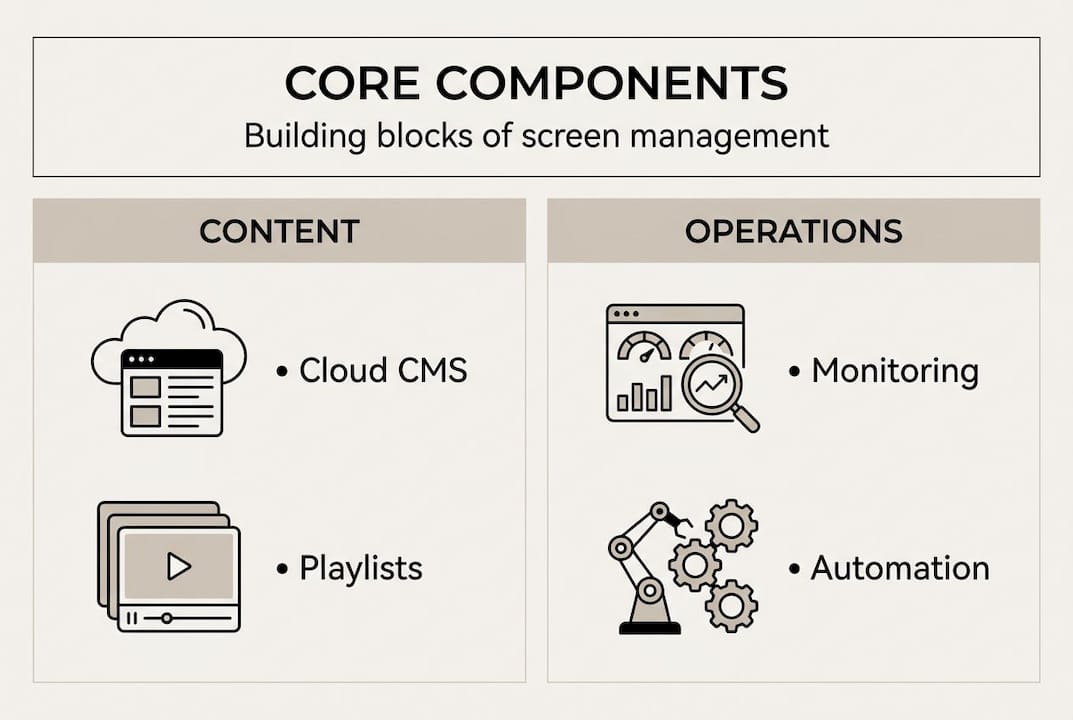
- Cloud-based CMS: A cloud CMS gives your team remote access to every screen in your network from any device. Unlike on-premise solutions, cloud platforms scale without additional hardware investment and support faster disaster recovery when something goes wrong.
- Device management layer: This handles registration, monitoring, and health reporting for every player in your network. It tells you which screens are online, what content is running, and which devices need attention.
- Content zoning and playlists: Zones let you divide a screen into multiple content areas. Playlists let you schedule different content for different times, locations, or audiences. Together, they give you flexibility without sacrificing brand consistency.
- Security and permissions: Role-based access controls determine who can publish content, make edits, or access device settings. Kiosk mode locks down devices so they can only run approved content.
- Network and CDN infrastructure: A Content Delivery Network (CDN) distributes content from servers closest to each screen, reducing latency and ensuring reliable sync across global deployments.
| Component | Primary function | Impact on scale |
|---|---|---|
| Cloud CMS | Centralized content control | High |
| CDN | Fast, reliable content delivery | High |
| Zones and playlists | Local customization | Medium |
| Role-based permissions | Security and governance | High |
| Device health monitoring | Proactive issue detection | Medium |
A key insight from deployment experience: balancing global consistency with local customization is essential, and zones combined with playlists are the practical mechanism to achieve it without losing brand cohesion.
Pro Tip: Before rolling out to all screens, test your zone and playlist structure on a small pilot group. This catches scheduling conflicts and layout issues before they affect your entire network.
For organizations in hospitality, enhancing guest experience through well-managed digital displays depends heavily on getting these components right from day one. And for teams looking to optimize display quality alongside management workflows, pro AV signage tips provide practical technical guidance.
Common challenges in multi-screen management (and how to solve them)
Every system faces obstacles. Here are the most common multi-screen headaches and how top organizations solve them.
Synchronization failures are the most reported issue. 78% of networks with more than 20 screens experience quarterly synchronization problems due to the absence of robust CMS and CDN strategies. The fix involves adopting a CMS with built-in sync verification, using CDN to distribute content reliably, and scheduling regular audits to catch drift before it becomes visible to audiences.
Security vulnerabilities are often underestimated. Screens in public or semi-public spaces are exposed to tampering, unauthorized USB connections, and rogue content. Mitigation strategies include:
- Enabling kiosk mode on all player devices
- Assigning role-based permissions so only authorized users can publish or edit
- Using remote lock features to disable compromised devices instantly
- Logging all content changes with audit trails
Scaling pain hits organizations that grow faster than their management processes. Pushing updates manually to 200 screens across 15 locations is not a workflow. It’s a risk. The answer is automation: scheduled deployments, templated content, and bulk device management tools that let one person manage what used to require a team.
| Approach | Update method | Security controls | Scalability |
|---|---|---|---|
| Manual/legacy | USB or individual login | Minimal | Very low |
| Modern cloud CMS | Remote, automated | Role-based, kiosk mode | High |
For teams exploring how interactive displays fit into a managed network, security and remote control become even more critical. The growing demand for digital signage also means these challenges are only increasing in complexity as networks expand.
Pro Tip: Set up automated alerts for screen downtime and content delivery failures. Catching a sync issue within minutes beats discovering it during an executive walkthrough.
Best practices and expert tips for scalable, reliable screen networks
With pitfalls addressed, you can move from firefighting toward best-in-class operations. Here are proven tactics to ensure long-term success.
- Adopt cloud-based CMS from the start. Cloud platforms provide remote access, automatic updates, and faster recovery when hardware fails. On-premise solutions add infrastructure costs and slow down your ability to respond to issues.
- Structure content with zones and playlists. This lets regional teams customize messaging while headquarters maintains brand standards. Local relevance and global consistency are not mutually exclusive.
- Monitor screen health proactively. Don’t wait for someone to report a blank screen. Set up dashboards that give you real-time visibility into every device’s status, content version, and connectivity.
- Establish clear governance. Define who can create, approve, and publish content. Assign roles. Maintain audit logs. This prevents content errors and protects your brand.
- Use data to improve continuously. Track which content performs well, when screens see the most engagement, and where technical issues cluster. Use that data to refine your strategy over time.
The expert recommendation is clear: prioritize cloud solutions for remote management, leverage CDN for global content sync, and structure content by zones and playlists for operational agility.
“The organizations that scale digital signage successfully treat it like infrastructure, not a campaign. Governance, monitoring, and automation are built in from day one.”
For retail teams specifically, retail screen management strategies show how these best practices translate into measurable business outcomes. Research on guest experience enhancement also reinforces that consistent, well-managed content directly influences how audiences perceive and interact with your brand.
Statistic to keep in mind: Organizations that implement proactive monitoring and cloud CMS report significantly fewer content outages and faster resolution times compared to those relying on reactive, manual management.
Our take: Why most multi-screen solutions fall short (and what actually works)
Having explored the major pillars and best practices, let’s cut through the hype and share hard-won lessons about what separates failing from thriving multi-screen networks.
Most organizations underestimate three things: the complexity of sync at scale, the real cost of security gaps, and how quickly manual workflows become unsustainable. Vendors often sell platforms on feature count, but the organizations that struggle most aren’t missing features. They’re missing a governance structure and a monitoring culture.
The uncomfortable truth is that technology alone doesn’t fix a broken process. A cloud CMS is only as effective as the team using it. If permissions are poorly defined, if no one owns the audit trail, if alerts go unread, the best platform in the world won’t prevent a brand embarrassment on a lobby screen.
What actually works is treating your screen network like any other critical IT infrastructure. That means documented roles, scheduled audits, failover plans, and a CMS that supports all of it without requiring a developer to operate. Cloud CMS insights consistently point to governance and automation as the real differentiators between networks that scale and networks that stall.
Take your digital signage network further with DST Connect
If you’re ready to eliminate manual headaches and level up your network, consider these next steps.
DST Connect is built for exactly the challenges described in this guide. The platform’s digital signage software gives marketing and IT teams a cloud-based CMS with role-based permissions, real-time monitoring, content zoning, and support for Android, Windows, and URL-based players. Whether you manage 10 screens or 1,000, the workflow stays clean and controlled. Getting started is straightforward with a free trial and structured onboarding through DST Academy, where you’ll find resources to help your team get up to speed quickly. Try DST Connect and see how scalable, secure screen management feels when the platform works with you.
Frequently asked questions
What is multi-screen management in digital signage?
Multi-screen management is the coordinated control and monitoring of content across multiple digital signage screens, enabling synchronized, secure, and efficient display network operations from a single interface.
How do organizations prevent content sync issues on large networks?
Organizations combine cloud CMS and CDN infrastructure with local playlist controls to prevent sync failures, especially on networks with more than 20 screens.
Why is cloud-based management preferred over on-premise for multi-screen setups?
Cloud solutions offer remote management and scalability that on-premise systems can’t match, along with faster disaster recovery when hardware or connectivity issues arise.
What security measures are essential in multi-screen management?
Kiosk mode, role-based permission management, remote lock capabilities, and audit logging are the core security measures that protect digital signage networks from tampering and unauthorized changes.
Recommended
Enjoyed this blog?
Continue with the previous or next article and discover more ideas, insights and inspiration from DST Connect.