
Signage automation: boost engagement by 37% in 2026
Managing digital signage content across dozens or hundreds of locations manually is a recipe for disaster. Studies reveal that 60% of content is still managed manually, leading to outdated displays, inconsistent messaging, and wasted staff hours. Signage automation changes this equation by using software rules, schedules, and real-time data feeds to remotely update and personalize screens without constant human intervention. This guide walks you through what signage automation actually is, how modern platforms power it, the challenges you will face, and the measurable benefits marketing and IT professionals can expect when deploying automated digital signage at scale.
Table of Contents
- Key takeaways
- Understanding signage automation: what it is and how it works
- Technical methodologies and platforms powering signage automation
- Challenges and pitfalls of implementing signage automation
- Measuring impact and real-world benefits of signage automation
- Explore DST Connect for seamless signage automation
- Frequently asked questions about signage automation
Key Takeaways
| Point | Details |
|---|---|
| Centralized control | Signage automation lets you manage hundreds of screens from a single dashboard using rules, schedules, and real time data to keep content fresh without manual updates. |
| Live data feeds | Data feeds and APIs pull weather, inventory, and sales data to power dynamic widgets and personalized messaging. |
| ROI and governance | Automation reduces manual labor and boosts engagement while requiring governance and solid data integration. |
| Cloud and on premise | Practical deployment choices include cloud or on premise setups with clear workflows to keep content aligned and resilient during outages. |
Understanding signage automation: what it is and how it works
Signage automation is the use of software to remotely create, schedule, personalize, update, and manage digital signage content across multiple locations without manual intervention, using rules, schedules, data feeds, and APIs. Instead of logging into each screen or sending staff to USB-update displays, automation platforms let you control hundreds of screens from a single dashboard. The core objective is eliminating repetitive manual tasks while ensuring content stays fresh, relevant, and aligned with business goals.
Modern signage automation relies on several key components working together. Software tools connect to screens via network protocols, pushing content updates based on predefined rules. Schedules trigger playlists at specific times, such as breakfast menus in the morning and dinner specials at night for restaurants. Data feeds pull live information like weather forecasts, stock tickers, social media streams, or point-of-sale transaction data, displaying it in real time through dynamic widgets. APIs integrate with enterprise systems such as CRMs, ERPs, or HR platforms to personalize messaging based on customer profiles, inventory levels, or employee announcements.
Automation features include playlist looping, template libraries for rapid content creation, multi-user permissions for distributed teams, and offline caching so screens continue displaying scheduled content even during network outages. Some platforms offer conditional logic, where content changes based on triggers like temperature thresholds, sales targets, or audience demographics detected by sensors. For example, a retail display might automatically switch to umbrella promotions when rain is detected, or a corporate lobby screen could highlight different department achievements based on the time of day.
Pro Tip: Prioritize rules-based automation and proven integrations over unproven AI hype. Many vendors tout artificial intelligence, but the most reliable ROI comes from well-designed workflows, accurate data feeds, and clear governance. Focus on automating repetitive tasks first, then explore AI enhancements like audience analytics or content optimization once your foundation is solid. Interactive signage can further boost engagement when combined with automation.
Technical methodologies and platforms powering signage automation
Methodologies involve cloud-based CMS for centralized control, headless or API-first architectures for integration, edge computing for low-latency AI tasks, and combining automation with analytics and asset management. Cloud platforms dominate the enterprise signage market because they enable IT teams to manage global screen networks from anywhere, push updates instantly, and scale without hardware investments. Cloud CMS solutions store content libraries, user permissions, and scheduling rules on remote servers, accessible via web browsers or mobile apps.
Headless CMS and API-first architectures separate content management from presentation, allowing organizations to integrate signage with existing tech stacks seamlessly. Marketing teams can pull approved assets from a central DAM system, sales data from CRM platforms, or event calendars from scheduling software, all feeding into signage displays automatically. This decoupling reduces vendor lock-in and supports omnichannel strategies where the same content powers websites, mobile apps, and physical screens.
Edge computing addresses latency and bandwidth concerns by processing data locally on media players or edge servers before sending to displays. AI-enhanced features like facial recognition for audience demographics, object detection for queue management, or real-time video analytics run faster at the edge, reducing cloud dependency. Edge nodes cache content locally, ensuring displays continue operating during internet disruptions. This hybrid approach combines cloud scalability with edge reliability.
Combining automation with analytics maximizes content impact. Platforms track play counts, dwell times, interaction rates, and conversion metrics, feeding insights back into content strategies. A/B testing compares message variants, identifying which headlines, images, or calls-to-action drive better results. Asset management libraries organize thousands of media files with metadata tagging, version control, and expiration dates, preventing outdated or off-brand content from appearing.
| Platform feature | Cloud-based | On-premise |
|---|---|---|
| Remote access | Manage from anywhere via browser | Requires VPN or local network |
| Scalability | Add screens instantly without hardware | Limited by server capacity |
| Data control | Stored on vendor servers | Full control over data location |
| Offline reliability | Requires internet for updates | Operates independently |
| Setup complexity | Minimal IT overhead | Requires server infrastructure |
Pro Tip: Choose platforms with strong API support and pre-built integrations for your existing tools. Evaluate whether REST APIs, webhooks, or SDKs are available for custom workflows. Test integration capabilities during trials to avoid surprises during deployment. Pro AV tips can help optimize display performance alongside automation. Explore digital signage software options that prioritize open architecture.
Challenges and pitfalls of implementing signage automation
Despite its promise, signage automation faces significant obstacles. 60% of content is still managed manually due to workflow disconnects, network failures, security risks, and content fatigue. Workflow failures occur when content creation, approval, and deployment processes remain siloed. Marketing teams design assets in one tool, IT manages screens in another, and approvals happen via email chains. Without integrated workflows, automation cannot function smoothly. Scattered approvals delay time-sensitive updates, and version control issues lead to wrong content appearing on screens.

Network connectivity and hardware reliability present technical hurdles. Displays in remote locations may have unstable internet, causing missed updates or blank screens. Media players fail due to power surges, overheating, or software bugs. Without monitoring systems, IT teams only discover issues when someone reports a problem, leading to prolonged downtime. Legacy hardware may lack automation compatibility, forcing costly upgrades.
Content fatigue and poor screen placement reduce impact even when automation works technically. Audiences tune out repetitive messages or irrelevant content. A corporate lobby displaying the same employee birthday announcements for weeks loses attention. Screens placed in low-traffic areas or with poor visibility waste investment. Automation amplifies bad content strategy, pushing ineffective messages faster across more screens.
Security vulnerabilities emerge without proper governance and access controls. Unsecured signage networks become entry points for hackers. Weak passwords, unencrypted data transmission, or outdated firmware expose organizations to breaches. Employees with excessive permissions might accidentally or maliciously display inappropriate content. Compliance requirements for data privacy, especially in healthcare or finance, add complexity.
“The biggest challenge is not technology but organizational alignment. Automation requires clear ownership, defined workflows, and cross-functional collaboration between marketing, IT, and operations teams.”
Addressing these challenges requires upfront planning. Establish content governance policies defining approval workflows, brand standards, and update frequencies. Implement network redundancy with cellular failover or local caching. Deploy remote monitoring tools that alert IT to hardware failures or connectivity issues. Train content creators on effective messaging principles and test placements before full rollout. Enforce security best practices including role-based access, regular firmware updates, and network segmentation. Cross-platform signage strategies can simplify management across diverse hardware.
Measuring impact and real-world benefits of signage automation
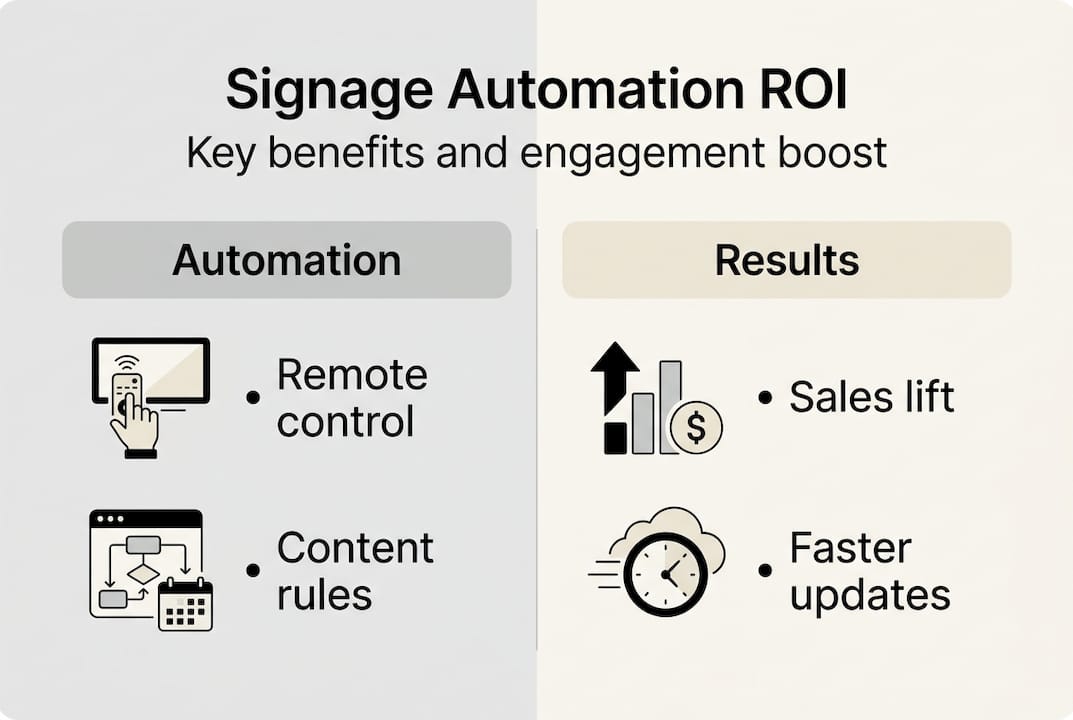
Empirical evidence proves signage automation delivers substantial returns. ROI payback under 18 months, sales growth up to 32%, engagement boosts to 37%, cost reductions 35%, and measurable energy savings are documented across industries. These metrics come from organizations that implemented automation thoughtfully, tracked performance rigorously, and iterated based on data.
Toyota achieved a 314% ROI in 30 days by automating promotional content in dealership service areas. Dynamic displays showed relevant vehicle features and financing offers based on customer wait times and service types. Point-of-sale data confirmed a direct correlation between automated signage exposure and accessory purchases. TechForward, a corporate office, reduced internal communication costs by 40% after automating employee announcements, training schedules, and safety alerts across 50 locations. Manual poster printing and distribution were eliminated.
QuickStop, a convenience store chain, increased impulse purchases by 28% using automated promotional triggers tied to weather and time of day. Cold beverage ads appeared during hot afternoons, while hot coffee promotions ran on chilly mornings. ERB, a healthcare network, improved patient satisfaction scores by 15% through automated wayfinding and wait time displays, reducing perceived wait times and confusion.
| Metric | Typical range | Measurement method |
|---|---|---|
| Sales lift | 15-32% | Compare POS data before/after automation in test locations |
| Engagement increase | 20-37% | Track dwell time, interaction rates, or survey responses |
| Cost reduction | 25-35% | Calculate labor savings from eliminated manual updates |
| ROI payback | 6-18 months | Divide total investment by monthly savings or revenue gains |
| Content update speed | 80-90% faster | Measure time from approval to screen display |
Factors influencing ROI timing include content relevance, screen placement, audience size, and organizational readiness. A/B testing different messages, layouts, or calls-to-action identifies what resonates. POS data links signage exposure to transactions when screens are near purchase points. Surveys measure brand recall or message comprehension. Heatmaps from camera analytics show where audiences look and for how long.
Sustained success requires ongoing content governance. Refresh messaging regularly to prevent fatigue. Align content calendars with business cycles, holidays, and promotions. Empower local managers to customize messages within brand guidelines. Monitor performance dashboards weekly to catch declining engagement early. Digital signage growth trends indicate rising adoption, making early investment advantageous.
Pro Tip: Set realistic ROI expectations by defining success metrics upfront. Early indicators like content update speed and staff time savings appear within weeks, while sales and engagement lifts may take months to stabilize. Track both leading indicators like content freshness and lagging indicators like revenue impact. Benchmark against your manual baseline, not industry averages, for accurate assessment.
Explore DST Connect for seamless signage automation
DST Connect offers a comprehensive platform designed to simplify signage automation for organizations of all sizes. With over 600 professionally designed templates, an intuitive drag-and-drop editor, and cloud-based management, you can control screens globally without technical expertise. The software supports real-time data feeds, scheduling automation, and multi-user collaboration, ensuring your content stays relevant and engaging.
Ready to experience the benefits firsthand? Start a free software trial to explore automation features risk-free. DST Connect integrates with diverse hardware platforms including Android, Windows, and URL-based media players, providing flexibility for your existing infrastructure. IT teams can access detailed setup instructions to streamline deployment and ensure security best practices from day one.
Frequently asked questions about signage automation
What is the difference between signage automation and simple scheduling?
Simple scheduling displays pre-set playlists at fixed times, like morning versus evening menus. Signage automation goes further by using rules, data feeds, and conditional logic to dynamically adjust content based on real-time conditions like weather, sales targets, or audience demographics. Automation responds to triggers, while scheduling follows static calendars.
Should I choose cloud-based or on-premise signage automation?
Cloud-based platforms offer easier scalability, remote access from anywhere, and minimal IT infrastructure requirements, making them ideal for multi-site organizations. On-premise solutions provide greater data control, operate independently during internet outages, and suit organizations with strict compliance needs. Many enterprises adopt hybrid models, using cloud for management and edge devices for local reliability.
How can I integrate AI into signage automation without falling for hype?
Focus on proven AI applications like audience analytics for demographic insights, content optimization based on engagement data, or predictive maintenance alerts for hardware. Avoid vendors promising vague AI magic without clear use cases. Start with rules-based automation, establish solid data pipelines, then pilot AI features in controlled environments. Measure specific outcomes like engagement lift or cost savings before scaling.
What metrics should I track to measure ROI from automated signage?
Track sales lift by comparing point-of-sale data before and after automation in test locations. Measure engagement through dwell time, interaction rates, or survey responses. Calculate cost reduction from labor savings on manual updates. Monitor content update speed from approval to screen display. Combine leading indicators like content freshness with lagging indicators like revenue impact for a complete picture.
What are best practices for managing multi-site digital signage workflows?
Establish clear content governance with defined approval workflows, brand standards, and update frequencies. Implement role-based access so local managers can customize within guidelines while corporate retains oversight. Use centralized asset libraries with metadata tagging and version control. Deploy remote monitoring to catch hardware failures early. Create content calendars aligned with business cycles and empower distributed teams with training on effective messaging principles.
Recommended
- Pro AV tips for signage: optimize displays in 2026
- What is interactive signage? A 2026 guide to engaging your audience
- Growing demand for digital signage – DST Connect
- What is cross-platform signage? A 2026 guide for marketers
- Top signage trends 2026: boost brand impact with AI displays –
- Digital signage drives 29.5% sales boost in UK stores
Enjoyed this blog?
Continue with the previous or next article and discover more ideas, insights and inspiration from DST Connect.