
Cost-effective signage: maximize impact, minimize spend
TL;DR:
- Truly cost-effective signage requires considering total cost of ownership and ROI.
- Long-term savings depend on durable hardware, flexible software, and scalable management platforms.
- Proper planning, training, and automation are essential to avoid ongoing management expenses.
Most marketing and communications teams approach signage budgets the wrong way. They compare upfront hardware prices, pick the lowest quote, and call it cost-effective. But that logic often leads to higher expenses down the road, weaker communication results, and technology that becomes obsolete faster than expected. True cost-effectiveness in signage is a strategic calculation, not a price tag. This guide breaks down what cost-effective signage actually means, which factors drive long-term value, and how your organization can build a signage strategy that delivers real returns without unnecessary waste.
Table of Contents
- What does cost-effective signage mean?
- Key factors driving signage cost-effectiveness
- Comparing traditional vs. digital signage costs
- Best practices to implement cost-effective signage
- Why ‘cost-effective’ signage strategies fail—and how to get it right
- Advance your signage strategy with DST Connect
- Frequently asked questions
Key Takeaways
| Point | Details |
|---|---|
| Go beyond purchase price | True cost-effectiveness in signage requires accounting for long-term maintenance, updates, and operational costs. |
| Prioritize flexibility | Adaptable hardware and software options keep signage useful and economical as needs change. |
| Invest in content strategy | Ongoing content creation and management have major impacts on signage ROI. |
| Compare formats with data | Direct comparisons of digital and traditional signage highlight hidden expenses and benefits. |
| Leverage cloud and automation | Modern digital signage platforms reduce total cost and streamline operations, especially for large organizations. |
What does cost-effective signage mean?
The word “cheap” and the phrase “cost-effective” are not the same thing. Cheap means low price at the point of purchase. Cost-effective means the best possible outcome relative to total spend over the full lifecycle of the solution. For signage, that distinction matters enormously.
When evaluating signage solutions, professionals need to think in terms of total cost of ownership (TCO). TCO captures every dollar your organization spends on a signage system from start to finish. As noted in research on total cost of ownership, many organizations underestimate TCO, including maintenance and content updates, which can far exceed the original purchase price.
TCO for signage typically includes:
- Hardware acquisition: screens, media players, mounts, and cabling
- Installation: labor, configuration, and network setup
- Content management: software licensing, design tools, and platform fees
- Ongoing maintenance: repairs, firmware updates, and technical support
- Content updates: staff time or agency fees to keep displays current
- End-of-life costs: disposal, replacement, or upgrades
Beyond TCO, cost-effectiveness also depends on return on investment (ROI). ROI in signage is measured by how well displays achieve communication goals. Does the signage reduce employee confusion? Does it increase product awareness in retail? Does it improve visitor navigation in a healthcare facility? These outcomes translate into real business value.
Operational effectiveness is the third pillar. A system that is difficult to manage, requires specialized skills to update, or breaks down frequently will cost far more in hidden labor and downtime than a slightly more expensive but user-friendly platform.
“Cost-effective signage is not about spending less. It is about spending wisely, so every dollar invested in displays generates measurable communication and business value.”
For mid-sized to large organizations managing multiple locations, this definition becomes even more critical. A solution that works well for one screen may become unmanageable and expensive at scale. Evaluating signage through the lens of TCO, ROI, and operational ease gives you a complete picture before committing budget.
Key factors driving signage cost-effectiveness
With a clear definition in mind, understanding what drives cost-effectiveness is key for practical decision-making. Several factors directly influence whether your signage investment pays off over time.
- Hardware durability and compatibility: Screens and media players built for commercial use last significantly longer than consumer-grade alternatives. Compatibility with multiple operating systems, including Android, Windows, and URL-based players, gives you flexibility to upgrade software without replacing hardware.
- Software flexibility and integration: A rigid CMS (content management system) forces workarounds that cost time and money. Look for platforms that integrate with existing tools such as data feeds, scheduling systems, and HR platforms. Following display optimization tips can also extend the effective life of your current hardware.
- Maintenance and support requirements: Systems that require on-site technicians for routine updates are expensive to maintain. Cloud-based platforms allow remote management, reducing support costs significantly.
- Ease and cost of content updates: If updating a screen requires a designer or IT ticket, content will go stale. Stale content means reduced engagement and wasted display time. Platforms with drag-and-drop editors and pre-built templates lower the cost per update dramatically.
- Scalability: A solution that handles 5 screens today should handle 50 screens tomorrow without a complete system overhaul. Scalability prevents costly migrations later.
Pro Tip: When evaluating software vendors, ask specifically how many clicks it takes to update content across 20 screens simultaneously. The answer reveals true operational cost more clearly than any pricing sheet.
The impact of automation is also worth noting. Automation means real-time data feeds, scheduled content rotations, and triggered messaging that runs without manual intervention. Less staff time, more relevant content, better results.
Comparing traditional vs. digital signage costs
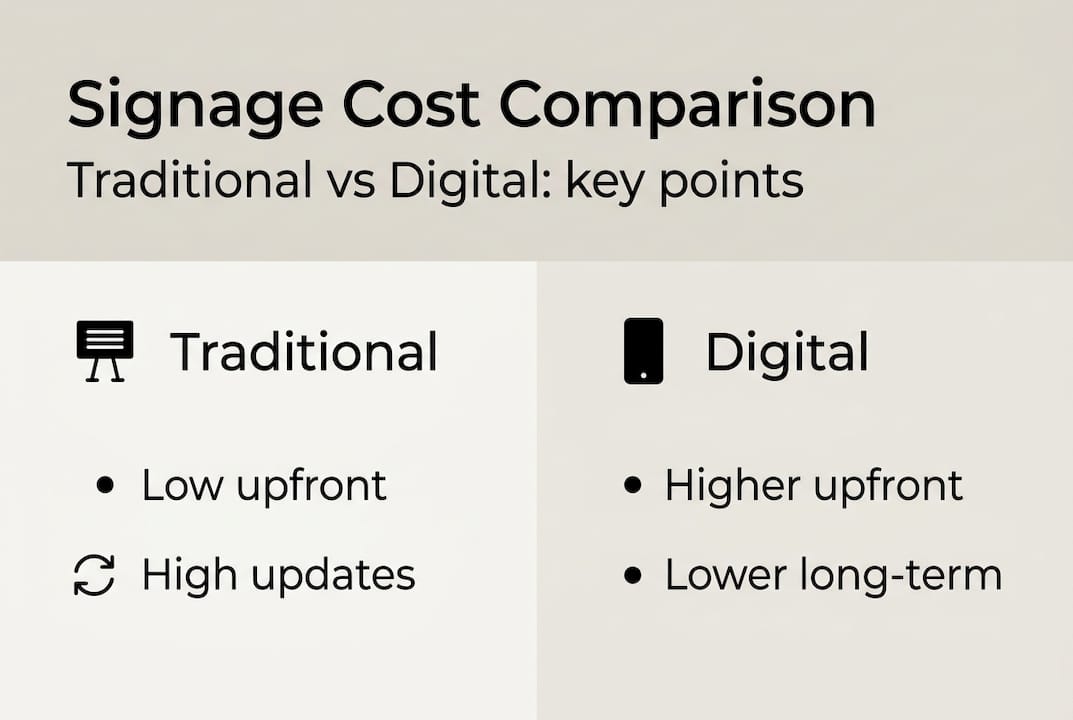
Now, let’s see how cost-effectiveness plays out in real-world choices between traditional and digital formats. Many organizations still rely on printed posters, static banners, and physical menu boards. The comparison below shows why that approach often costs more in the long run.
| Cost factor | Traditional signage | Digital signage |
|---|---|---|
| Upfront cost | Low (print and frames) | Higher (hardware and installation) |
| Content update cost | High (reprint each time) | Low (update via software) |
| Update speed | Days to weeks | Minutes to hours |
| Engagement level | Low (static) | High (dynamic, interactive) |
| Energy use | Minimal | Moderate (LED screens) |
| Measurement capability | None | Real-time analytics available |
| Scalability | Manual effort per location | Centralized, cloud-managed |
| Long-term cost trend | Increases with each update | Decreases as platform is amortized |
As research on guest experience benefits confirms, digital signage has higher upfront costs but achieves greater engagement and lower long-term management expenses.

Pro Tip: Calculate your organization’s current annual spend on printed materials, including design, printing, shipping, and installation labor. That number is often the strongest internal argument for switching to digital.
For organizations managing multiple sites, cloud signage models offer additional savings by eliminating the need for on-site servers and reducing IT overhead. A single dashboard can manage screens across dozens of locations, cutting both travel costs and response time when updates are needed.
The engagement gap between static and dynamic content is also significant. Digital displays that cycle through relevant, updated content consistently outperform printed materials in recall and action rates. That performance gap translates directly into communication ROI.
Best practices to implement cost-effective signage
Armed with understanding and evidence, here are the best practices for making signage cost-effective in any organization.
Start with a signage audit and clear business outcomes. Before purchasing anything, map your current communication gaps. Which messages are not reaching employees or customers? Where do people get confused or disengaged? Defining outcomes first prevents buying screens that solve the wrong problems.
- Identify all current signage touchpoints and their performance
- Define 2 to 3 measurable communication goals for each display zone
- Prioritize locations where digital signage will have the highest impact
Invest in scalable hardware and easy-to-update platforms. Choose commercial-grade screens with at least a 3-year warranty. Pair them with a CMS that supports multi-user access, scheduling, and template-based editing. Platforms that offer content creation strategies built into the workflow reduce the time and cost of keeping content fresh.
Use cloud-based management for streamlined operations. Cloud platforms eliminate the need for local servers and enable remote updates across all locations. This is especially valuable for organizations with distributed teams or multiple office sites.
Train staff effectively to avoid hidden labor costs. A powerful platform is only cost-effective if your team can use it confidently. Schedule structured onboarding sessions and create internal guides. Refer to a display templates guide to help staff produce professional content without design expertise.
Pro Tip: Assign a dedicated signage owner per department or location. This accountability structure prevents content from going stale and distributes management effort across the organization.
Apply templates and automation whenever possible. As research on content creation confirms, template-driven designs reduce ongoing costs and improve speed to update signage. Automation handles repetitive scheduling tasks, freeing your team to focus on strategy rather than logistics.
| Practice | Cost impact | Difficulty |
|---|---|---|
| Signage audit before purchase | Prevents wasted spend | Low |
| Cloud-based CMS | Reduces IT and support costs | Low |
| Template-based content | Lowers design expenses | Low |
| Staff training program | Reduces hidden labor costs | Medium |
| Automation and scheduling | Cuts manual update time | Medium |
Why ‘cost-effective’ signage strategies fail—and how to get it right
Here is an uncomfortable truth: most organizations that claim to have a cost-effective signage strategy do not. They have a low-cost hardware strategy. That is a very different thing.
The pattern is predictable. A team selects affordable screens and a basic CMS. Six months later, content updates are piling up because the platform is too complex for non-technical staff. Screens are showing outdated promotions or blank slides. Someone proposes a new system, and the cycle starts again. The real cost was never the hardware. It was the ongoing management burden that nobody planned for.
At DST Connect, we see this consistently. Organizations that struggle with signage ROI almost always underinvested in two areas: ongoing management workflows and measurement. They deployed screens without defining how content would be maintained or how success would be tracked. Without measurement, there is no feedback loop, and without a feedback loop, signage drifts into irrelevance.
The fix is not a bigger budget. It is better planning. Before deployment, define who owns each screen, how often content will be updated, and what metrics will confirm the signage is working. Use platforms designed to optimize digital displays with minimal friction. Align every screen with a specific communication goal, not just a physical location. That alignment is what separates signage that delivers value from signage that collects dust.
Advance your signage strategy with DST Connect
If you are ready to move from reactive signage management to a truly cost-effective strategy, DST Connect is built for exactly that. Our digital signage software gives marketing and communications teams full control over content creation, scheduling, and multi-screen management through a single cloud-based dashboard. With over 600 professionally designed templates and a drag-and-drop editor, your team can produce and deploy content without design or IT support. Explore our signage hardware options for compatible commercial-grade devices, and follow our step-by-step setup instructions to get your deployment running quickly. Start your free trial and see how DST Connect makes cost-effective signage practical at any scale.
Frequently asked questions
What is the total cost of ownership (TCO) for digital signage?
TCO includes far more than initial purchase costs. It covers acquisition, installation, content management, updates, maintenance, and eventual upgrades or replacements.
How quickly can digital signage deliver ROI?
Digital signage often shows measurable ROI within the first year. Digital provides faster, more measurable ROI compared to traditional signage by improving communication efficiency and reducing recurring print expenses.
What are the most common mistakes in implementing signage cost-effectively?
The most common mistakes are focusing only on hardware cost and neglecting ongoing content needs. Ongoing management and content creation are often underestimated in cost planning, leading to stale displays and poor ROI.
Is cloud-based signage management more economical?
Yes, especially for organizations with multiple locations. Cloud-based management streamlines operations and reduces total cost by eliminating local servers and enabling remote updates from a single platform.
Recommended
Enjoyed this blog?
Continue with the previous or next article and discover more ideas, insights and inspiration from DST Connect.