
Master digital display scheduling: a practical guide
TL;DR:
- Digital signage improves engagement and ROI through optimized scheduling and automation.
- Successful scheduling requires clear needs assessment, tool selection, and continuous optimization.
- Collaboration between marketing and IT enhances display performance and content relevance.
Picture a marketing manager walking past a lobby bulletin board covered in outdated paper notices, while visitors scroll past without a second glance. Meanwhile, the IT team fields complaints about missed announcements and wasted print budgets. Sound familiar? Inefficient communication methods cost organizations real time and money every day. The good news: optimized digital display scheduling can boost engagement by 46%, increase retail sales by 25-40%, and deliver ROI up to 400%. This guide walks you through assessing your needs, choosing the right tools, automating schedules, and verifying results so you can drive measurable impact fast.
Table of Contents
- Assessing your scheduling needs and requirements
- Choosing the right digital scheduling tools
- Step-by-step: Setting up and automating display schedules
- Troubleshooting, common mistakes, and verification
- Our perspective: What most guides overlook about digital display scheduling
- How DST Connect makes digital display scheduling effortless
- Frequently asked questions
Key Takeaways
| Point | Details |
|---|---|
| Boost engagement | Scheduled digital displays increase audience engagement by up to 46%. |
| Maximize ROI | Smart scheduling can deliver a payback within one year and 400% ROI in retail settings. |
| Save resources | Automated scheduling reduces printing costs by 80% and minimization of maintenance. |
| Avoid common mistakes | Correct errors early to maintain high engagement and performance. |
Assessing your scheduling needs and requirements
Before you configure a single display, you need a clear picture of what you’re trying to accomplish. Jumping straight into software without this step is one of the most common reasons digital signage projects stall or underperform. Start by mapping out your content types, your audience, and your operational goals.
Content types fall into two main categories:
- Internal content: Staff announcements, KPI dashboards, safety alerts, meeting room availability, and HR updates.
- External content: Promotional offers, product highlights, wayfinding, news feeds, and brand messaging for visitors and customers.
Once you know what you’re displaying, identify where your displays will live. High-traffic locations like lobbies, break rooms, retail floors, and waiting areas deliver the most value. Lower-traffic areas may need less frequent content updates but still benefit from optimizing office displays to stay relevant.
Your operational goals shape everything else. Are you trying to reduce printing costs? Improve staff awareness? Drive foot traffic to a promotion? Proper scheduling yields up to 46% higher engagement and reduces printing costs by 80%, which means the ROI case is strong from day one.
Use this requirements table to organize your planning:
| Requirement | Details to define |
|---|---|
| Content type | Internal, external, or mixed |
| Target audience | Staff, customers, visitors |
| Display locations | Lobby, retail floor, office, cafeteria |
| Hardware platform | Android, Windows, URL-based player |
| Scheduling goals | Engagement, cost savings, brand consistency |
| Update frequency | Real-time, daily, weekly |
Key requirements to confirm before moving forward:
- Number of screens and locations
- Who owns content creation and approvals
- Integration needs (data feeds, calendars, social media)
- Budget for software licenses and hardware
- Compliance or brand guidelines for display template selection
Understanding digital signage demand trends also helps you future-proof your investment by aligning with where the industry is heading.
Pro Tip: Involve both your marketing and IT teams in the requirements phase. Marketing knows the message; IT knows the infrastructure. When they align early, you avoid content bottlenecks and technical surprises down the road.
Choosing the right digital scheduling tools
With requirements outlined, the next step is evaluating tools that can deliver flexible, scalable scheduling. Not all platforms are built the same, and the wrong choice can create more work than it saves.
Focus on three core factors when evaluating platforms: scheduling flexibility, template diversity, and remote management capability. A platform that forces you to manually update each screen defeats the purpose of automation.

Here’s a comparison of key features to look for:
| Feature | Why it matters |
|---|---|
| Drag-and-drop editor | Reduces design time without needing a developer |
| Template library | Speeds up content creation (look for 700+ options) |
| Cloud-based dashboard | Manage all screens globally from one place |
| Multi-user access | Lets teams collaborate without stepping on each other |
| Analytics and reporting | Measures engagement and schedule performance |
| Hardware compatibility | Works across Android, Windows, and URL-based players |
Integration criteria matter just as much as core features. Before committing to a platform, confirm it supports:
- API access for real-time data feeds (weather, sales figures, social media)
- Mobile access for on-the-go schedule updates
- Calendar integrations for event-driven content
- Analytics dashboards to track performance
- Role-based permissions for multi-user environments
The business case for investing in the right platform is clear. Toyota achieved 314% ROI using efficient scheduling platforms, demonstrating that the right tool pays for itself many times over. Combining strong scheduling tools with a solid signage automation guide approach accelerates those results.
For organizations with more complex AV setups, reviewing pro AV signage tips can help you match software capabilities to your hardware environment.
Pro Tip: Always ask vendors about uptime guarantees before signing a contract. For critical displays like emergency alerts or time-sensitive promotions, even a few minutes of downtime can have real consequences. Aim for platforms that offer 99.9% uptime or better.
Step-by-step: Setting up and automating display schedules
After selecting your platform, it’s time to put proven scheduling tactics into practice. A structured setup process reduces errors and gets your displays performing from day one.
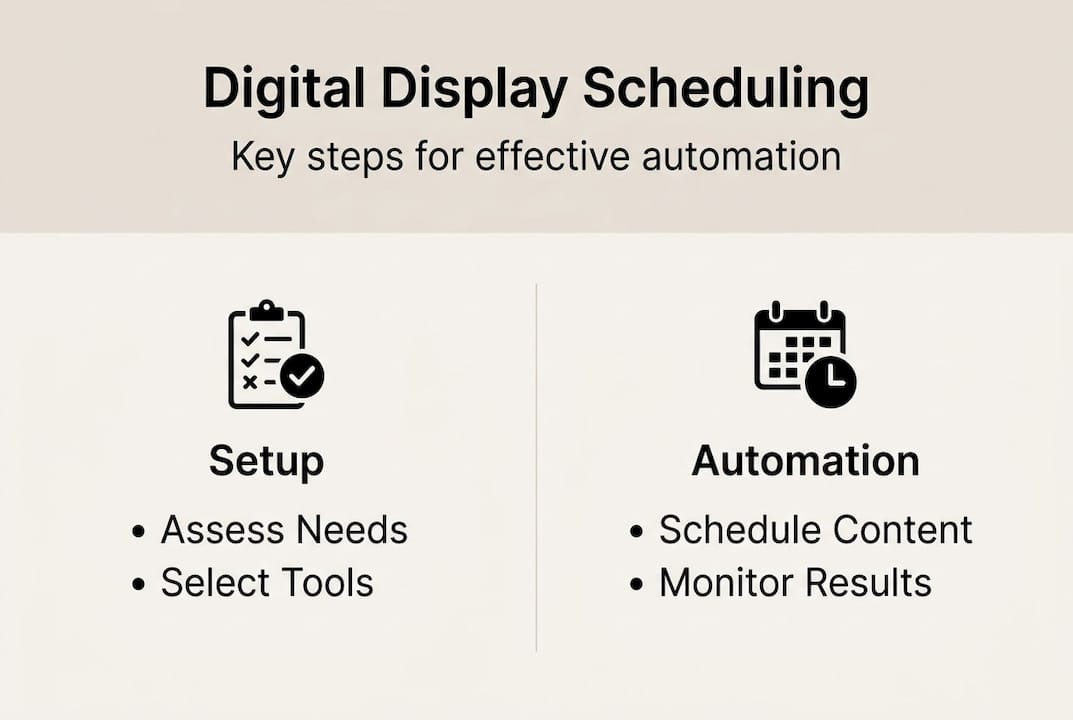
Follow these steps to build and automate your display schedule:
- Set up your software account and connect your hardware. Register your screens in the platform’s dashboard and confirm each device is online. Test the connection before adding any content.
- Assign display templates to each screen. Match templates to the purpose of each display. A lobby screen needs a different layout than a break room announcement board. Use interactive display examples for inspiration on what works in different environments.
- Create your content library. Upload images, videos, and data-connected widgets. Apply your brand guidelines consistently. Strong content creation tips make a measurable difference in how audiences respond.
- Build your schedule. Assign content to specific time slots, days, and locations. Use dayparting (scheduling different content for morning, afternoon, and evening) to keep messaging relevant throughout the day. If you manage food service displays, a dynamic menu board guide can help you structure time-based content effectively.
- Set automation rules. Configure triggers for real-time data feeds, recurring content, and emergency overrides. Automation removes the manual burden and keeps content fresh without daily intervention.
- Review analytics after the first week. Check which content slots perform best and adjust your schedule based on real data, not assumptions.
“Automated scheduling doesn’t just save time. It delivers measurable, lasting engagement gains that manual updates simply can’t match.”
Effective automation leads to payback within 6-12 months, with maintenance costs reduced by 75%. That’s a compelling reason to get the setup right the first time.
Pro Tip: Use preset schedule templates when starting out. Most platforms offer pre-built scheduling frameworks for common use cases like retail, corporate, and hospitality. They reduce setup errors and give you a proven structure to build on.
Troubleshooting, common mistakes, and verification
With automation running, issues can arise. Here’s how to catch them early and keep your impact high.
The most common scheduling mistakes organizations make include:
- Overlapping schedules: Two content items assigned to the same time slot cause one to get skipped. Always audit your schedule for conflicts before going live.
- Neglecting analytics: Running displays without reviewing performance data means you’re guessing, not optimizing. Set a recurring calendar reminder to review metrics weekly.
- Outdated content: Promotions that have ended, events that have passed, or stale announcements erode audience trust quickly. Build content expiration dates into your workflow.
- Ignoring audience context: Content that doesn’t match the audience at a given time and location will be ignored. A financial update during a customer-facing display slot is a missed opportunity.
- Skipping hardware checks: A display that’s offline or frozen is worse than no display at all. Schedule regular automated health checks through your platform.
For verification, build a simple review cycle into your operations. After each major schedule update, check engagement metrics, gather informal feedback from staff or customers, and compare performance against your baseline.
Engagement can increase 46% or more when scheduling errors are identified and corrected early. That’s not a marginal gain. It’s the difference between a display that gets noticed and one that gets ignored.
For organizations in hospitality, enhancing guest experience through well-timed content is especially important. Guests form impressions quickly, and relevant, timely displays reinforce a professional environment. For more advanced use cases, reviewing an interactive signage guide can help you layer interactivity on top of your scheduling strategy.
Maintain a simple troubleshooting log. Document every issue, its cause, and the fix. Over time, patterns emerge that help you prevent recurring problems before they affect your audience.
Our perspective: What most guides overlook about digital display scheduling
After mastering troubleshooting, it’s worth stepping back to consider the broader lessons from real-world deployments. Most scheduling guides focus on software features and setup steps. What they rarely address is the human side of the equation.
The biggest reason digital display programs underperform isn’t a technology problem. It’s a collaboration problem. Marketing and IT often work in separate lanes. Marketing creates content without understanding hardware limitations. IT configures systems without knowing the communication goals. The result is a scheduling setup that’s technically functional but strategically weak.
The organizations that see the strongest results treat scheduling as a shared discipline. They run regular cross-team reviews, align on content calendars, and build feedback loops that connect display performance to business outcomes. Reviewing your office display workflow together as a team is a simple but powerful practice.
Another overlooked truth: the initial setup matters far less than continuous optimization. A good schedule reviewed and refined quarterly will always outperform a perfect schedule left untouched for a year.
Pro Tip: Schedule a quarterly review meeting with both your marketing and IT stakeholders. Bring performance data, content feedback, and a short list of proposed changes. This single habit drives more long-term improvement than any software feature.
How DST Connect makes digital display scheduling effortless
If you’re ready to streamline your display scheduling, here’s a practical opportunity to apply what you’ve learned. DST Connect is built specifically for organizations that want powerful scheduling without the complexity. The platform gives you access to over 700 professionally designed templates, a cloud-based dashboard for managing screens globally, and automation tools that keep content fresh without constant manual updates.
Whether you’re managing a single office screen or a network of displays across multiple locations, DST Connect scales with you. Explore the digital display software to see how scheduling, automation, and analytics work together in one place. If you need compatible hardware, browse the display hardware options to find the right fit for your environment.
Try DST Connect and experience how effortless scheduling can drive real, measurable results for your organization.
Frequently asked questions
What types of digital displays benefit most from scheduling?
Lobby screens, meeting room signage, menu boards, and retail displays all see major engagement gains when content is scheduled effectively. Any high-traffic display with time-sensitive content is a strong candidate for scheduling.
How long does implementation and ROI take?
Most organizations achieve full payback within 6-12 months after setup, with maintenance costs reduced by up to 75%. The timeline shortens when automation is configured correctly from the start.
What’s the main reason digital display schedules improve engagement?
Timely, relevant content delivered consistently increases audience attention by up to 46%. Audiences respond to content that matches their context and moment, which scheduled displays deliver automatically.
What are the most common scheduling mistakes?
The most frequent errors include neglecting analytics, using outdated content, and creating overlapping schedules that reduce impact. Early error correction is the fastest path to hitting engagement benchmarks.
Recommended
Enjoyed this blog?
Continue with the previous or next article and discover more ideas, insights and inspiration from DST Connect.