
Cloud signage concepts explained: guide for marketers
Many marketing professionals believe cloud signage is simply traditional digital signage moved online. This oversimplification misses the transformative power of cloud-based systems that enable centralized control, dynamic content personalization, and real-time updates across multiple locations simultaneously. For decision-makers in retail, hospitality, healthcare, and education, understanding cloud signage concepts unlocks strategic communication capabilities that drive engagement, streamline operations, and deliver measurable business outcomes. This guide explains core technology, key features, implementation best practices, and industry-specific applications to help you leverage cloud signage effectively in your marketing strategy.
Table of Contents
- Key takeaways
- Understanding cloud signage: core concepts and technology
- Key features and advantages of cloud signage for marketers
- Implementing cloud signage: practical considerations and best practices
- Cloud signage applications and impact across industries
- Explore advanced cloud signage solutions with DST Connect
- FAQ
Key Takeaways
| Point | Details |
|---|---|
| Centralized control | Cloud signage enables centralized management and remote content updates across locations via cloud infrastructure, reducing manual updates. |
| Real time updates | Content updates deploy instantly across all displays, eliminating travel and manual update delays. |
| Personalization at scale | Personalization capabilities transform static messaging into dynamic, audience specific conversations across channels and locations. |
| Integration and security | The system emphasizes integration with existing tools, scalable cross platform performance, and security and hardware compatibility to improve deployment success. |
Understanding cloud signage: core concepts and technology
Cloud signage enables centralized management and remote content updates via cloud infrastructure, fundamentally differentiating it from traditional digital signage that requires local servers and manual updates at each display location. Traditional systems store content on local media players or USB drives, requiring physical presence for every content change. Cloud signage stores all content, scheduling rules, and management controls on secure internet servers accessible from anywhere with network connectivity.
The technology stack consists of three essential components working together. Cloud software provides the user interface for content creation, scheduling, and display management through web browsers or mobile apps. Media players connected to displays retrieve content from cloud servers via standard internet connections, rendering it on screens in real time. Network infrastructure links these components, requiring sufficient bandwidth to stream high-resolution content reliably without interruptions or buffering delays.
This architecture delivers significant operational advantages for marketing teams managing multiple locations. Content updates deploy instantly across all screens or targeted subsets, eliminating travel costs and time delays associated with manual updates. Centralized dashboards provide visibility into display status, content performance, and system health metrics across entire networks. Role-based permissions allow different team members to manage specific locations or content categories without compromising security or creating conflicts.
The growing demand for digital signage reflects businesses recognizing these operational efficiencies and communication capabilities. Marketing professionals can test different messages, adjust campaigns based on performance data, and respond to market conditions without technical barriers. Emergency communications reach all locations simultaneously, ensuring consistent messaging during critical situations or time-sensitive promotions.
Pro Tip: When evaluating cloud infrastructure providers, prioritize platforms offering 99.9% uptime guarantees, content delivery networks with global edge servers for fast loading times, and automatic failover systems that cache content locally if internet connectivity temporarily fails. These technical specifications directly impact campaign reliability and customer experience quality.
Key features and advantages of cloud signage for marketers
Scalability represents the most compelling advantage for organizations planning multi-site deployments or anticipating growth. Cloud platforms accommodate unlimited displays without requiring additional server hardware or IT infrastructure investments. Adding new locations involves connecting media players to the internet and assigning them to your account, a process taking minutes rather than days or weeks required for traditional systems.

Personalization capabilities transform static messaging into dynamic conversations tailored to specific audiences and contexts. Cloud signage’s scalability and integration with existing systems optimize marketing campaigns across multiple locations, enabling sophisticated targeting strategies previously available only through digital advertising platforms. Content rules trigger different messages based on time of day, day of week, local weather conditions, inventory levels, or customer demographics detected through integrated sensors.
Integration with existing marketing technology stacks amplifies campaign effectiveness and measurement accuracy. API connections pull real-time data from CRM systems, social media platforms, inventory databases, and web analytics tools. Marketing teams display live social media feeds showcasing customer testimonials, countdown timers for limited-time offers synced with e-commerce promotions, or personalized product recommendations based on purchase history patterns.
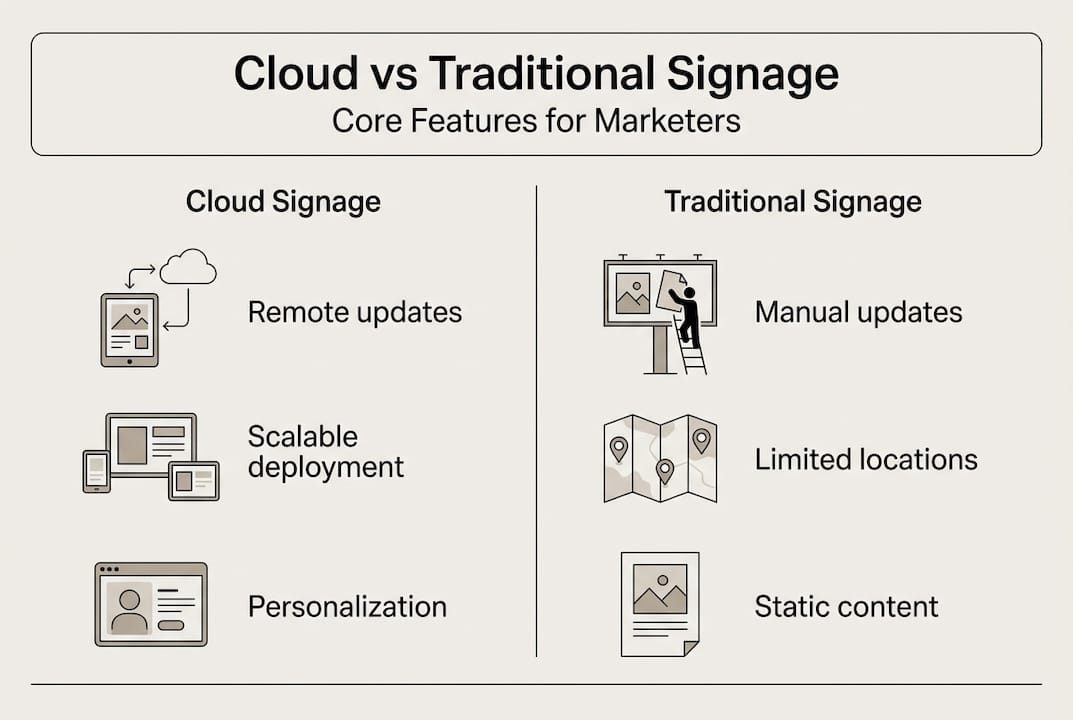
| Feature | Cloud Signage | Traditional Digital Signage |
|---|---|---|
| Content updates | Instant remote deployment | Manual on-site updates required |
| Multi-location management | Centralized dashboard control | Individual system configuration |
| Scalability | Unlimited displays without infrastructure | Limited by server capacity |
| Integration capabilities | API connections to CRM, analytics, social media | Standalone systems with minimal connectivity |
| Cost structure | Subscription-based with predictable expenses | High upfront hardware and software costs |
| Maintenance requirements | Automatic cloud updates and patches | Manual software updates at each location |
Content variety expands dramatically with cloud platforms supporting diverse media types and interactive elements. Marketing teams can deploy video content, animated graphics, live data visualizations, web pages, social media feeds, and interactive touchscreen experiences. Digital display templates guide resources help teams create professional-quality content without graphic design expertise, accelerating campaign deployment and maintaining brand consistency.
Data-driven insights enable continuous optimization of messaging strategies and content performance. Cloud platforms track impression counts, dwell times, interaction rates for touchscreen content, and conversion metrics when integrated with point-of-sale systems. Marketing teams identify which messages resonate with specific audiences, optimal display times for different content types, and opportunities to improve engagement through A/B testing different creative approaches.
According to top signage trends 2026, artificial intelligence integration is becoming standard in cloud signage platforms, enabling automated content optimization based on audience response patterns and predictive analytics for campaign planning.
Implementing cloud signage: practical considerations and best practices
Successful deployment requires systematic planning across hardware selection, network infrastructure, security protocols, and content management workflows. Following a structured implementation process minimizes technical challenges and accelerates time to value for marketing teams eager to launch campaigns.
- Assess display requirements including screen sizes, orientations (landscape or portrait), mounting locations, and viewing distances to determine appropriate hardware specifications.
- Evaluate network infrastructure capacity, ensuring sufficient bandwidth for content streaming and reliable connectivity at all display locations, with backup options for mission-critical installations.
- Select compatible media players based on content complexity, budget constraints, and existing hardware investments, prioritizing devices with proven reliability and manufacturer support.
- Configure security settings including user authentication, role-based permissions, content approval workflows, and network encryption to protect sensitive information and maintain brand integrity.
- Develop content libraries and scheduling templates that align with marketing calendars, promotional cycles, and operational requirements across different locations and audience segments.
- Train team members on content creation tools, scheduling interfaces, and troubleshooting procedures to ensure smooth daily operations and rapid response to technical issues.
- Establish performance monitoring routines tracking display uptime, content playback quality, and campaign effectiveness metrics to identify optimization opportunities and technical problems.
Choosing compatible hardware and maintaining security are critical for successful cloud signage implementation. Hardware compatibility extends beyond basic technical specifications to encompass long-term support, software update policies, and integration capabilities with your chosen cloud platform. Marketing teams should verify that media players receive regular firmware updates addressing security vulnerabilities and adding new features without requiring hardware replacements.
| Hardware Type | Advantages | Limitations | |
|---|---|---|---|
| Android media players | Low cost, wide compatibility, app ecosystem | Variable performance quality, fragmentation | |
| Windows mini PCs | High performance, familiar interface, extensive software support | Higher cost, more complex management | |
| System-on-chip displays | Integrated solution, minimal cables, simple installation | Limited upgrade flexibility, higher initial investment | |
| URL-based browsers | Use existing computers, no additional hardware | Requires dedicated devices, less reliable |
Network requirements vary based on content complexity and update frequency. Standard definition video content requires minimum 5 Mbps bandwidth per display, while 4K ultra-high-definition content demands 25 Mbps or higher. Marketing teams should account for simultaneous content updates across multiple displays and peak usage periods when calculating bandwidth needs. Wired Ethernet connections provide superior reliability compared to WiFi for permanent installations, though modern WiFi 6 standards offer acceptable performance for many scenarios.
Security best practices protect both content integrity and network infrastructure from unauthorized access or malicious attacks. Implement strong password policies requiring regular changes and multi-factor authentication for administrative accounts. Configure firewalls to restrict media player network access to only required cloud services and content delivery networks. Enable content encryption during transmission and storage to prevent interception or tampering. Establish approval workflows for sensitive content ensuring appropriate review before publication to customer-facing displays.
Pro Tip: Avoid the common mistake of underestimating content creation time and complexity when planning deployment timelines. Marketing teams should allocate resources for building initial content libraries, creating templates for recurring messages, and training staff on content tools at least four weeks before planned launch dates. Pro av tips for signage resources provide additional guidance on maximizing display quality and avoiding technical pitfalls that compromise campaign effectiveness.
Cloud signage applications and impact across industries
Retail environments leverage cloud signage to create dynamic shopping experiences that respond to inventory levels, promotional calendars, and customer traffic patterns. Digital displays showcase product features through video demonstrations, highlight limited-time offers with countdown timers, and cross-promote complementary items based on purchase data. Store managers update pricing instantly across all locations when launching sales campaigns, eliminating manual signage changes and ensuring consistency. Interactive touchscreens provide product catalogs, store navigation, and endless aisle capabilities connecting physical stores with online inventory.
Hospitality operations use cloud signage to enhance guest experiences while streamlining internal communications. Cloud signage enhances guest engagement and operational communication in hotel and hospitality environments through lobby displays showcasing local attractions, restaurant menus, event schedules, and personalized welcome messages for conference attendees. Back-of-house displays communicate shift schedules, operational metrics, and safety reminders to staff without requiring printed materials. Digital concierge systems provide multilingual information accessible to international guests, improving service quality while reducing front desk workload.
Healthcare facilities deploy cloud signage to improve patient experiences, support wayfinding, and communicate important health information. Waiting room displays reduce perceived wait times by showing educational content, appointment status updates, and wellness tips. Directional signage helps patients navigate complex medical campuses, with content updating automatically when departments relocate or temporary closures occur. Emergency communication capabilities enable instant alerts across all displays during critical situations, supporting patient safety and regulatory compliance requirements.
Educational institutions utilize cloud signage for campus communications, event promotion, and emergency notifications. Digital displays in common areas share academic calendars, campus news, student achievements, and upcoming events. Classroom displays show room schedules, wayfinding information, and departmental announcements. Athletic facilities showcase game schedules, scores, and promotional content for school programs. Centralized management allows communications teams to coordinate messaging across sprawling campuses from single dashboards.
According to event signage guide industry research, organizations implementing cloud signage report 35% improvements in message recall and 28% increases in customer engagement compared to static signage, demonstrating measurable communication effectiveness gains across diverse applications and audience types.
Practical applications across these industries share common success factors. Content relevance increases when displays show information specific to location, time, and audience rather than generic corporate messaging. Update frequency matters, with regularly refreshed content maintaining attention better than static messages displayed for extended periods. Integration with operational systems enables automated content that stays current without manual intervention. Meet dst connect to explore how these principles translate into practical platform features supporting diverse industry requirements.
Explore advanced cloud signage solutions with DST Connect
DST Connect delivers comprehensive cloud signage capabilities designed specifically for marketing professionals seeking reliable, scalable communication solutions. The platform combines intuitive content creation tools with powerful management features supporting single locations or global networks. Over 700 professionally designed templates accelerate campaign deployment while maintaining brand consistency across all touchpoints. The drag-and-drop editor enables non-technical users to create compelling content without graphic design expertise or external agency support.
Experience the platform’s capabilities firsthand through a digital signage software trial offering full feature access for 14 days without payment information required. Explore compatible digital signage hardware options supporting diverse deployment scenarios and budget requirements. Access comprehensive digital signage instructions guiding implementation from initial setup through advanced configuration and optimization strategies.
FAQ
What is cloud signage and how does it differ from traditional digital signage?
Cloud signage uses internet-based platforms for remote content management, allowing marketing teams to update displays from any location with web access. Traditional digital signage requires local servers or manual updates at each screen location, creating operational inefficiencies and limiting flexibility. Cloud systems enable centralized control of unlimited displays, instant content deployment, and integration with external data sources for dynamic messaging.
What are the key benefits of cloud signage for retail and hospitality marketing?
Cloud signage enables real-time promotions and personalized messaging across multiple locations simultaneously, ensuring consistent brand experiences while allowing local customization. Retail environments can adjust pricing and promotions instantly based on inventory levels or competitive actions. Hospitality operations improve guest engagement through interactive content, multilingual information, and personalized welcome messages that enhance service quality and operational efficiency.
How difficult is it to implement cloud signage systems?
Implementation requires compatible hardware, reliable network connectivity, and systematic planning but modern cloud platforms simplify technical complexity significantly. Marketing teams without IT expertise can deploy systems successfully by following structured implementation processes and leveraging vendor support resources. Security configuration and content workflow development require attention but represent one-time investments that streamline ongoing operations and campaign management.
Can cloud signage integrate with existing marketing and analytics tools?
Most cloud signage platforms offer APIs and pre-built integrations with CRM systems, social media platforms, analytics tools, and inventory databases. These connections enable data-driven content strategies, automated messaging based on business metrics, and comprehensive performance measurement across digital and physical channels. Integration capabilities transform cloud signage from standalone communication tools into coordinated components of comprehensive marketing technology ecosystems supporting sophisticated targeting and optimization strategies.
Recommended
Enjoyed this blog?
Continue with the previous or next article and discover more ideas, insights and inspiration from DST Connect.