
What is a dynamic menu board: marketing manager guide
Marketing managers often assume digital menu upgrades deliver minimal returns, yet dynamic menu boards increase sales 22-32% in retail and quick-service environments while boosting patient satisfaction by 22% in healthcare settings. These cloud-managed displays allow real-time content updates, automated scheduling, and data-driven personalization that static printed menus simply cannot match. This guide explains what dynamic menu boards are, how they work, and why they represent a strategic investment for decision-makers in retail, hospitality, and healthcare seeking measurable improvements in customer engagement and revenue.
Table of Contents
- Key takeaways
- What is a dynamic menu board and how does it work?
- Benefits and business impact of dynamic menu boards in retail, hospitality, and healthcare
- Challenges, limitations, and expert nuances of dynamic menu boards
- Implementing dynamic menu boards: practical steps and best practices
- Discover DST Connect for powerful dynamic menu boards
- Frequently asked questions
Key Takeaways
| Point | Details |
|---|---|
| Real time updates | Dynamic boards use cloud CMS to push content across single locations or multiple sites instantly, eliminating printing delays. |
| Sales and satisfaction gains | Sales lift of 22 to 32 percent in retail and quick service, and patient satisfaction up about 22 percent in healthcare. |
| Cloud CMS integrations | Cloud CMS with scheduling and POS integration enables dynamic pricing, automated scheduling, and personalized messaging across screens. |
| Pilot first rollout | Starting with pilot screens helps ensure content quality and governance while enabling brand consistency across locations. |
What is a dynamic menu board and how does it work?
Dynamic menu boards are digital displays using content management system software for real-time, remote content updates including animations, videos, dayparting, and promotional messaging. Unlike static printed menus requiring physical reprints and manual replacement, these cloud-connected screens let marketing teams deploy changes instantly across single locations or entire multi-site networks. The technology eliminates production delays and enables rapid response to inventory changes, pricing adjustments, or seasonal campaigns.
The system architecture centers on cloud-based CMS platforms that store content libraries, scheduling rules, and display configurations. Core mechanics involve POS integration for sold-out item removal, inventory system connections for dynamic pricing, and multi-location remote management capabilities. Marketing managers access web dashboards to create playlists, assign content to specific screens or groups, and set automated triggers based on time of day, weather conditions, or sales data.
Dayparting represents one of the most valuable features, automatically switching breakfast menus to lunch offerings at preset times without staff intervention. Animations and video clips capture attention more effectively than static images, while promotion placeholders allow rapid insertion of limited-time offers. Professional digital display templates accelerate content creation for teams without graphic design expertise.
Core components enabling dynamic menu boards include:
- Commercial-grade displays with brightness ratings of 500+ nits for ambient light visibility
- Media players running Android, Windows, or browser-based software
- Cloud CMS platforms with drag-and-drop editors and scheduling engines
- Network connectivity via WiFi, ethernet, or cellular for content delivery
- Integration APIs connecting POS, inventory, and customer data systems
Typical content update workflows follow these steps:
- Create or modify menu content using CMS templates and asset libraries
- Schedule content deployment for specific dates, times, or trigger conditions
- Assign content to individual screens, location groups, or entire networks
- Monitor deployment status and confirm successful content delivery
- Track performance metrics and adjust content based on engagement data
This remote management capability proves especially valuable for multi-location operations, enabling headquarters marketing teams to maintain brand consistency while allowing local managers to insert location-specific promotions or adjust for regional inventory differences. Version control features let teams revert to previous menu configurations if needed, reducing risk from experimental content changes.
Benefits and business impact of dynamic menu boards in retail, hospitality, and healthcare
Quantitative research demonstrates that retail and QSR implementations increase sales 22-32% while raising average order values 18-35% through strategic upsell messaging and visual product presentation. Quick-service restaurants report the highest returns when dynamic boards highlight combo meals, limited-time offers, and premium add-ons with appetizing photography and motion graphics. The ability to adjust messaging based on daypart, weather, or inventory levels maximizes relevance and conversion rates.
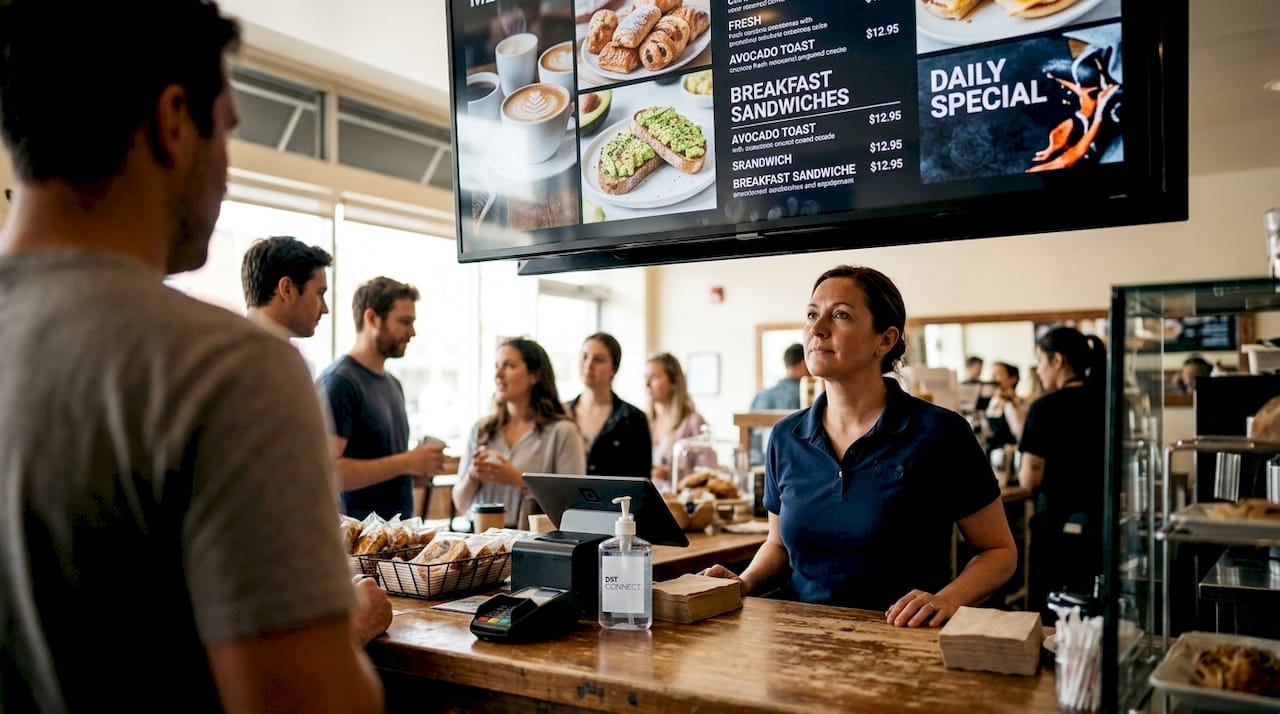
Healthcare facilities achieve 22% patient satisfaction improvements and 72% reductions in lost patients through dynamic wayfinding displays and real-time wait time communication. Hospital cafeterias use menu boards to promote nutritional options and accommodate dietary restrictions, while clinic waiting areas display educational content that reduces perceived wait times. The operational efficiency gains extend beyond patient experience to staff productivity, as automated content updates eliminate manual signage tasks.
Financial returns average 312% ROI with typical payback periods around 18 months, though performance varies based on update frequency, ticket size, and implementation quality. Operations with frequent menu changes, high customer volumes, and premium pricing structures see faster returns than those with stable offerings and lower transaction values. Print cost savings and reduced labor for manual menu updates represent additional financial benefits often overlooked in initial ROI calculations.
| Sector | Sales/satisfaction lift | Operational benefit | Typical ROI timeline |
|---|---|---|---|
| Retail/QSR | 22-32% sales increase, 18-35% AOV lift | 85% faster content updates, $12K annual print savings | 12-18 months |
| Hospitality | 15-25% upsell conversion improvement | Real-time event promotion, multi-venue coordination | 18-24 months |
| Healthcare | 22% patient satisfaction boost | 72% fewer lost patients, reduced perceived wait times | 24-30 months |
Content turnaround times drop from days or weeks for printed materials to minutes for digital updates, enabling marketing teams to capitalize on trending topics, weather events, or competitive responses. This agility proves especially valuable during promotional campaigns, product launches, or crisis communications requiring immediate messaging adjustments. The growing demand for digital signage reflects recognition of these operational and financial advantages across industries.
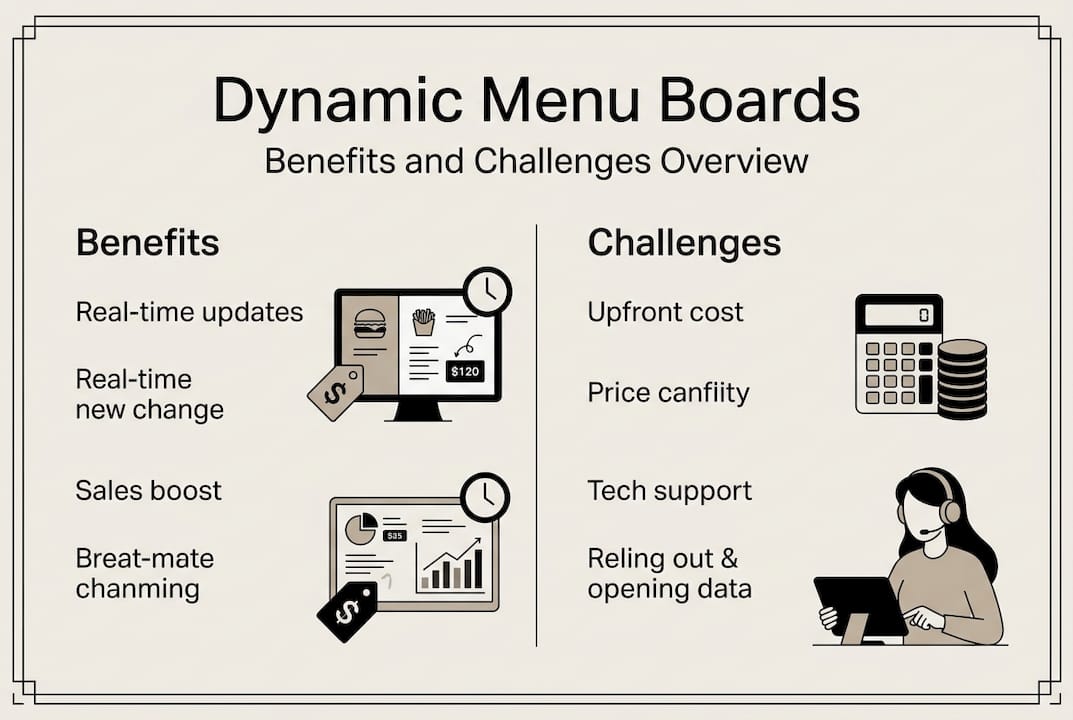
Pro Tip: Combine high-quality food photography with strategic upsell messaging positioned near the decision point to maximize average order value. Testing shows motion graphics highlighting combo savings or premium add-ons increase attachment rates 23-40% compared to static text descriptions.
Challenges, limitations, and expert nuances of dynamic menu boards
Upfront investment costs range from $800-$3,000 per screen including hardware, software licensing, and installation, creating barriers for small operations or those with infrequent menu changes. Static menus outperform digital alternatives when update frequency falls below monthly and average ticket sizes remain under $15, as the cost-benefit equation favors simpler printed solutions. Marketing managers must honestly assess update needs and transaction economics before committing to digital infrastructure.
| Factor | Static printed menus | Dynamic digital boards | Decision threshold |
|---|---|---|---|
| Upfront cost | $50-$200 per menu set | $800-$3,000 per screen | Digital justified above 4+ updates/month |
| Update speed | 3-7 days for reprints | Minutes for remote changes | Digital wins for time-sensitive content |
| Operating cost | $2,400-$6,000 annual printing | $300-$600 annual software/support | Break-even around 18-24 months |
| ROI threshold | N/A | 312% average with $25+ ticket size | Digital requires sufficient transaction volume |
Technical failure risks include network outages, hardware malfunctions, and software bugs that can leave screens blank or displaying outdated content during critical service periods. WiFi dependence creates vulnerability in locations with unreliable connectivity, though cellular backup options mitigate this concern at additional cost. Over-reliance on animations and motion graphics can distract customers rather than guide purchasing decisions, particularly when visual hierarchy gets lost in excessive movement.
Governance challenges emerge as dynamic menu boards require collaboration between IT teams managing infrastructure security and food service or retail teams controlling content accuracy and compliance. AI-powered personalization increases ad recall 40% and point-of-sale uplifts 22%, but implementation demands careful coordination between technology and business stakeholders. Clear ownership structures, approval workflows, and brand guidelines prevent content quality issues and regulatory violations.
Future developments in artificial intelligence promise contextual content adaptation based on weather patterns, real-time inventory levels, and customer demographic data captured through integrated sensors or loyalty programs. These capabilities will enable automatic menu adjustments promoting hot beverages during cold weather or highlighting available ingredients when supply chain disruptions affect inventory. Privacy considerations and data governance frameworks must evolve alongside these technical capabilities to maintain customer trust.
Pro Tip: Balance engaging motion with clear visual hierarchy by limiting animations to 20-30% of screen real estate and maintaining static product names, prices, and key decision information. Eye-tracking studies show excessive movement reduces comprehension and increases decision fatigue, particularly during peak service times when customers face time pressure.
Implementing dynamic menu boards: practical steps and best practices
Successful rollouts begin with pilot programs testing 1-2 screens in representative locations before committing to network-wide deployment. This approach allows marketing teams to experiment with content strategies, measure actual performance against projections, and refine implementation processes before scaling investment. Experts recommend cloud-based CMS platforms with intuitive interfaces, professional photography and animation assets, and tracking capabilities for dwell time and upsell metrics.
Follow this implementation sequence for optimal results:
- Select pilot location with high visibility, stable network connectivity, and representative customer demographics
- Choose commercial-grade displays rated for 16+ hour daily operation with brightness appropriate for ambient lighting
- Deploy cloud CMS software with POS integration capabilities and multi-user access controls
- Create initial content library using professional templates, high-resolution images, and brand-compliant designs
- Establish baseline metrics for sales, average order value, and customer dwell time before launch
- Monitor performance weekly for first month, gathering staff feedback and customer observations
- Optimize content based on data, then expand to additional high-priority locations
- Develop governance framework defining content approval workflows, update schedules, and quality standards
Hardware selection should prioritize commercial displays over consumer TVs, as professional screens offer superior brightness, durability, and warranty coverage for continuous operation environments. Media player choices depend on existing IT infrastructure and software compatibility, with Android-based solutions offering cost advantages while Windows systems provide broader application support. Screen placement requires careful consideration of viewing angles, ambient light sources, and customer decision points within service flows.
Content development best practices include:
- Professional food photography with consistent lighting and styling across menu categories
- Limited animation focusing on hero products and promotional offers rather than entire menus
- Clear typography with high contrast ratios ensuring readability from typical viewing distances
- Strategic white space preventing visual clutter and directing attention to priority items
- Daypart scheduling automating content transitions aligned with service period changes
- A/B testing different layouts, messaging, and visual treatments to optimize conversion rates
Integration with POS and inventory systems enables automated menu updates removing sold-out items, adjusting prices based on dynamic pricing algorithms, and highlighting high-margin products when inventory levels warrant promotion. This data connectivity transforms static displays into responsive marketing tools that adapt to real-time business conditions. Marketing managers should work closely with IT teams to establish secure API connections and define data refresh frequencies balancing accuracy with system performance.
Performance monitoring should track customer dwell time at decision points, conversion rates on promoted items, average order values, and overall sales trends compared to baseline periods. Video analytics tools can measure attention patterns and identify which content elements drive engagement versus causing confusion. Regular content refreshes every 2-4 weeks prevent customer fatigue and maintain novelty, though core menu information should remain consistent to avoid disorienting regular customers.
Experiment with interactive signage capabilities in select locations to gather customer preferences and enable self-service customization. Consider starting with a digital signage software trial to evaluate platform capabilities and user experience before committing to long-term contracts. Follow proven optimization techniques for display calibration, content scheduling, and performance monitoring to maximize returns.
Discover DST Connect for powerful dynamic menu boards
DST Connect delivers the user-friendly digital signage platform marketing professionals need to implement dynamic menu boards without technical expertise or design skills. The cloud-based system provides over 600 professionally designed templates specifically optimized for menu board applications, along with an intuitive drag-and-drop editor enabling rapid content creation and deployment. Multi-location management capabilities let you control entire networks from a single dashboard, ensuring brand consistency while accommodating local customization needs.
Start your dynamic menu board journey with a 14-day free software trial that includes full access to templates, scheduling tools, and multi-screen management features. Test different content strategies, measure engagement metrics, and validate ROI projections before committing to hardware investments. The platform integrates seamlessly with commercial-grade display hardware from leading manufacturers, supporting Android, Windows, and URL-based media players for maximum deployment flexibility.
Pro Tip: Leverage DST Connect’s comprehensive IT setup instructions to streamline network configuration, security protocols, and integration with existing POS or inventory systems. The documentation covers common deployment scenarios and troubleshooting guidance, reducing dependence on external consultants and accelerating time to value.
Frequently asked questions
What is a dynamic menu board?
A dynamic menu board is a digital display system using cloud-based software to show menu content that updates remotely in real time. Unlike static printed menus, these screens enable instant changes to pricing, product availability, promotions, and visual content across single or multiple locations. The technology supports animations, videos, automated scheduling, and integration with business systems for data-driven content decisions.
What ROI should I expect from dynamic menu boards?
Typical implementations achieve 312% ROI with payback periods around 18 months, though results vary significantly by industry and use case. Retail and quick-service restaurants see 22-32% sales increases and 18-35% higher average order values, while healthcare facilities report 22% patient satisfaction improvements. ROI depends heavily on update frequency, transaction volume, and ticket size, with operations updating content weekly or more seeing fastest returns.
How do digital menu boards integrate with POS systems?
Integration occurs through API connections that enable real-time data exchange between your POS software and digital signage platform. This connectivity allows automatic removal of sold-out items, dynamic pricing adjustments based on demand or time of day, and promotion of high-margin products when inventory levels warrant. Most modern CMS platforms offer pre-built integrations with major POS systems, though custom development may be required for proprietary software.
What hardware do I need for optimal menu board performance?
Commercial-grade displays rated for 16+ hour daily operation with 500+ nit brightness ensure visibility in ambient lighting conditions typical of retail and hospitality environments. You’ll need compatible media players running Android, Windows, or browser-based software, plus reliable network connectivity via WiFi, ethernet, or cellular. Budget $800-$3,000 per screen including display, player, mounting hardware, and installation labor for professional deployments.
How can I avoid common dynamic menu board implementation mistakes?
Start with pilot screens in representative locations to test content strategies before network-wide rollout, and establish clear governance defining approval workflows and quality standards. Limit animations to 20-30% of screen area to maintain visual hierarchy and prevent customer distraction. Ensure reliable network connectivity with backup options, and integrate POS data to automate inventory-based content updates. Monitor performance metrics weekly during initial deployment to identify optimization opportunities early.
Recommended
Enjoyed this blog?
Continue with the previous or next article and discover more ideas, insights and inspiration from DST Connect.