
Optimize your office digital display process in 2026
Internal communication challenges plague organizations every day. Employees miss critical updates, productivity suffers, and engagement drops when information fails to reach teams effectively. Digital displays transform this landscape by delivering real-time, visually engaging content that captures attention and drives action. This guide walks you through a proven process to set up and optimize office digital signage, turning communication chaos into streamlined success that measurably boosts both engagement and productivity.
Table of Contents
- Understanding The Impact Of Digital Displays In Office Communication
- Preparing Your Office For Digital Display Deployment
- Executing The Office Digital Display Setup And Workflow
- Verifying Effectiveness And Troubleshooting Common Issues
- Discover DST Connect For Your Office Digital Displays
- FAQ
Key takeaways
| Point | Details |
|---|---|
| Engagement boost | Digital displays increase employee engagement by 37% and productivity by 25% in corporate offices. |
| Preparation matters | Successful deployments require careful hardware selection, network planning, and content strategy before installation. |
| Troubleshooting essentials | Network failures and content sync issues demand proactive solutions like offline caching and surge protection. |
| ROI timeline | Organizations typically see measurable returns within 12 to 24 months through cost savings and performance gains. |
| Stepwise approach | Following a structured process from planning through verification ensures smooth deployment and lasting impact. |
Understanding the impact of digital displays in office communication
Digital signage delivers measurable results that justify investment. Corporate offices see 20-30% employee engagement increases, 25% productivity boosts, and 37% higher initiative awareness when they implement strategic digital display programs. These aren’t abstract promises. They represent real outcomes from organizations that replaced static bulletin boards and email overload with dynamic visual communication.
The financial case strengthens when you examine cost savings. Organizations reduce printing expenses by 30 to 50% after deploying digital displays for internal announcements, safety updates, and recognition programs. The ROI of digital signage typically materializes within 12 to 24 months, factoring in hardware costs, software subscriptions, and content creation time. This payback period shrinks further when you account for time saved by eliminating manual poster updates and reducing email clutter that employees ignore.
Key performance indicators reveal the communication transformation:
- Message retention rates climb from 10% (email) to 83% (digital displays)
- Response times to company initiatives decrease by 40%
- Employee satisfaction scores related to “feeling informed” increase by 28%
- Meeting attendance improves by 15% when promoted via strategic screen placement
These metrics matter because they connect directly to business outcomes. Better informed employees make faster decisions, collaborate more effectively, and align their work with organizational priorities. The growing demand for digital signage across industries reflects this recognition that visual communication outperforms traditional methods.
“Digital signage transformed how we communicate company updates. Our employee engagement scores jumped 32% within six months, and we eliminated over $18,000 in annual printing costs.” — TechForward case study participant
The productivity gains extend beyond simple information delivery. Digital displays create ambient awareness, allowing employees to absorb updates passively while moving through office spaces. This reduces interruptions from meetings called solely to share information, freeing time for focused work. Strategic placement in break rooms, lobbies, and collaboration spaces ensures maximum exposure without disrupting workflow.
Preparing your office for digital display deployment
Successful digital signage starts long before you mount the first screen. Site evaluation determines optimal placement for maximum visibility and minimum distraction. Walk through your office during peak hours, noting natural traffic patterns, lighting conditions, and viewing angles. Screens positioned in high-traffic corridors catch more eyes than those tucked in rarely visited corners. Avoid placing displays where glare from windows or overhead lights reduces readability.
Hardware selection requires matching capabilities to your communication needs. Consider these factors:
- Screen size appropriate for viewing distance (55 inches for 10 to 15 foot viewing, 65 inches for 15 to 20 feet)
- Brightness levels sufficient for ambient lighting (300 to 500 nits for indoor offices)
- Orientation capability (landscape for general content, portrait for lobby directories)
- Mounting options compatible with your walls or ceiling structures
Network infrastructure makes or breaks digital signage reliability. Wired Ethernet connections provide superior stability compared to WiFi, especially for high-resolution video content. Common fixes include caching media, using surge protectors, and conducting site surveys to identify glare and poor viewing angles before installation. Media caching allows displays to continue showing scheduled content even during network outages, preventing embarrassing blank screens during critical communication moments.
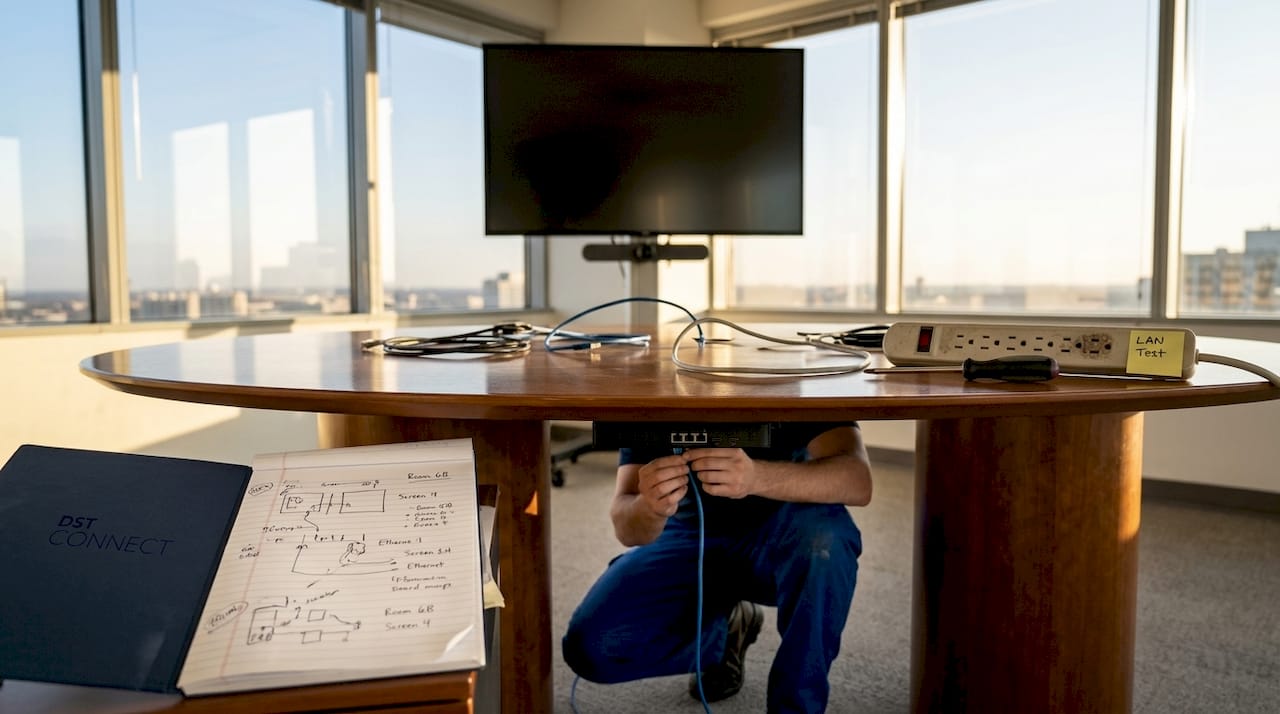
Content strategy planning prevents the most common failure mode: deploying technology without clear communication goals. Define what messages matter most to your employees. Safety updates, recognition programs, company news, and event promotions typically form the core content mix. Establish update frequencies that keep content fresh without overwhelming viewers. Daily updates work for news feeds, while weekly rotations suit recognition spotlights and monthly calendars.
Approval workflows streamline content creation and prevent delays. Designate content owners for each category (HR for recognition, facilities for safety, leadership for company updates). Create templates that maintain brand consistency while allowing quick customization. Set clear deadlines for content submission that align with your display schedule. This structure eliminates last-minute scrambles and ensures quality control.
Pro Tip: Conduct a thorough site survey using cardboard mockups at proposed screen locations. Observe these spots during different times of day to detect glare, viewing angle problems, and potential distractions before committing to permanent installation.
Budget planning should account for total cost of ownership beyond initial hardware purchases. Include software licensing, content creation tools, mounting hardware, cabling, and ongoing maintenance. The digital signage hardware guide helps you compare options and understand feature tradeoffs. Factor in training time for staff who will manage content updates. Organizations that skimp on preparation often face costly retrofits and disappointing adoption rates. Following pro AV tips for signage during planning prevents expensive mistakes.
Executing the office digital display setup and workflow
Installation follows a systematic sequence that minimizes disruption and ensures reliability. Start with physical mounting, verifying that wall anchors support screen weight plus a 50% safety margin. Route cables through conduit or cable management channels to maintain a professional appearance and protect connections from damage. Connect displays to network drops, testing connectivity before finalizing mounting positions.
Software configuration transforms hardware into a communication system. Follow these steps:
- Register each display in your management platform with descriptive names (Building A Lobby, Floor 3 Break Room)
- Assign displays to logical groups for coordinated content delivery (All Lobbies, HR Screens, Safety Displays)
- Configure playback schedules that align content with employee presence (pause overnight, resume at 6 AM)
- Test content synchronization across all screens to verify timing accuracy
- Set up user permissions so content creators can update their assigned categories without accessing system settings
Content deployment requires balancing visual appeal with information density. Disruptions include information overload and poor placement that distracts from productivity rather than enhancing it. Limit each screen to three to five content items per rotation cycle. Use the digital signage software platform to schedule content that matches employee routines. Morning shifts see safety reminders and daily goals, lunch hours feature event promotions and recognition, afternoon slots highlight productivity tips and wellness content.
Templated designs maintain brand consistency while accelerating content creation. The digital display templates guide offers frameworks for common content types. Customize color schemes, fonts, and layouts to match your brand guidelines. Save these templates for reuse, allowing non-designers to create professional content quickly. This approach prevents the visual chaos that undermines credibility when every content creator invents their own design language.
| Content Type | Optimal Duration | Update Frequency | Best Time Slots |
|---|---|---|---|
| Safety alerts | 10 seconds | As needed | All day rotation |
| Company news | 15 seconds | Weekly | Morning, lunch |
| Employee recognition | 12 seconds | Daily | Lunch, afternoon |
| Event promotions | 10 seconds | Per event schedule | Lunch, end of day |
| Metrics dashboards | 20 seconds | Real-time/hourly | Morning briefings |
Workflow optimization prevents common pitfalls. Schedule content updates during low-traffic periods (early morning or late evening) to minimize distraction during focused work hours. Establish a content calendar that prevents last-minute rushes and ensures diverse messaging. Review analytics weekly to identify which content generates engagement and which gets ignored. Adjust your mix based on these insights rather than assumptions.
Pro Tip: Create a content buffer by maintaining two weeks of approved content ready for deployment. This prevents scrambling when content creators face competing priorities and ensures screens never display outdated information.
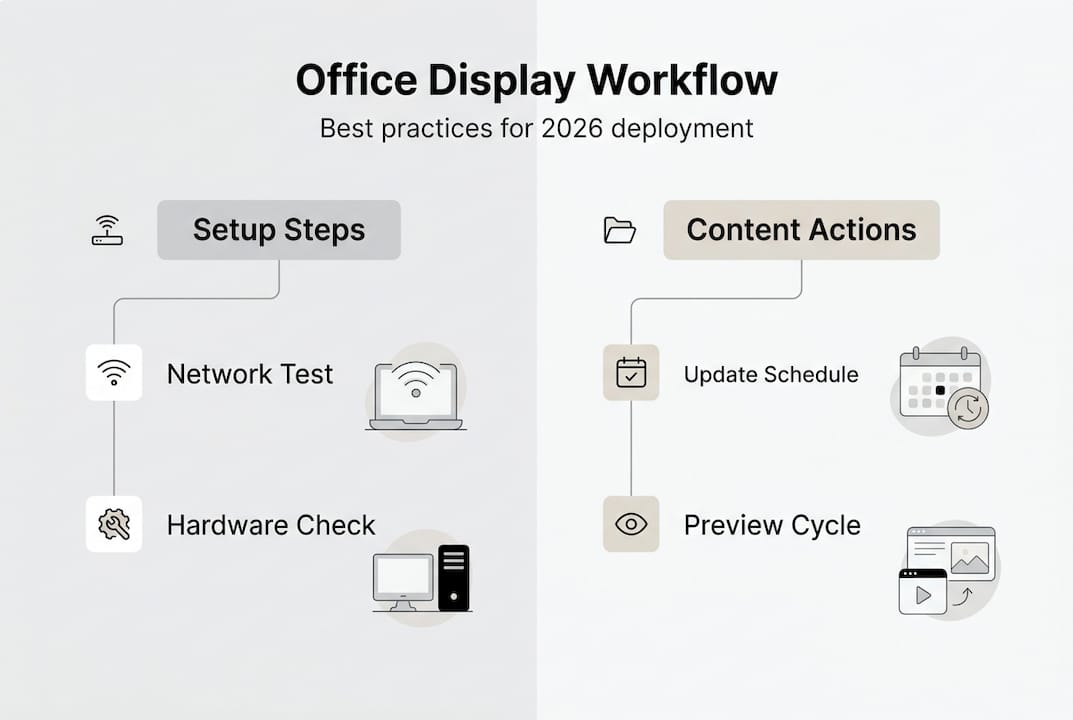
Testing phases catch issues before they impact your audience. Run new content through a preview cycle on a single test display before deploying organization-wide. Verify that text remains readable from maximum viewing distances, animations don’t distract or cause motion sickness, and color contrasts meet accessibility standards. This quality gate prevents embarrassing mistakes from reaching your entire employee population.
Verifying effectiveness and troubleshooting common issues
Measuring impact transforms digital signage from a technology project into a communication strategy. Track these key performance indicators monthly:
- Content impression counts (how many times each message displays)
- Engagement metrics (QR code scans, event registrations prompted by displays)
- System uptime percentage (target 99% or higher)
- Content freshness (average age of displayed content)
- Employee feedback scores on communication effectiveness
These metrics reveal whether your investment delivers promised returns. Declining engagement suggests content staleness or poor placement. Low uptime indicates technical problems requiring attention. Regular measurement creates accountability and identifies improvement opportunities before problems escalate.
Network failures, overheating, blank screens, content synchronization failures, and flickering plague digital signage systems. The following comparison helps diagnose and resolve common issues:
| Issue | Symptoms | Common Causes | Solutions |
|---|---|---|---|
| Network failure | Content not updating, offline status | WiFi instability, router issues | Switch to Ethernet, enable offline caching |
| Overheating | Random shutdowns, display artifacts | Poor ventilation, high ambient temperature | Add cooling fans, reduce brightness |
| Blank screen | No signal message, black display | Loose cables, player malfunction | Check connections, restart media player |
| Content not syncing | Outdated content showing | Scheduling conflicts, player clock drift | Verify schedules, sync player clocks |
| Flickering | Screen flashes intermittently | Cable interference, power fluctuations | Replace cables, install surge protectors |
Proactive maintenance prevents most technical problems. Inspect displays monthly for dust accumulation that blocks ventilation. Verify cable connections remain secure. Update software and firmware quarterly to patch security vulnerabilities and access new features. Schedule annual professional inspections for ceiling-mounted displays that employees cannot easily monitor.
User training reduces workflow failures and content quality issues. Conduct quarterly refresher sessions covering content creation best practices, template usage, and approval workflows. Create quick reference guides that content creators can consult when questions arise. Designate power users in each department who can provide peer support and escalate technical issues appropriately.
Pro Tip: Deploy surge protectors and uninterruptible power supplies for all displays. Power fluctuations cause more hardware failures than any other factor. This small investment prevents costly replacements and embarrassing outages during critical communication moments.
The interactive signage guide explores advanced features that boost engagement beyond passive viewing. Touch-enabled displays in lobbies and collaboration spaces invite employees to explore content at their own pace. QR codes bridge physical displays to mobile devices, allowing deeper dives into topics that catch attention. These enhancements transform displays from broadcast channels into interactive communication hubs.
Continuous improvement cycles keep digital signage relevant and effective. Survey employees quarterly about content preferences and information needs. A/B test different content formats to identify what resonates. Monitor digital signage demand trends to discover emerging capabilities worth adopting. Organizations that treat digital signage as a living communication system rather than a static installation realize sustained engagement gains year over year.
Discover DST Connect for your office digital displays
Implementing the strategies in this guide becomes straightforward with the right platform. DST Connect offers user-friendly digital signage software designed specifically for organizations seeking reliable office communication solutions. The cloud-based dashboard simplifies content scheduling across multiple displays, while the drag-and-drop editor requires no design expertise. Choose from over 700 professionally designed templates that maintain brand consistency while accelerating content creation.
Reliable digital signage hardware compatible with Android, Windows, and URL-based media players ensures flexibility for any office environment. Try the software free for 14 days to experience how intuitive content management enhances internal communication. Comprehensive installation instructions for IT teams facilitate smooth deployment, supported by responsive technical assistance when questions arise. DST Connect solutions help you optimize the digital display process outlined in this guide, maximizing engagement and productivity gains for your organization.
FAQ
What is the typical ROI timeline for office digital displays?
Return on investment typically occurs within 12 to 24 months for most organizations. This timeline factors in productivity improvements from better informed employees, printing cost reductions of 30 to 50%, and time savings from eliminating manual poster updates. Organizations with larger employee populations or higher printing costs often see faster payback periods.
How can I prevent network failures affecting digital displays?
Use wired Ethernet connections rather than WiFi whenever possible for superior stability. Enable offline media caching so displays continue showing scheduled content during network outages. Install surge protectors to prevent power fluctuations from disrupting network equipment. These measures ensure consistent content delivery even when network issues arise.
What are best practices to avoid information overload on office displays?
Limit content to three to five items per rotation cycle, with each item displaying 10 to 15 seconds maximum. Use clear templates that organize information hierarchically, emphasizing key messages. Schedule updates thoughtfully to match employee routines rather than constant changes that create visual noise. Poor placement and excessive content distract employees and harm productivity instead of enhancing communication.
Which metrics best measure digital signage effectiveness?
Track content impression counts to verify message exposure, engagement actions like QR code scans or event registrations, and system uptime percentage targeting 99% or higher. Monitor employee feedback scores specifically about feeling informed and communication satisfaction. Compare these metrics to baseline measurements from before digital signage deployment to quantify improvement and justify continued investment.
How often should office digital display content update?
Update frequency depends on content type and organizational dynamics. Safety alerts and real-time metrics require immediate or hourly updates. Company news and recognition content benefit from daily or weekly refreshes. Event promotions update per event schedules. Avoid updating so frequently that employees cannot absorb information, but refresh often enough to prevent staleness that causes people to ignore displays.
Recommended
Enjoyed this blog?
Continue with the previous or next article and discover more ideas, insights and inspiration from DST Connect.