
What is interactive signage? A 2026 guide to engaging your audience
Approximately 80% of businesses have observed significant improvement in customer engagement after using interactive digital displays. Yet many marketing professionals still confuse interactive signage with traditional digital screens or full transaction kiosks. Interactive signage sits between these extremes, offering user-driven exploration without the complexity of payment processing. This guide clarifies what interactive signage truly is, how it differs from passive displays, and why modern content management systems make deployment accessible for organizations of any size. You’ll discover practical benefits, accessibility requirements, and actionable deployment strategies to enhance audience engagement across retail, corporate, healthcare, and education environments.
Table of Contents
- Defining Interactive Signage: Features And Functionality
- Benefits Of Interactive Signage For Marketers And Communicators
- Interactive Signage Versus Traditional Digital Signage: A Comparison
- Content Management And Accessibility Considerations For Interactive Signage
- Explore DST Connect For Powerful Interactive Signage Solutions
- What Is Interactive Signage? Frequently Asked Questions
Key takeaways
| Point | Details |
|---|---|
| Interactive signage definition | Networked screens responding to touch, gesture, mobile, or sensors for on-demand information and personalized content delivery. |
| Engagement advantage | Businesses report dramatically higher customer interaction rates compared to passive digital displays. |
| Content management role | Centralized CMS platforms enable scheduling, live data integration, and multi-location control without technical expertise. |
| Accessibility compliance | Public-facing interactive signage must meet ADA requirements to ensure inclusive access for all users. |
| Market differentiation | Interactive signage bridges passive screens and transaction kiosks, focusing on discovery and wayfinding rather than payments. |
Defining interactive signage: features and functionality
Interactive digital signage uses networked screens that respond to users through touch, gesture, mobile, or sensors to deliver on-demand information, wayfinding, or personalized content. Unlike passive displays that broadcast the same message to everyone, interactive systems adapt based on user input. A shopper might tap a retail display to browse product catalogs, compare specifications, or locate items in-store. A hospital visitor could use gesture controls to access department directories without touching surfaces.
These systems prioritize content discovery over transactions. You won’t process payments or complete complex forms on most interactive signage, distinguishing it from full-service kiosks. Instead, the focus remains on maps, menus, promotions, event schedules, and educational content. This content-first approach makes interactive signage more flexible and easier to deploy than transactional systems requiring secure payment integration.
Core components include display hardware with touch or sensor capabilities, content management software, and network connectivity for real-time updates. Modern systems support multiple interaction methods simultaneously. A corporate lobby display might respond to touchscreen taps during business hours while switching to motion-activated content after closing. Healthcare facilities often combine touchless gesture controls with traditional touch interfaces to accommodate hygiene concerns and accessibility needs.
The technology differs fundamentally from traditional passive signage in three ways:
- Users control what information appears and when, creating personalized experiences
- Content updates happen instantly across all networked displays without manual intervention
- Analytics track which content receives engagement, informing future strategy decisions
- Systems integrate live data feeds from inventory, social media, weather, or event calendars
Interactive capabilities transform static announcements into dynamic conversations. A university might display course schedules that students filter by department, time, or instructor. Retail environments showcase product videos that play when shoppers approach specific displays. These user-driven interactions generate valuable behavioral data while delivering immediate value to your audience.
Pro Tip: Start with simple touch interactions before adding gesture or mobile connectivity. This approach reduces deployment complexity while you learn what content resonates with your specific audience.
Modern digital display templates simplify content creation for interactive experiences. Pre-designed layouts accommodate touch zones, navigation menus, and call-to-action buttons without requiring design expertise. The growing demand for digital signage reflects how organizations recognize interactive capabilities as essential rather than optional features.
Benefits of interactive signage for marketers and communicators
Interactive displays fundamentally change how audiences consume information. Approximately 80% of businesses have observed significant improvement in customer engagement after deploying interactive digital displays. This dramatic shift occurs because users actively choose what interests them rather than passively receiving broadcast messages. A restaurant chain using interactive menu boards reports customers spend 40% more time exploring offerings compared to static menus.
Workplace communications see equally impressive gains. Research shows 84% of decision-makers report digital workplace communications clearly improved when digital signage deployed. Interactive features amplify this effect by letting employees access HR policies, training materials, or departmental updates on demand. Corporate lobbies transform from passive waiting areas into self-service information hubs.
Key advantages for marketing and communication professionals include:
- Real-time content personalization based on user selections and behavior patterns
- Reduced perceived wait times as audiences engage with interactive content
- Measurable engagement metrics showing which messages drive action
- Multilingual support allowing users to select preferred languages instantly
- Integration with mobile devices for extended experiences beyond the screen
Navigation and wayfinding applications demonstrate particular value in complex environments. Hospitals deploy interactive directories that guide visitors to departments, physicians, or amenities with step-by-step visual directions. Shopping centers use touch-enabled maps showing store locations, current promotions, and estimated walking times. These applications reduce staff inquiries while improving visitor satisfaction.
Dynamic content delivery keeps messaging fresh without manual updates. A corporate office might display company news, stock prices, and cafeteria menus that refresh automatically throughout the day. Retail environments showcase inventory availability that updates as products sell, preventing customer frustration from outdated information. This automation saves countless hours previously spent manually updating displays.
Interactive signage transforms one-way announcements into two-way conversations, creating memorable brand experiences that passive displays cannot match.
Queue management represents another powerful application. Banks and government offices use interactive systems that let visitors check wait times, reserve service appointments, or complete preliminary forms while waiting. This proactive engagement reduces perceived wait times and improves service satisfaction scores.
Pro Tip: Track which interactive features receive the most engagement during your first 30 days. Double down on popular content types and eliminate underperforming elements to maximize ROI.
Brand messaging gains impact through interactive storytelling. Product demonstrations, customer testimonials, and educational content become explorable experiences rather than passive videos. Users control pacing, skip to relevant sections, or dive deeper into topics that interest them. This self-directed learning creates stronger connections than traditional broadcast messaging.
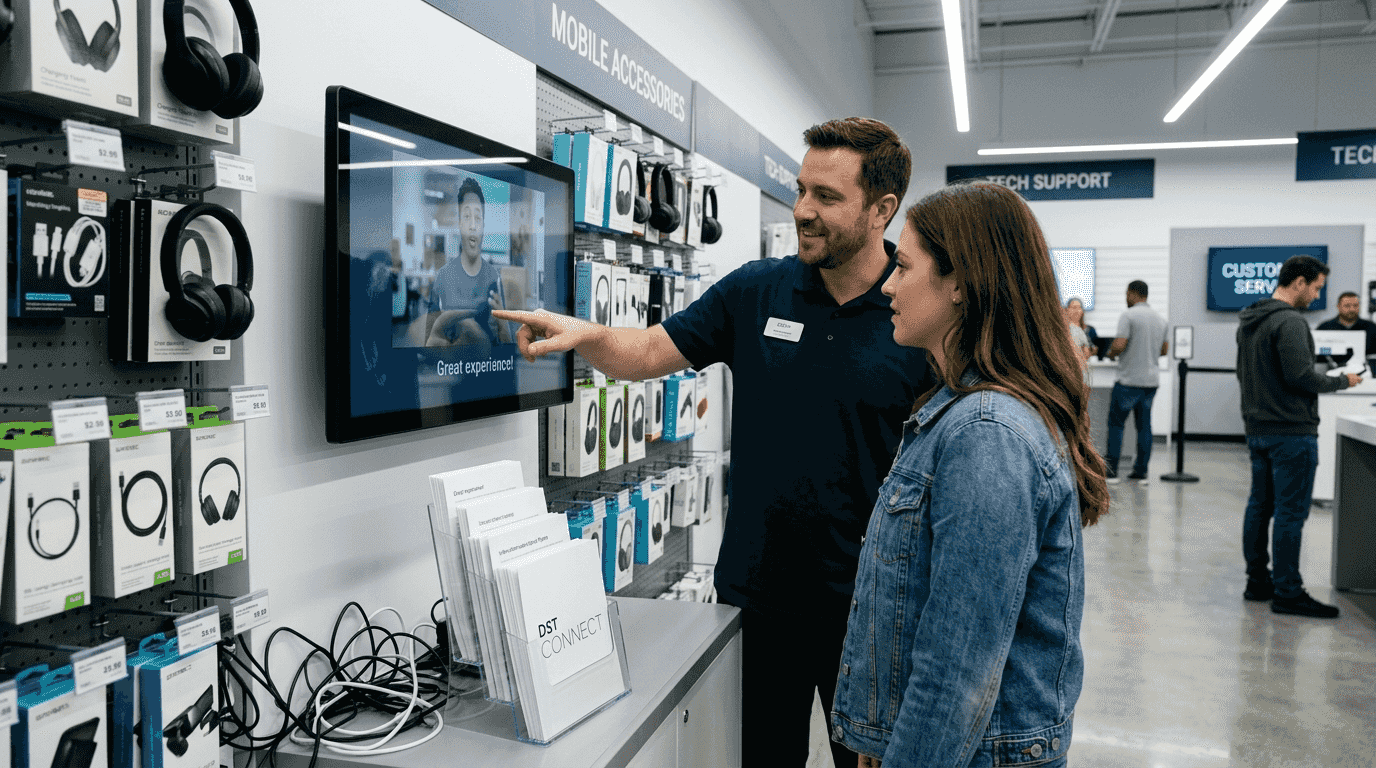
The digital display templates guide offers frameworks for designing engaging interactive experiences, while understanding digital signage benefits helps justify investment to stakeholders.
Interactive signage versus traditional digital signage: a comparison
Interactive signage is more engaging and flexible than a passive screen, but usually lighter-weight than a full transactional kiosk. This positioning creates distinct use cases and deployment considerations. Traditional digital signage excels at broadcast messaging where one message reaches many viewers simultaneously. Interactive systems shine when audiences need personalized information or self-service capabilities.
The fundamental difference lies in content control. Traditional displays follow predetermined playlists that loop continuously regardless of who’s watching. Interactive systems respond to individual user inputs, displaying relevant content on demand. A hotel lobby might use traditional signage for welcome messages while deploying interactive displays for concierge services, local attractions, and transportation options.
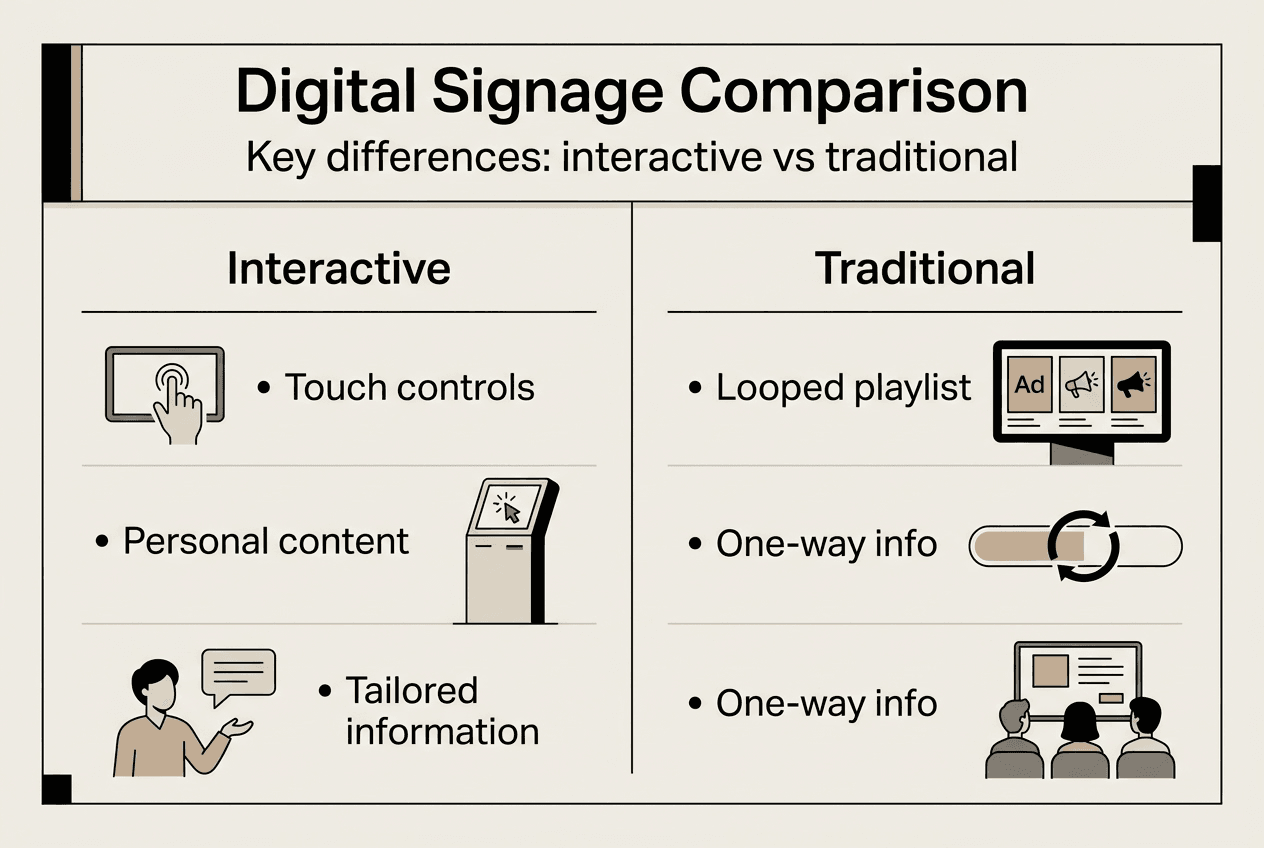
| Feature | Interactive Signage | Traditional Digital Signage |
|---|---|---|
| User control | High – users navigate content freely | None – preset playlist loops continuously |
| Content personalization | Dynamic based on selections | Same message for all viewers |
| Engagement tracking | Detailed analytics on interactions | Basic impression counts only |
| Update frequency | Real-time data integration possible | Scheduled playlist changes |
| Hardware requirements | Touch/sensor-enabled displays | Standard screens sufficient |
| Content complexity | Multi-layered navigation structures | Linear message sequences |
| Deployment cost | Moderate to high | Low to moderate |
Interactive deployments typically serve discovery and exploration purposes. Retail environments use interactive displays for:
- Product catalogs with filtering by price, features, or availability
- Virtual try-on experiences using augmented reality features
- Loyalty program enrollment and account management
- Store maps with real-time inventory location
Traditional digital signage handles awareness and announcement functions more efficiently. These applications include promotional videos, brand messaging, safety announcements, and event schedules where audience interaction adds little value. A corporate cafeteria might display daily menus on traditional screens since diners simply need to see options rather than interact with content.
Content strategy differs significantly between formats. Interactive signage requires deeper content libraries organized for user navigation. You need multiple content layers, clear navigation paths, and intuitive interface design. Traditional signage needs compelling visuals and concise messaging that communicates quickly since viewers typically glance rather than study displays.
Deployment locations reflect these functional differences. Interactive displays belong where audiences have time and motivation to engage: building lobbies, waiting areas, retail showrooms, and information desks. Traditional screens work better in high-traffic corridors, elevators, and outdoor locations where quick glances are the norm.
Pro Tip: Many successful deployments combine both formats strategically. Use traditional signage for broad announcements and interactive displays for detailed information access in the same environment.
Maintenance and content management requirements also diverge. Interactive systems need regular content updates reflecting current inventory, pricing, or service availability. Traditional displays can run the same playlist for weeks with minimal attention. However, modern signage pro AV tips and digital signage templates simplify both approaches through cloud-based management platforms.
Content management and accessibility considerations for interactive signage
Digital signage content management systems centralize the management of screens, content, integrations, scheduling, and user access across multiple locations. For interactive signage specifically, CMS platforms handle the added complexity of user-triggered content, navigation structures, and engagement analytics. Without robust content management, maintaining consistent interactive experiences across multiple displays becomes impossibly time-consuming.
Modern CMS solutions support live data integration essential for interactive applications. Weather widgets, social media feeds, inventory status, and event calendars update automatically without manual intervention. A retail display showing product availability pulls real-time stock data from inventory systems. Corporate directories sync with HR databases to reflect organizational changes immediately. This automation ensures interactive content remains accurate and relevant.
Scheduling capabilities let you adapt interactive content to different times and audiences. A university might display course information during business hours, campus safety resources in evenings, and event promotions on weekends. Museums switch between visitor-focused interactive tours during operating hours and donor recognition content after closing. User permissions prevent unauthorized content changes while allowing department-specific updates.
Accessibility compliance represents a critical legal and ethical consideration. If the interactive signage is intended for public use and is providing services or information to the public, accessibility obligations under the ADA and related guidance generally apply. This means interactive displays must accommodate users with vision, hearing, mobility, or cognitive disabilities.
Key accessibility requirements include:
| Requirement | Implementation |
|---|---|
| Screen height | Touchable elements within reach from wheelchair (15-48 inches typical) |
| Text size | Minimum 18-point fonts, adjustable sizing options |
| Color contrast | WCAG 2.1 AA standards (4.5:1 for normal text) |
| Audio alternatives | Text captions for video content, screen reader compatibility |
| Navigation simplicity | Clear touch targets, logical flow, undo options |
| Response time | Adequate time for users to read and interact without rushing |
Public-facing deployments in government facilities, healthcare, retail, and education must prioritize these requirements from initial design. Retrofitting accessibility after deployment costs significantly more than building it in from the start. Work with CMS providers offering accessibility-compliant templates and testing tools.
Pro Tip: Test your interactive content with actual users representing diverse abilities before full deployment. Five-minute observation sessions reveal usability issues that specifications alone miss.
Best practices for content management reduce screen update failures and maintain consistent user experiences. Organize content libraries with clear naming conventions and version control. Schedule updates during low-traffic periods to minimize disruption. Maintain backup content that displays if live data feeds fail. Monitor screen health remotely to catch hardware issues before users encounter problems.
The digital signage software ecosystem offers various CMS options ranging from simple cloud platforms to enterprise solutions. DST Connect CMS features specifically address the needs of organizations deploying interactive experiences without dedicated IT staff. Cloud-based management eliminates server maintenance while enabling updates from any internet-connected device.
Explore DST Connect for powerful interactive signage solutions
Implementing interactive signage successfully requires both capable software and reliable hardware working together seamlessly. DST Connect offers marketing professionals a complete ecosystem designed specifically for organizations without extensive technical resources. The platform’s intuitive interface lets you create engaging interactive experiences using drag-and-drop tools and professionally designed templates.
Start with a free trial of our digital signage software to explore how easily you can build interactive content that responds to user input. The cloud-based dashboard manages multiple screens across unlimited locations, perfect for retail chains, corporate offices, or educational campuses. Pair your software with purpose-built digital signage hardware optimized for touch and gesture interactions.
Our comprehensive IT instructions guide your team through network setup, screen configuration, and content deployment. You’ll have interactive displays running in hours, not weeks. Whether you’re deploying wayfinding in a hospital, product discovery in retail, or employee communications in corporate environments, DST Connect provides the tools and support to succeed.
What is interactive signage? Frequently asked questions
What types of user interactions do interactive signage systems support?
Interactive signage responds to touch, gesture, mobile device proximity, and sensor triggers like motion detection. Most deployments use capacitive touchscreens similar to smartphones, but gesture controls work well in hygiene-sensitive environments. Mobile integration lets users continue experiences on personal devices after leaving the display.
How does interactive signage differ from transaction kiosks?
Interactive signage focuses on information discovery, wayfinding, and content exploration without payment processing or complex transactions. Kiosks handle complete workflows like ticket purchases, check-ins, or government form submissions requiring secure data handling. Interactive signage typically offers lighter-weight, more flexible content experiences. The digital signage growth trends show increasing demand for both formats serving different organizational needs.
What content management features are essential for interactive signage?
Look for real-time data integration, multi-user permissions, remote monitoring, and accessibility compliance tools. Scheduling capabilities let you adapt content to different audiences and times. Analytics tracking which interactive elements receive engagement inform content strategy improvements. Cloud-based systems eliminate on-site server requirements.
Are there legal accessibility requirements for public interactive signage?
Yes, public-facing interactive signage must comply with ADA accessibility standards including screen height, text size, color contrast, and navigation simplicity. Government facilities, healthcare, retail, and education environments face particular scrutiny. Design accessibility into initial deployments rather than retrofitting later to avoid compliance issues and better serve all users.
Can interactive signage integrate with existing business systems?
Modern interactive signage platforms connect with inventory management, customer relationship management, social media, calendar systems, and data analytics tools through APIs. This integration enables real-time content updates reflecting current business conditions. A retail display might show product availability from inventory systems while a corporate display pulls meeting schedules from calendar software.
Recommended
- What is cross-platform signage? A 2026 guide for marketers
- Pro AV tips for signage: optimize displays in 2026
- Digital display templates guide for marketing pros 2026
- Growing demand for digital signage – DST Connect
- How to enhance event visuals for corporate events in 2026
- Marketing Interativo: Potencie Captação e Engajamento
Enjoyed this blog?
Continue with the previous or next article and discover more ideas, insights and inspiration from DST Connect.