School timetable kiosk: every student sees their own timetable, no phone needed
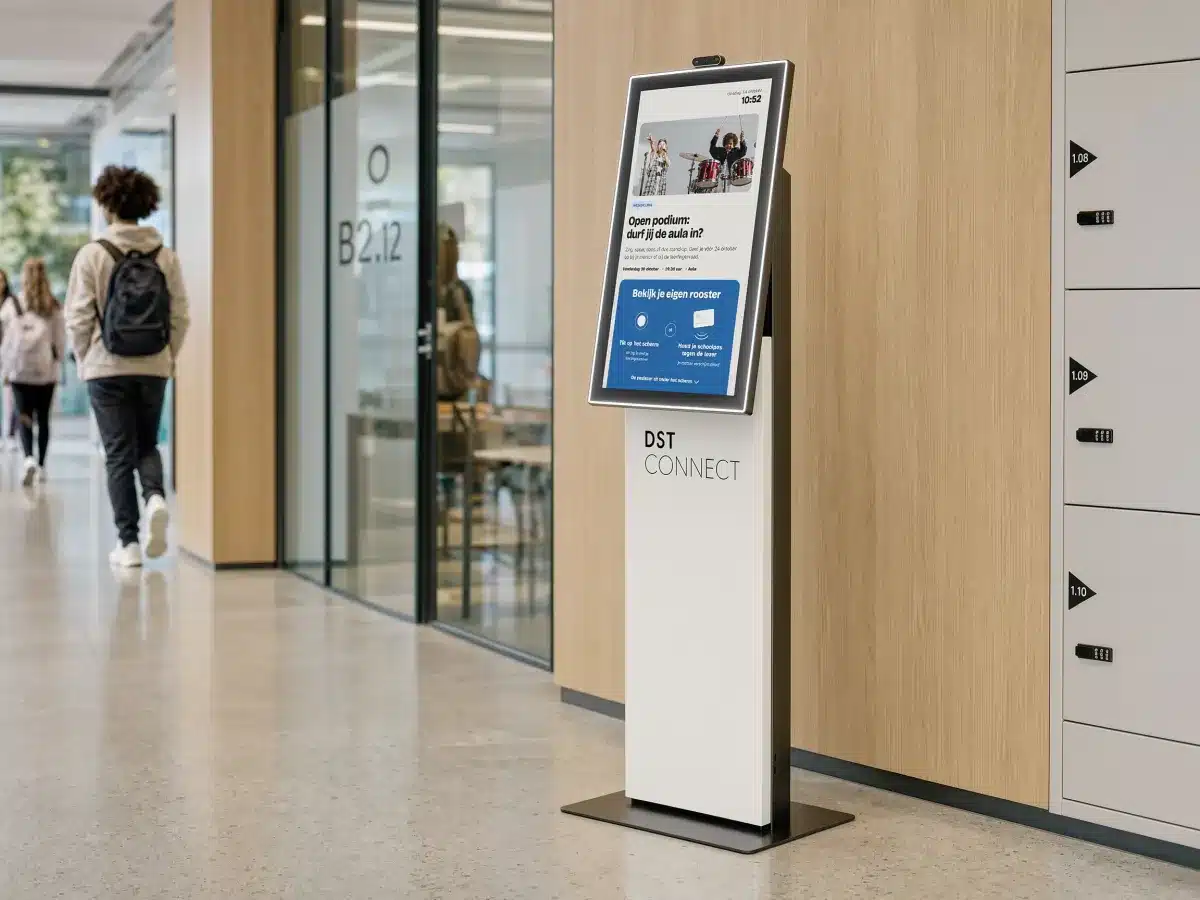
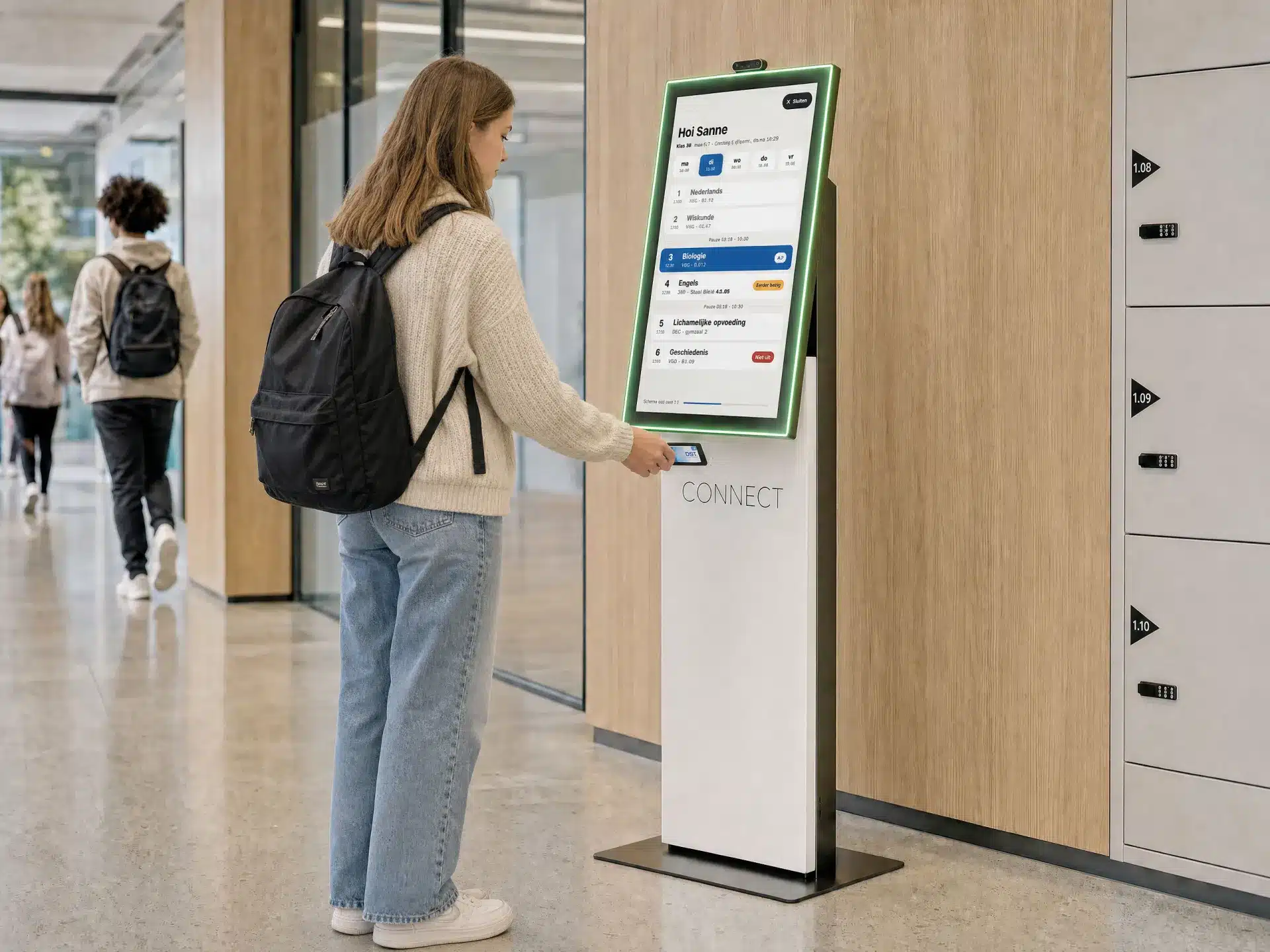
With the DST Connect timetable kiosk, students hold their school pass against the reader and instantly see their personal timetable, including cancelled lessons and room changes. The kiosk is part of our digital signage CMS, so one system runs both your school screens and the kiosk.
Show your pass, check your timetable, walk on. Within seconds a student knows where and when the next lesson is.
1
Show your pass or log in
A student holds their school pass against the reader, or enters a student number and date of birth on the touchscreen.
2
See your own timetable
The kiosk shows lessons, rooms and changes for today and the rest of the week, live from your timetable software.
3
Closes automatically
After a few seconds the kiosk returns to the start screen, ready for the next student.
A timetable kiosk for schools with a phone ban
Since 1 January 2024, secondary schools in the Netherlands no longer allow mobile phones in class. From school year 2024-2025 the ban also applies to primary and special education, and many schools choose a completely phone-free building.
That leaves a practical question: where do students see their timetable, a cancelled lesson or a room change when the timetable app on their phone is off limits?
A timetable kiosk is the answer. It is one fixed spot in the hall or by the lockers where every student looks up their own timetable, without needing a phone.
From timetable changes on screens to a personal timetable
Many schools already show timetable changes on information screens, like Pius X College does. The kiosk goes one step further: instead of a long list per class, each student only sees their own lessons, rooms and changes.
When nobody is using the kiosk, the screen simply works as a digital signage screen, with announcements and news from the same CMS. One system for your screens and your kiosk.
A personal timetable per student, per day and per week
Cancelled lessons, room changes and rescheduled lessons visible immediately
Log in with a school pass, or with student number and date of birth
Closes automatically to protect privacy
Idle mode: a signage screen with announcements
Direct integration with Zermelo, WebUntis and Xedule
The kiosk retrieves the timetable in real time from the timetable software your school already uses. There is no double entry: a change made by the timetable maker is on the kiosk right away. See all DST Connect integrations.
Timetable kiosk with Zermelo
Many secondary schools schedule with Zermelo. Through the integration, every student sees their individual timetable and daily changes on the kiosk. See how Pius X College uses it.
Timetable kiosk with WebUntis
Does your school work with WebUntis? The kiosk retrieves lessons, substitutions and cancellations in real time and shows them per student.
Timetable kiosk with Xedule
For vocational colleges, universities of applied sciences and secondary schools that use Xedule, the kiosk shows the current timetable and all changes per student. Read more about the Xedule integration.
Two ways to log in, suitable for every student
With the school pass
Students hold their school pass against the card reader below the screen. The kiosk recognises the pass and opens the personal timetable straight away.
With student number and date of birth
Forgot your pass? On the touchscreen a student logs in with a student number and date of birth. The timetable closes by itself, so the next student never looks along.
See the timetable kiosk in action
A short demo of the kiosk: from start screen to personal timetable.
A school timetable kiosk is an information stand with a touchscreen where students look up their personal timetable and timetable changes. It is ideal for schools with a phone ban.
That is exactly what it is made for. Students do not need a phone to see which lesson they have, in which room, and whether anything has been cancelled.