
Digital display templates guide for marketing pros 2026
Creating consistent, engaging digital signage content shouldn’t drain your day. Marketing and communication professionals in medium to large organizations often struggle with inefficient workflows, brand inconsistencies, and underwhelming engagement. Digital display templates solve these problems by streamlining content creation while maintaining quality standards. This guide shows you how to select, customize, avoid pitfalls, and measure success with digital display templates that transform your communication strategy.
Table of Contents
- Introduction To Digital Display Templates
- Prerequisites: What You Need Before Starting
- Step-By-Step Template Selection And Customization Process
- Common Mistakes And How To Avoid Them
- Expected Results And Success Metrics
- Alternative Approaches And Tradeoffs
- Conclusion And Next Steps
- Explore DST Connect Solutions For Digital Signage
- FAQ
Key takeaways
| Point | Details |
|---|---|
| Templates boost efficiency | Digital display templates improve content creation speed and ensure brand consistency across all screens. |
| Preparation matters | Having proper tools, brand assets, and platform access is essential before implementing template-based workflows. |
| Structured process saves time | Following step-by-step selection and customization prevents mistakes and accelerates deployment. |
| Avoid common pitfalls | Training users and aligning templates with communication goals prevents costly errors. |
| Measure what matters | Tracking time savings, engagement rates, and error reduction ensures continuous improvement. |
Introduction to digital display templates
Digital display templates are pre-designed layouts that simplify creating professional digital signage content. Instead of building every screen from scratch, templates provide structured frameworks for messaging. Common types include informational displays for employee updates, promotional content for retail environments, real-time data dashboards showing KPIs, and multi-screen synchronized templates for immersive experiences.
Templates ensure brand consistency across locations and departments. Every display follows the same visual standards, typography, and color schemes. This consistency strengthens brand recognition and professionalism. Templates also dramatically reduce content creation time compared to custom designs, freeing marketing teams to focus on strategy rather than execution.
Industry applications span internal and external communication. Corporate offices use templates for employee announcements, safety updates, and recognition programs. Retail environments deploy promotional templates to highlight sales and new products. Healthcare facilities share wait times and health information. Hospitality venues showcase menus, events, and local attractions. A user-friendly digital signage system makes template management accessible without technical expertise.
Quality matters significantly. Research shows that digital signage with poorly designed templates results in 28% lower viewer retention compared to professionally designed templates. Investing in high-quality templates directly impacts how audiences engage with your content. Poor templates waste screen real estate and audience attention.
Prerequisites: what you need before starting
Successful template implementation requires foundational preparation. First, understand basic digital signage concepts and verify hardware compatibility. Your existing screens, media players, and network infrastructure must support your chosen platform. Incompatible hardware creates deployment headaches and limits template options.

Access to a robust digital signage platform is non-negotiable. Your platform should support customizable templates, multi-user management, content scheduling, and real-time data integration. Without these features, templates become static and difficult to manage. Consider starting with a digital signage software trial to evaluate platform capabilities before committing.
Clear communication objectives guide template selection. Define what you want to achieve with each display. Are you informing employees about policy changes? Driving retail sales? Improving wayfinding? Different goals require different template types and content strategies. Document your objectives and target audiences before browsing template libraries.
Brand assets and style guidelines ensure consistency. Gather logos, color codes, approved fonts, image libraries, and messaging guidelines. Templates are only effective when customized to match your brand identity. Missing assets delay projects and create inconsistent results.
User training prevents content errors and update delays. Assign team members responsible for content management and ensure they understand the platform. Untrained users make formatting mistakes, upload incorrect content, and struggle with scheduling features. Invest in proper training upfront to avoid ongoing frustration.
Pro Tip: Create a shared folder with all brand assets, templates, and guidelines accessible to everyone managing digital displays. This centralized resource eliminates confusion and speeds up content creation.
Step-by-step template selection and customization process
Start by defining clear communication goals and identifying your target audience. What specific action or understanding should viewers gain from your displays? Employee safety awareness requires different templates than customer promotions. Document goals for each screen location and audience segment.
Evaluate template options based on alignment with your goals, hardware compatibility, and customization flexibility. Browse your platform’s template library or third-party resources. Filter by industry, use case, and screen orientation. Assess whether templates support your required content types like images, videos, data feeds, and text blocks.
Customize templates following strict brand guidelines. Replace placeholder content with your logos, colors, fonts, and messaging. Maintain consistent spacing, hierarchy, and visual balance. Avoid cramming too much information onto one screen. White space improves readability and focus. Studies demonstrate that professionally designed digital display templates save up to 40% of content creation time compared to custom designs from scratch.
Integrate real-time data feeds to keep content fresh and relevant. Connect templates to weather APIs, social media feeds, news sources, internal databases, or analytics platforms. Dynamic content captures attention better than static displays. Schedule automatic content rotation to prevent viewer fatigue and match messaging to time of day or season.
Enable multi-user access for collaborative content management. Assign roles and permissions based on responsibilities. Marketing teams create content while IT manages hardware and security. Department heads approve messaging before publication. Collaboration features ensure timely updates without bottlenecks. The DST Connect platform overview shows how multi-user workflows improve efficiency.
Deploy content and monitor performance metrics. Start with pilot displays before full rollout. Track viewer engagement, content accuracy, and update frequency. Gather feedback from audiences and content managers. Iterate based on data and observations. Research shows that structured deployment reduces project timelines by 20% compared to ad hoc approaches. Access detailed digital signage instructions for technical setup guidance.
| Step | Focus Area | Key Actions |
|---|---|---|
| 1. Define goals | Objectives and audience | Document what you want viewers to know or do |
| 2. Evaluate templates | Compatibility and fit | Filter by industry, use case, and hardware requirements |
| 3. Customize design | Brand consistency | Apply logos, colors, fonts, and messaging guidelines |
| 4. Integrate data | Dynamic content | Connect real-time feeds and schedule rotations |
| 5. Enable collaboration | Multi-user access | Assign roles and approval workflows |
| 6. Deploy and monitor | Performance tracking | Start with pilots and iterate based on feedback |
Pro Tip: Create template variations for different scenarios within the same campaign. This approach maintains consistency while allowing flexibility for location-specific messaging or seasonal adjustments.
Common mistakes and how to avoid them
Misalignment between templates and communication goals creates ineffective messaging. Choosing visually appealing templates that don’t serve your objectives wastes resources. A flashy promotional template doesn’t work for serious safety announcements. Always prioritize function over aesthetics when selecting templates.
Insufficient user training leads to frequent content errors and update delays. Untrained team members struggle with basic platform functions, create formatting inconsistencies, and miss deadlines. Schedule comprehensive training sessions covering template customization, content scheduling, approval workflows, and troubleshooting. Provide ongoing support resources and refresher training as needed.
Poor synchronization in multi-screen setups causes display glitches and viewer confusion. Content appears out of order or at different times across screens. This issue typically stems from incorrect timezone settings, network connectivity problems, or improper content grouping. Test multi-screen deployments thoroughly before going live. Verify that all screens display synchronized content as intended.
Ignoring brand guidelines during customization results in inconsistent messaging and weakened brand identity. Team members might use incorrect colors, fonts, or logos if guidelines aren’t enforced. Create template presets with approved brand elements locked in place. Restrict customization options to prevent accidental guideline violations.
Formal training and style guide adherence solve most template issues. Document best practices, common mistakes, and solutions in an accessible knowledge base. Encourage team members to ask questions and share learnings. Regular audits of published content identify guideline violations before they become systemic problems. Visit the digital signage common mistakes blog for detailed troubleshooting guidance.
Pro Tip: Create a template approval checklist covering brand compliance, content accuracy, readability, and technical specifications. Require sign-off before publishing new content to catch errors early.
Expected results and success metrics
Implementing digital display templates delivers significant time savings in content creation and update processes. Marketing teams report reducing content development time by 30 to 50 percent compared to custom design workflows. This efficiency gain allows focusing resources on strategy, messaging refinement, and campaign optimization rather than technical execution.
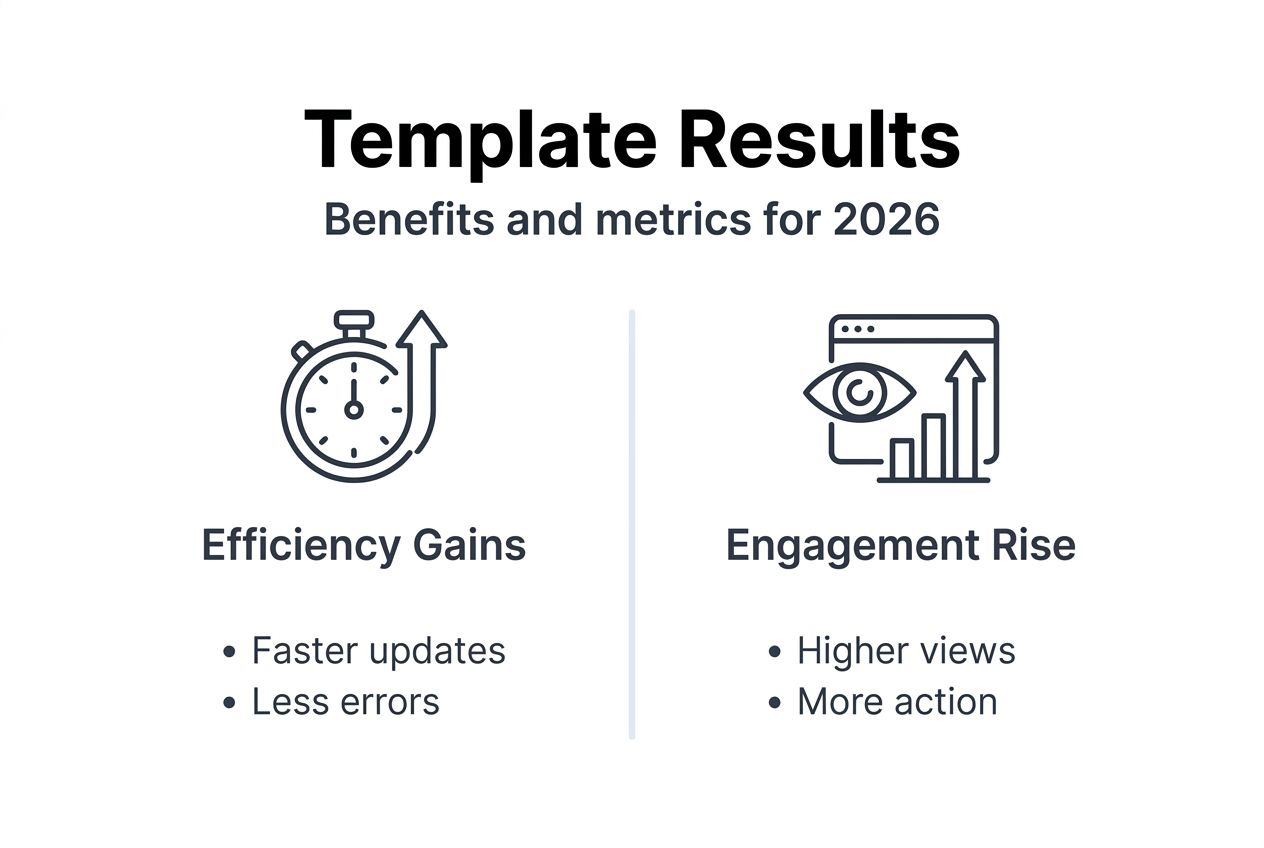
Engagement rates improve with real-time data integration and dynamic content. Viewers pay more attention to displays showing current information relevant to their needs. Weather updates, social media feeds, live metrics, and timely announcements keep content fresh. Automated scheduling ensures appropriate messaging for different times, days, and seasons without manual intervention.
Content errors and message fatigue decline through template standardization and automation. Consistent layouts reduce formatting mistakes. Scheduled content rotation prevents audiences from ignoring stale displays. Approval workflows catch inaccuracies before publication. These improvements enhance communication effectiveness and professional image.
Benchmark rollout timelines to track progress. Initial pilot deployments typically take two to four weeks including planning, customization, and testing. Full organizational rollout spans two to three months depending on scale and complexity. User adoption should reach 80 percent within the first month with proper training and support.
| Metric | Template Approach | Custom Design Approach |
|---|---|---|
| Content creation time | 1 to 2 hours per screen | 4 to 6 hours per screen |
| Brand consistency | High with locked presets | Variable without strict controls |
| Update frequency | Daily with automation | Weekly with manual updates |
| Initial setup cost | Moderate | High |
| Ongoing maintenance | Low | Moderate to high |
Explore digital signage demand trends to understand market growth and opportunities. Review digital signage hardware details to ensure your infrastructure supports template-based workflows.
Alternative approaches and tradeoffs
Custom design offers maximum creative freedom but involves higher costs, longer timelines, and inconsistency risks. Hiring designers for every screen creates unique, eye-catching content. However, this approach scales poorly for organizations managing dozens or hundreds of displays. Custom work requires ongoing design resources and lacks standardization.
Template-based approaches provide faster deployment, consistent messaging, and easier updates. Templates sacrifice some creative flexibility for efficiency and scalability. This tradeoff makes sense for most organizations prioritizing communication effectiveness over artistic expression. Templates can still look professional and engaging while maintaining brand standards.
Manual content updates require more resources compared to automation-enabled templates. Someone must log in, change content, and republish for every update. This works for small deployments but becomes unsustainable at scale. Automated scheduling and data feeds reduce manual workload dramatically while keeping content current.
Single-user management creates bottlenecks when one person controls all content. That individual becomes overwhelmed or unavailable, delaying critical updates. Collaborative platforms with multi-user access improve scalability by distributing responsibilities. Different team members handle their areas while maintaining overall consistency.
Hardware compatibility constraints affect template options and approach choice. Legacy systems might not support modern templates with video, animations, or data feeds. Organizations must balance upgrading hardware costs against template capability benefits. Sometimes phased hardware upgrades make sense alongside template implementation.
| Approach | Best For | Limitations |
|---|---|---|
| Custom design | Unique brand experiences, limited screens | High cost, slow updates, inconsistency risk |
| Template-based | Scalable deployments, consistent branding | Some creative constraints |
| Manual updates | Very small deployments, infrequent changes | Labor intensive, delays at scale |
| Automated templates | Large deployments, dynamic content needs | Requires compatible hardware and platform |
Conclusion and next steps
Digital display templates transform how marketing and communication teams create engaging, consistent content. Templates boost production speed, enforce brand standards, and improve audience engagement through dynamic, relevant messaging. Automation and multi-user features multiply these benefits by reducing manual workload and enabling collaboration.
Continuous evaluation ensures your template strategy delivers maximum value. Track performance metrics, gather user feedback, and refine templates based on results. Stay current with platform updates and new template options that might better serve your goals.
Move from learning to action. Apply the selection and customization process outlined in this guide. Train your team properly, avoid common mistakes, and measure outcomes. Start small with pilot deployments before full rollout. The investment in template-based workflows pays dividends through improved efficiency and communication effectiveness.
Explore DST Connect solutions for digital signage
Ready to implement these template strategies? DST Connect provides a user-friendly digital signage platform with access to over 700 professionally designed templates. The intuitive drag-and-drop editor makes customization simple without technical expertise. Start with a free digital signage software trial to experience template workflows firsthand.
DST Connect’s digital signage hardware integrates seamlessly with template deployments across Android, Windows, and URL-based media players. Multi-user access enables team collaboration while automation features keep content fresh. Cloud-based management lets you control displays worldwide from one dashboard. Explore DST Connect today and transform your organization’s digital communication.
FAQ
What are digital display templates and why should my organization use them?
Digital display templates are pre-designed layouts that simplify creating professional digital signage content without starting from scratch. They save significant time, maintain brand consistency across all displays, and improve viewer engagement through proven design principles.
How do real-time data feeds enhance digital display templates?
Real-time data feeds automatically update template content with current information like weather, social media, news, or business metrics. This dynamic approach keeps displays relevant and interesting, significantly boosting viewer attention and communication effectiveness compared to static content.
What common mistakes should I avoid when using digital display templates?
Avoid misaligning templates with your communication goals and skipping proper user training, which causes frequent errors. Ensure strict brand guideline adherence during customization and verify multi-screen synchronization works correctly before full deployment to prevent display glitches.
How can I measure if my digital display templates are successful?
Track time saved in content creation, engagement improvement through viewer metrics, and reduced content errors compared to previous methods. Monitor rollout timelines and user adoption rates as success indicators. Learn more about tracking digital signage metrics for comprehensive measurement strategies.
Recommended
- Growing demand for digital signage – DST Connect
- Meet DST Connect – DST Connect
- DST Connect | The most user-friendly digital signage system
- DST Connect | The best digital signage software | 14 days free trial
Enjoyed this blog?
Continue with the previous or next article and discover more ideas, insights and inspiration from DST Connect.