
What is cross-platform signage? A 2026 guide for marketers

Managing digital signage across multiple locations with different devices can feel like herding cats. You’ve got Android screens in one store, Windows displays in another, and URL players scattered across offices. Cross-platform signage solves this chaos by letting you control everything from one dashboard, regardless of hardware. This guide breaks down how it works, why it matters, and how to implement it successfully.
Table of Contents
- Introduction To Cross-Platform Signage
- How Cross-Platform Signage Works
- Benefits Of Cross-Platform Signage For Marketing
- Common Misconceptions About Cross-Platform Signage
- Framework For Understanding Cross-Platform Signage Solutions
- Implementing Cross-Platform Signage: Practical Considerations
- Conclusion And Next Steps For Marketing Professionals
- Discover DST Connect Digital Signage Solutions
Key takeaways
| Point | Details |
|---|---|
| Unified control | Cross-platform signage lets you manage Android, Windows, and URL-based players from a single cloud dashboard, eliminating device-specific headaches. |
| Engagement boost | Marketing campaigns using dynamic content delivery see 30-45% higher engagement compared to static displays. |
| No uniform hardware needed | Modern platforms work with your existing diverse devices, saving costly replacement expenses. |
| Marketing teams can manage | User-friendly drag-and-drop editors and templates require zero technical expertise or design skills. |
| Automation drives efficiency | Real-time data feeds, scheduling, and multi-user permissions reduce manual work and keep content fresh. |
Introduction to cross-platform signage
Cross-platform signage is digital display technology that manages content across multiple hardware types through a unified software platform. Instead of juggling separate systems for Android screens, Windows PCs, and URL-based media players, you control everything from one interface.
This matters enormously for marketing professionals across retail, hospitality, healthcare, and education sectors. Your restaurant chain might have Samsung Android displays in newer locations and legacy Windows PCs in older ones. Cross-platform signage means you push the same promotional campaign to all locations simultaneously, maintaining brand consistency without hardware headaches.
Commonly supported hardware includes:
- Android media players and smart displays from brands like Samsung, LG, and BrightSign
- Windows PCs and tablets running signage software applications
- URL-based players that render web content directly from cloud platforms
- Smart TVs with built-in apps for signage delivery
The beauty lies in overcoming fragmentation. You’re not locked into one vendor’s ecosystem. When a location needs new hardware, you choose based on budget and features, not compatibility constraints. This flexibility transforms signage from a technical burden into a strategic marketing tool you actually control.
How cross-platform signage works
The magic happens in the cloud. Modern cross-platform systems centralize all content management, scheduling, and device monitoring on web-based dashboards accessible from anywhere. You log in, create content, assign it to screens in Tokyo or Toronto, and the cloud handles delivery.

Hardware compatibility works through lightweight player applications. Each device type installs a small app that connects to your cloud platform. Android devices run an Android app, Windows machines run a Windows client, and URL players simply load a web address. All apps speak the same language to your central system.
Content creation typically uses drag-and-drop editors loaded with professionally designed templates. You don’t need Photoshop skills. Select a retail promotion template, swap in your product images and pricing, adjust colors to match your brand, and you’re done. Many platforms offer 600+ templates spanning industries from healthcare appointment reminders to restaurant menu boards.
Typical deployment follows this workflow:
- Design content using templates or custom layouts in the cloud editor
- Schedule when and where content displays across your device network
- Assign content to specific screens, groups, or all locations simultaneously
- Monitor playback status and device health from your dashboard
Automation capabilities separate basic from powerful platforms. Real-time data feeds pull live information like weather, social media, or sales figures directly into your displays. Multi-user permissions let your retail team update promotions while corporate controls branding standards. Content schedules adjust automatically for time zones and daylight hours.
Pro Tip: Before committing to a platform, explore its automation features deeply. The difference between manually updating 50 screens and scheduling automated content rotations saves hours weekly and prevents stale displays.
Learn the detailed steps in our digital signage instructions, or explore capabilities with a digital signage software trial. The cross-platform signage framework organizes delivery around four pillars: hardware compatibility, cloud management, user-friendly content creation, and automation.
Benefits of cross-platform signage for marketing
Marketing campaigns using cross-platform digital signage report an average engagement increase of 30-45% due to dynamic, context-relevant content delivery. Static posters can’t compete with video promotions that change based on time of day, weather, or local events.
Cost efficiency transforms budgets. You leverage existing hardware instead of replacing functional displays just for compatibility. Cloud management eliminates on-site IT visits for content updates. One marketing coordinator updates hundreds of screens in minutes, not hours of emailing files to location managers who manually load USB drives.
Automation reduces human error and workload:
- Schedule seasonal campaigns weeks in advance, ensuring consistent launch timing
- Integrate real-time inventory data to automatically hide out-of-stock promotions
- Rotate content based on audience demographics detected by camera integrations
- Update pricing instantly across all locations when promotions change
Benefits vary by sector. Retail stores use signage to highlight flash sales, increasing impulse purchases near checkout. Hospitals display wait times and wayfinding, reducing patient anxiety and front desk inquiries. Hotels showcase amenities and local attractions, enhancing guest experience. Schools share emergency alerts, cafeteria menus, and event calendars across campuses.
Return on investment shows up clearly. Content update times drop from days to minutes. Printing costs for promotional materials disappear. Audience reach expands as dynamic content captures attention static signs miss. Check current digital signage market trends and compare digital signage hardware solutions to see cost breakdowns.
Common misconceptions about cross-platform signage
Myth one: all hardware must be identical. Wrong. Modern cross-platform systems thrive on diversity. Your retail flagship can sport premium 4K Samsung displays while smaller locations use budget Android tablets. The cloud platform delivers appropriate content formats to each device type automatically.
Myth two: only IT experts can manage digital signage. Reality check: today’s platforms target marketing teams specifically. If you can use PowerPoint or Canva, you can create signage content. Drag-and-drop editors, pre-built templates, and visual scheduling calendars require zero coding knowledge.
Myth three: cross-platform means limited features. Actually, cloud architecture enables more capabilities. You get centralized analytics, remote troubleshooting, instant updates, and integrations with tools like social media feeds and weather APIs that hardware-dependent systems struggle to match.
Myth four: scalability requires massive upfront investment. Cloud subscriptions scale with you. Start with five screens, expand to 500 without infrastructure overhauls. You pay for active devices, not theoretical capacity.
The right platform selection eliminates these concerns entirely. Look for vendors offering hardware flexibility documentation, intuitive user interfaces, comprehensive training resources, and transparent pricing models. Request demos focusing on your specific use case, not generic sales pitches.
Pro Tip: During platform demos, ask to perform real tasks yourself like creating content and scheduling it to test devices. Watching a sales rep do it tells you nothing about actual usability for your team.
Explore options with a digital signage software trial to verify claims yourself before commitment.
Framework for understanding cross-platform signage solutions
Evaluating signage platforms becomes clearer with a structured mental model. Cross-platform signage frameworks organize content delivery by four pillars: hardware compatibility, cloud management, user-friendly content creation, and automation capabilities. Each pillar impacts your implementation success and daily experience.
Hardware compatibility determines which devices you can use. Basic platforms support two or three device types. Robust platforms handle Android, Windows, Linux, webOS, Tizen, Chrome OS, and URL players. Broader compatibility means freedom to choose hardware based on location needs, not platform limitations.
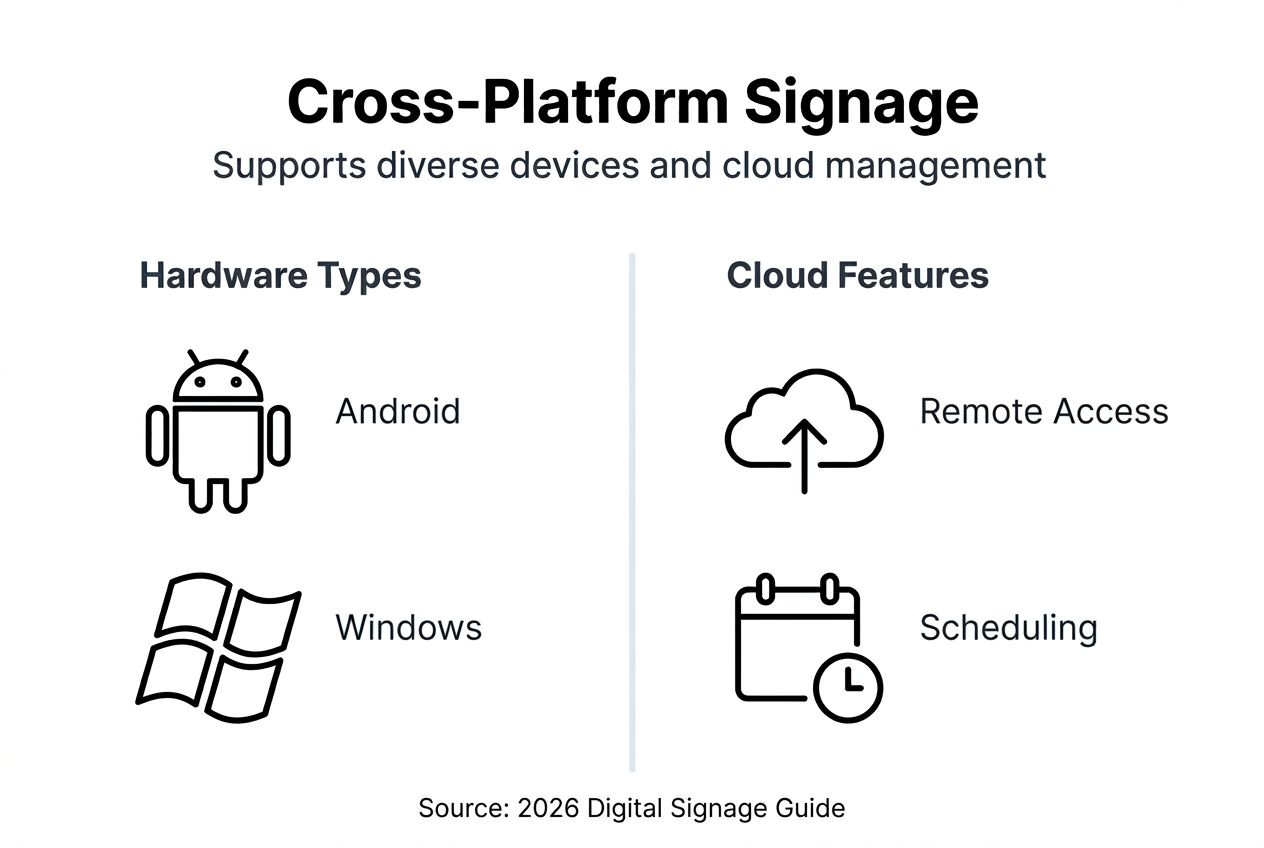
Cloud management centralizes control. Key features include remote device monitoring, bulk content updates, geographic grouping of screens, user permission hierarchies, and real-time playback verification. Strong cloud platforms let you troubleshoot device issues without dispatching technicians.
Content creation directly affects team adoption. Simple platforms offer basic templates and image uploading. Advanced platforms provide extensive template libraries, video editing, animation tools, RSS feed integration, and brand asset management.
Automation capabilities multiply your efficiency. Scheduling ensures content displays at optimal times. Data feed integration keeps information current automatically. Multi-user workflows allow departmental collaboration without chaos. Analytics track which content performs best.
Here’s how features compare:
| Feature | Basic Platform | Advanced Platform |
|---|---|---|
| Hardware types | 2-3 device types | 6+ device types including URL players |
| Template library | 50-100 templates | 600+ professional templates |
| Cloud management | Basic scheduling | Advanced automation, permissions, analytics |
| Content editor | Simple upload | Drag-and-drop with animation and data feeds |
| User management | Single admin | Multi-user with role-based permissions |
| Support | Email only | Live chat, phone, training resources |
Use case examples help clarify needs. Retail chains need extensive template variety for seasonal promotions and robust scheduling for flash sales. Healthcare facilities prioritize clear wayfinding templates and emergency alert automation. Corporate offices focus on multi-user permissions for departmental content and integrations with calendar systems.
Test platforms using this framework by requesting trials focused on your priority pillars. Compare digital signage software trial options and evaluate digital signage hardware solutions compatibility systematically rather than chasing feature lists.
Implementing cross-platform signage: practical considerations
Successful adoption follows a clear sequence. First, audit existing hardware to determine what’s compatible with potential platforms. Document screen locations, sizes, current connection methods, and replacement timelines. This inventory guides platform selection and reveals whether you need new devices immediately.
Second, choose your platform based on the framework pillars. Prioritize must-have features over nice-to-haves. Run trials with your actual content and team members, not just decision makers. Watch for usability friction points that could derail adoption.
Third, plan comprehensive training. A major failure point is neglecting user training on multi-user management and automation, causing underuse of platform capabilities. Budget time for hands-on workshops where team members create real content, schedule it, and troubleshoot common issues.
Fourth, establish content workflows and governance:
- Define who creates, approves, and publishes content for different screen groups
- Set brand standards for templates, fonts, colors, and messaging tone
- Create content calendars aligning signage with broader marketing campaigns
- Establish review cycles to keep content fresh and remove outdated displays
- Implement feedback loops so location staff report what works and what doesn’t
Fifth, configure multi-user permissions carefully. Marketing teams need creation and scheduling access. Location managers might only view content assigned to their screens. Executives require analytics access without editing capabilities. Proper permission setup prevents accidental content deletion and maintains brand control.
Sixth, leverage automation from day one. Set up recurring content schedules for weekly promotions. Integrate real-time data feeds for information that changes frequently. Use geographic grouping so time-sensitive content displays at appropriate local times across time zones.
Common pitfalls to avoid include launching across all locations simultaneously without testing, neglecting device maintenance monitoring, creating content without considering different screen orientations and sizes, and failing to measure performance metrics.
Pro Tip: Run a pilot program with 5-10 screens representing your location diversity. Monitor closely for technical issues, gather user feedback, refine workflows, then expand gradually. Real-time monitoring during pilots catches problems before they multiply.
Explore implementation resources including digital signage software trial access, digital signage hardware solutions comparison guides, and detailed digital signage implementation instructions. Research digital signage adoption challenges to learn from others’ mistakes.
Conclusion and next steps for marketing professionals
Cross-platform signage transforms how you communicate with audiences across locations by unifying control over diverse hardware through cloud-based management. The strategic value is clear: 30-45% engagement increases, significant cost savings from leveraging existing devices, and automation that frees your team for creative work instead of manual updates.
Use this checklist when evaluating platforms:
- Verify compatibility with your current and planned hardware types
- Test content creation tools yourself to confirm team usability
- Review automation features like scheduling, data feeds, and permissions
- Examine training resources and support quality
- Calculate total cost including hardware, software, and implementation
- Request customer references from your industry sector
Successful implementation emphasizes planning over rushing. Audit your hardware, run thorough trials, train your team completely, establish clear workflows, and expand gradually from pilots. Dynamic content and automation separate mediocre from exceptional signage programs.
The marketing landscape rewards organizations that communicate effectively across touchpoints. Cross-platform signage gives you that capability without technical complexity or budget-breaking hardware investments. Your audience expects relevant, timely information. You now have the knowledge to deliver it consistently.
Discover DST Connect digital signage solutions
Ready to experience cross-platform signage firsthand? DST Connect offers comprehensive hardware and software solutions designed specifically for marketing professionals managing diverse display networks. Our cloud platform supports Android, Windows, and URL-based players, giving you the flexibility to use existing devices or upgrade strategically.
The user-friendly software includes 600+ professional templates, drag-and-drop editing, and powerful automation features for scheduling and real-time data integration. Multi-user permissions ensure your team collaborates smoothly while maintaining brand standards. Explore our digital signage hardware options or start a 14-day free trial of our digital signage software to test capabilities with your actual content and team.
Pro Tip: Use your trial period to create real content for upcoming campaigns and deploy it to test devices. Hands-on experience reveals whether a platform truly fits your workflow better than any sales presentation.
FAQ
What hardware types does cross-platform signage support?
Cross-platform signage typically supports Android media players, Windows PCs and tablets, URL-based web players, and smart TV platforms like webOS and Tizen. This broad compatibility lets you use existing diverse devices without costly replacements. You choose hardware based on location needs and budget, not platform limitations. Explore digital signage hardware options to compare device types.
How does cloud management improve digital signage efficiency?
Cloud management centralizes all content creation, scheduling, and device monitoring in one web-based dashboard accessible from anywhere. You update hundreds of screens simultaneously in minutes instead of visiting locations or emailing files to staff. Remote troubleshooting catches device issues before they impact displays. Multi-location deployment becomes simple when your team manages everything from a central interface. Try digital signage cloud software to see centralized control firsthand.
What are key training needs for effective signage platform use?
Teams need training on multi-user workflows and permission management to prevent content conflicts and maintain brand standards. Content creation tool training ensures everyone can build professional displays using templates and editors confidently. Automation setup training, covering scheduling and data feed integration, maximizes platform efficiency and prevents manual update bottlenecks. Neglecting user training on these areas causes underuse of platform capabilities and implementation failure. Review digital signage platform instructions and learn from common signage adoption challenges.
How can marketing teams measure success with cross-platform signage?
Track engagement rate improvements, targeting the 30-45% increase that dynamic content typically delivers compared to static displays. Monitor content update speed reductions, measuring time saved versus previous manual processes. Calculate cost savings from eliminated printing expenses and reduced IT support needs. Measure ROI by comparing signage investment against increased sales, reduced support inquiries, or improved customer satisfaction scores depending on your sector and goals.
Recommended
Enjoyed this blog?
Continue with the previous or next article and discover more ideas, insights and inspiration from DST Connect.